
Taskuary


Your inbox, staffed by AI agents.
Taskuary brings your mail, chats, issues, and scheduled reports onto one local timeline. AI triage decides what is real work, your coding CLI works the tasks in your own repos, and replies wait for your approval. Nothing sends or ships without you.
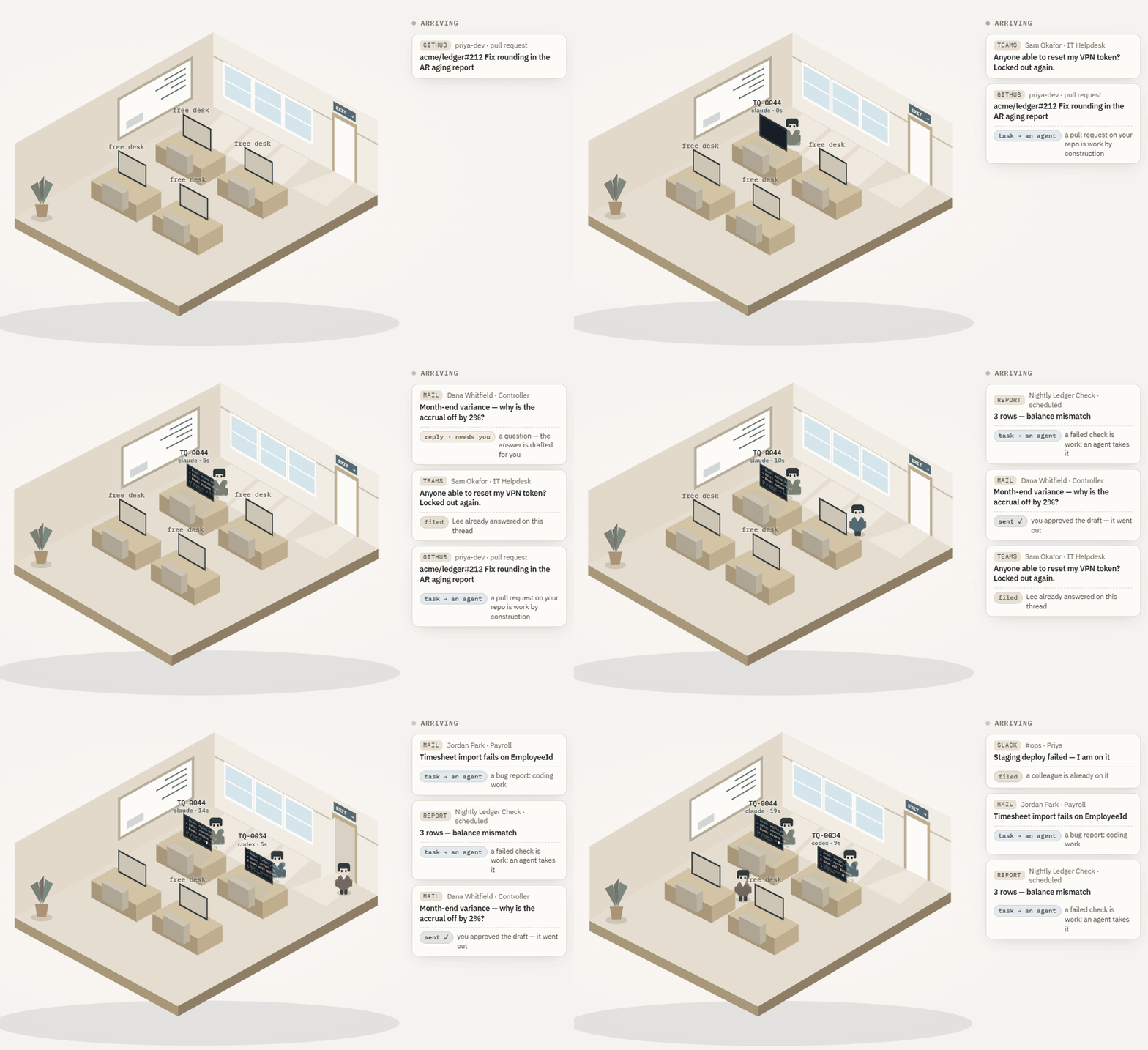
Taskuary is early—currently v0.3.1—and moving fast. The funnel, review queue, agent sessions, and reports pipeline are in daily use; breaking changes are still possible before 1.0.
One timeline for incoming work
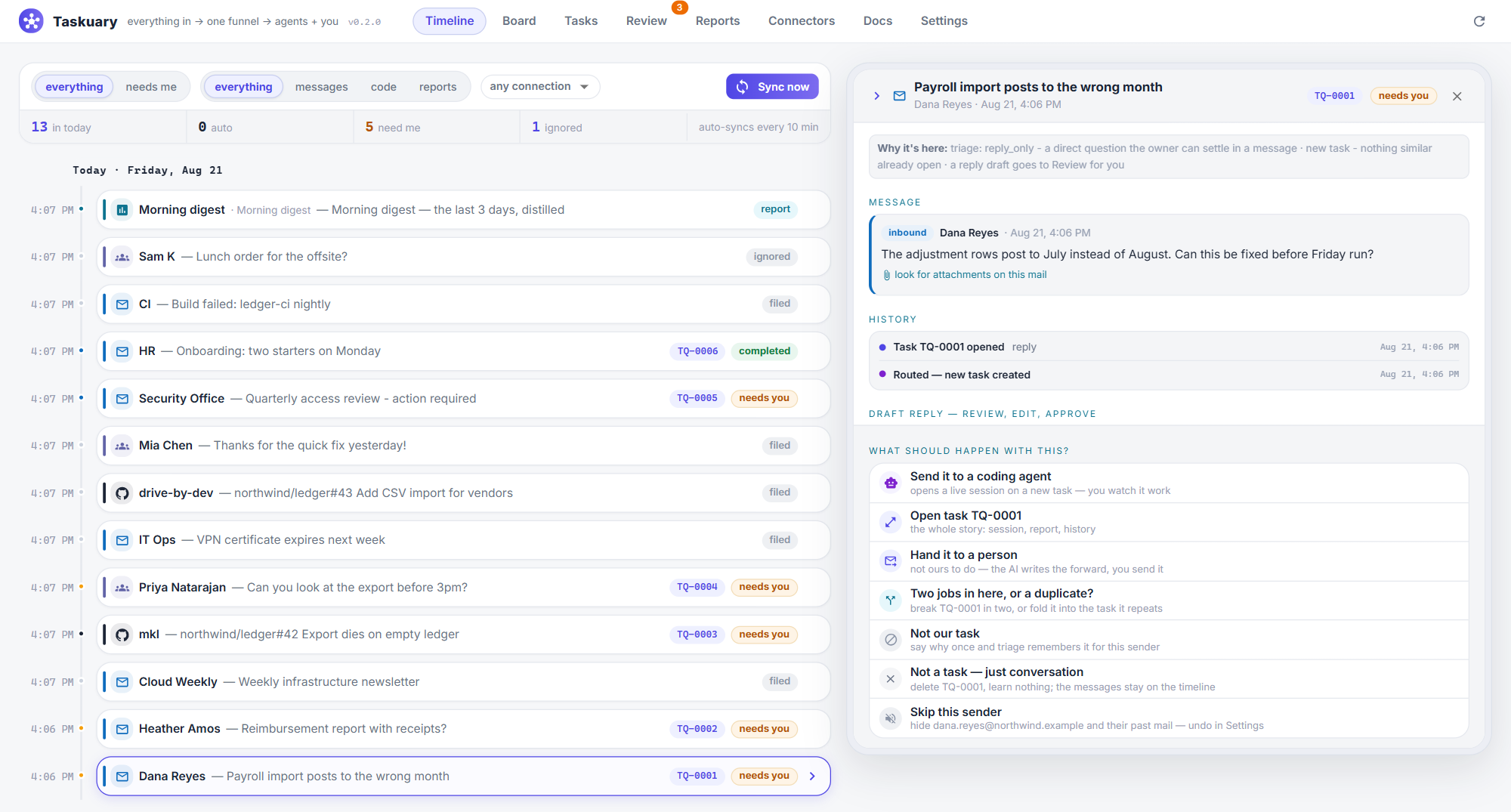
Outlook, Gmail, Teams, Slack, Telegram, WhatsApp, GitHub, Jira, alerts, and reports all arrive on the same day-grouped rail. Each row says what it is and whether it needs you. Open one to see the full message, its attachments, why triage ruled that way, the drafted reply, and every available next step.
Real work can go straight to Claude Code, Codex, Gemini, Cursor, Copilot, or any CLI that accepts a prompt on stdin. You watch the live terminal, answer questions, review the diff, and approve what happens next.
An assistant that notices what falls between tasks
The Assistant periodically reads what the hub can see and posts only when it has something useful to say: a reply that went unanswered, a meeting that needs context, a task that went quiet, or a pattern across the week's work. Every suggestion includes its evidence and can be made into a task, dismissed, snoozed, or taught away with Not this.
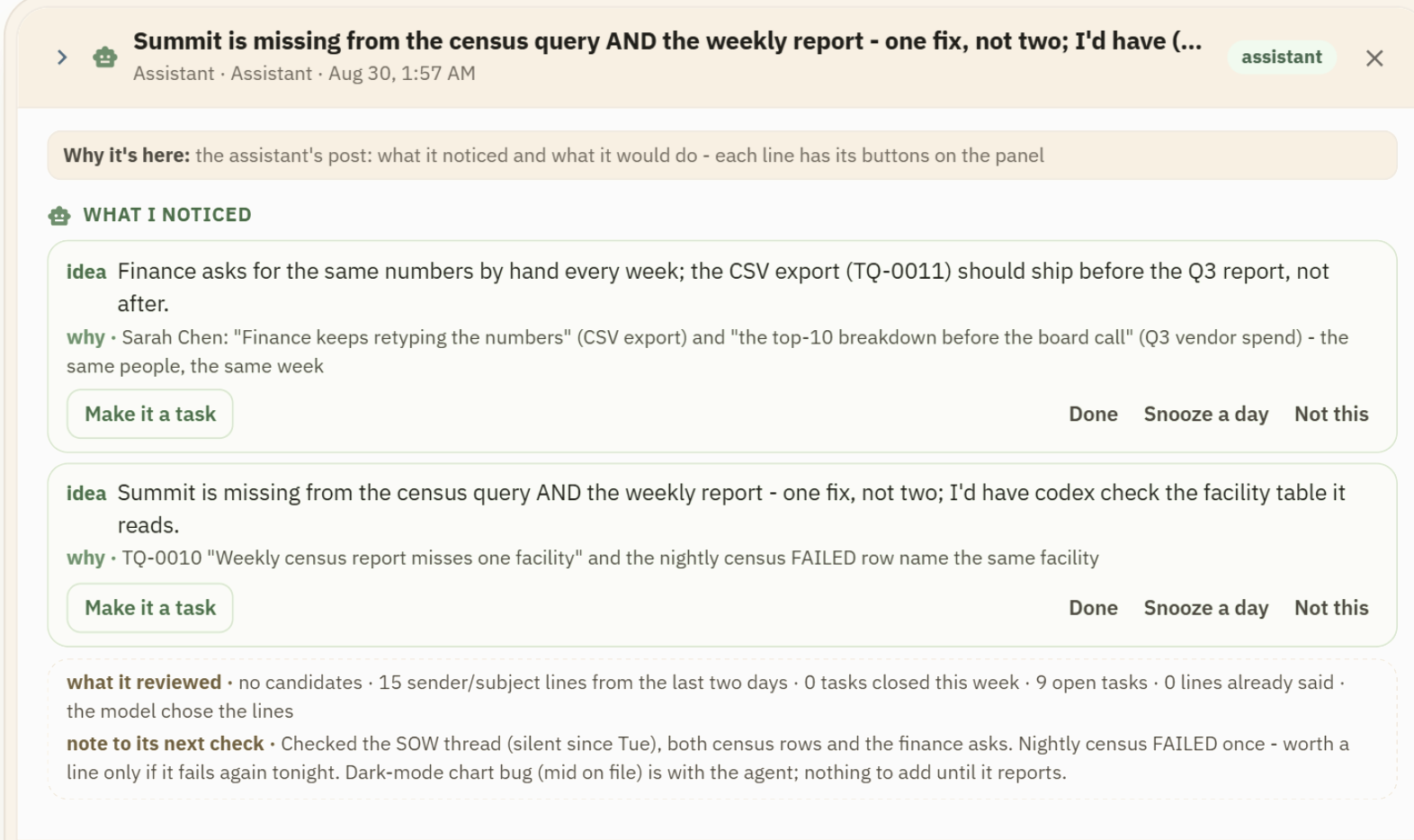
Its voice, schedule, model, and thresholds are yours to change. It leaves a note for its next check, does not repeat itself, and stays silent when there is nothing worth interrupting you for.
Install
Windows app
Download the latest single-file Taskuary.exe and open it. No Python or installer is required.
Python
Python 3.10 or newer works on Windows, macOS, and Linux:
pip install taskuary
taskuary
Taskuary opens at http://127.0.0.1:7787. For a native desktop
window instead, install pip install "taskuary[desktop]" and run taskuary-desktop.
Docker
git clone https://github.com/ldbumble/taskuary
cd taskuary
docker compose up
Then open http://127.0.0.1:7787. Docker runs the web app; coding CLIs and the optional WhatsApp bridge remain on the host.
On first run, connect an AI provider or local Ollama model, add at least one inbound channel, then choose the coding CLI that should receive tasks. The setup wizards test each connection before it goes live.
Documentation
- Getting started—installation, first-run setup, Docker, and data
- Product guide—the workflow, learning loop, agents, and operator documents
- Integrations—channels, AI providers, work systems, and report sources
- Status and roadmap—what works today and what is next
- Contributing—development setup and contribution guide
Taskuary is free and open source under the MIT License. Issues and pull requests are welcome; security reports belong in SECURITY.md.
No comments yet
Be the first to share your take.