
Project Guardian MCP
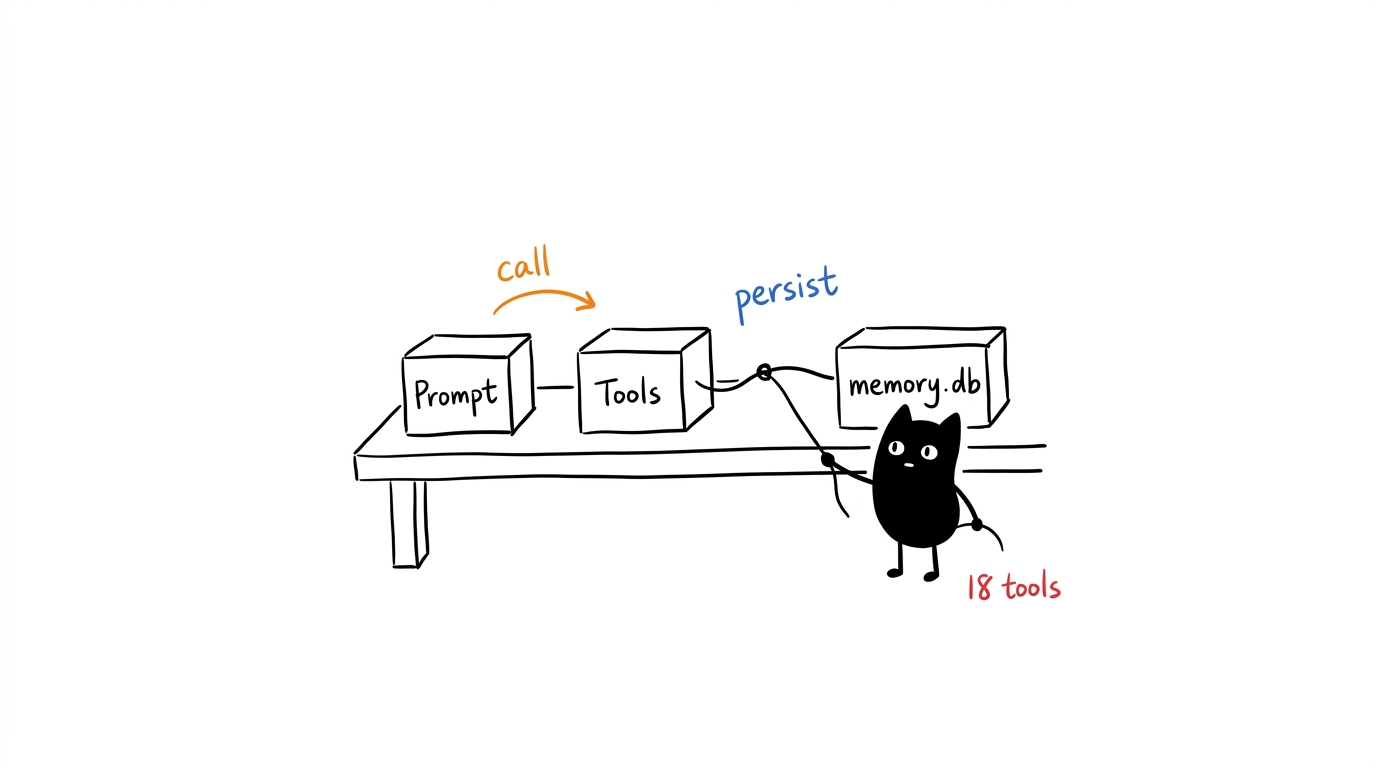
A Model Context Protocol (MCP) server for persistent project memory, knowledge-graph operations, SQLite data access, runtime security checks, and guided project-management workflows. The current registry exposes 27 tools, 11 resources, and 27 prompts.
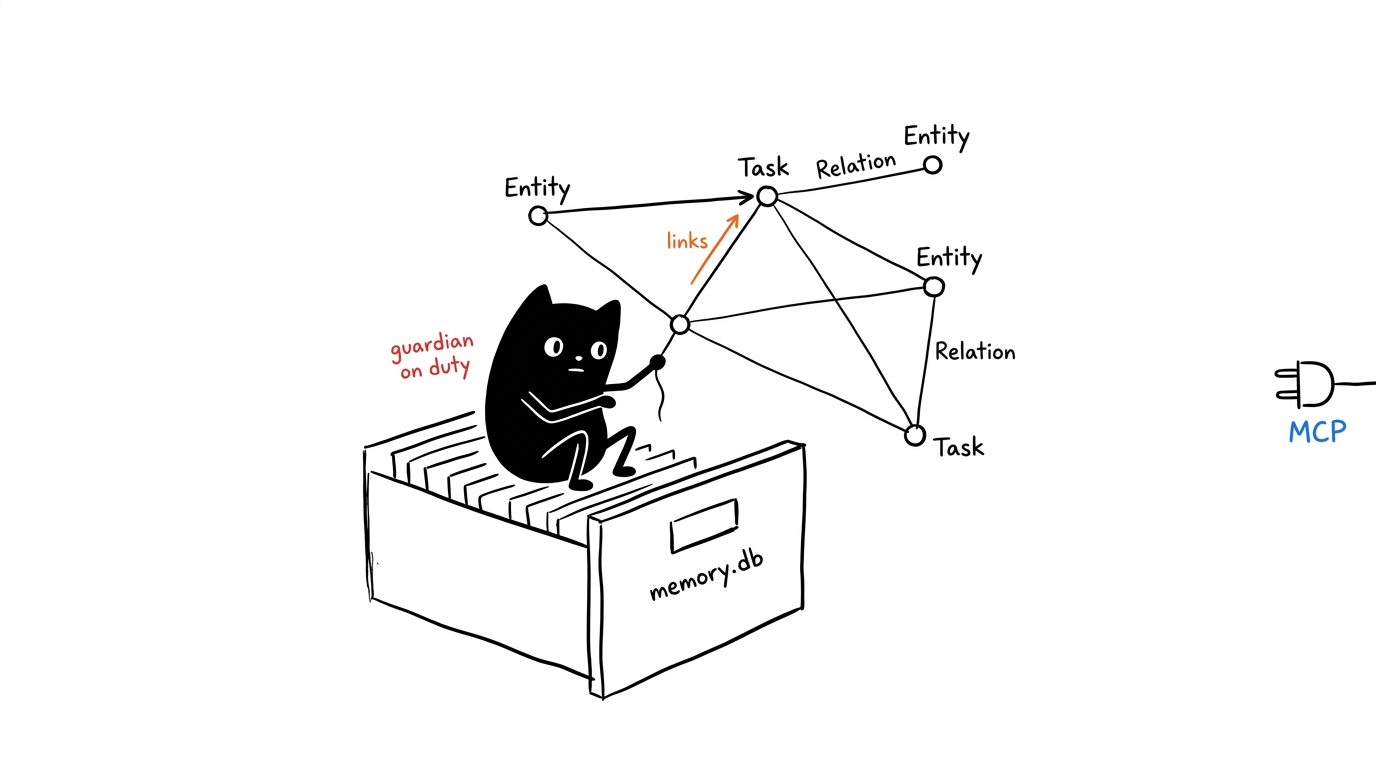
Table of Contents
- Features
- Requirements
- Installation
- Available Tools
- AI Guidance System
- Usage Examples
- Configuration
- Project Structure
- Development
- License
Features
Project Guardian Memory System
- Knowledge Graph: Maintain project entities, relationships, and observations
- Entity Management: Projects, tasks, people, resources with rich metadata
- Relationship Mapping: Dependencies, ownership, blockers, and connections
- Observation Tracking: Contextual notes and progress updates
- Text Search: Case-insensitive matching across entity names, types, observations, and relations
- Centralized Persistence: Stores
memory.dbat the Git root, or under$XDG_DATA_HOME/project-guardianoutside a Git repository - Optional Pre-Commit Setup: Installs a generated configuration only when both Git and
pre-commitare available
Streamlined Database Operations
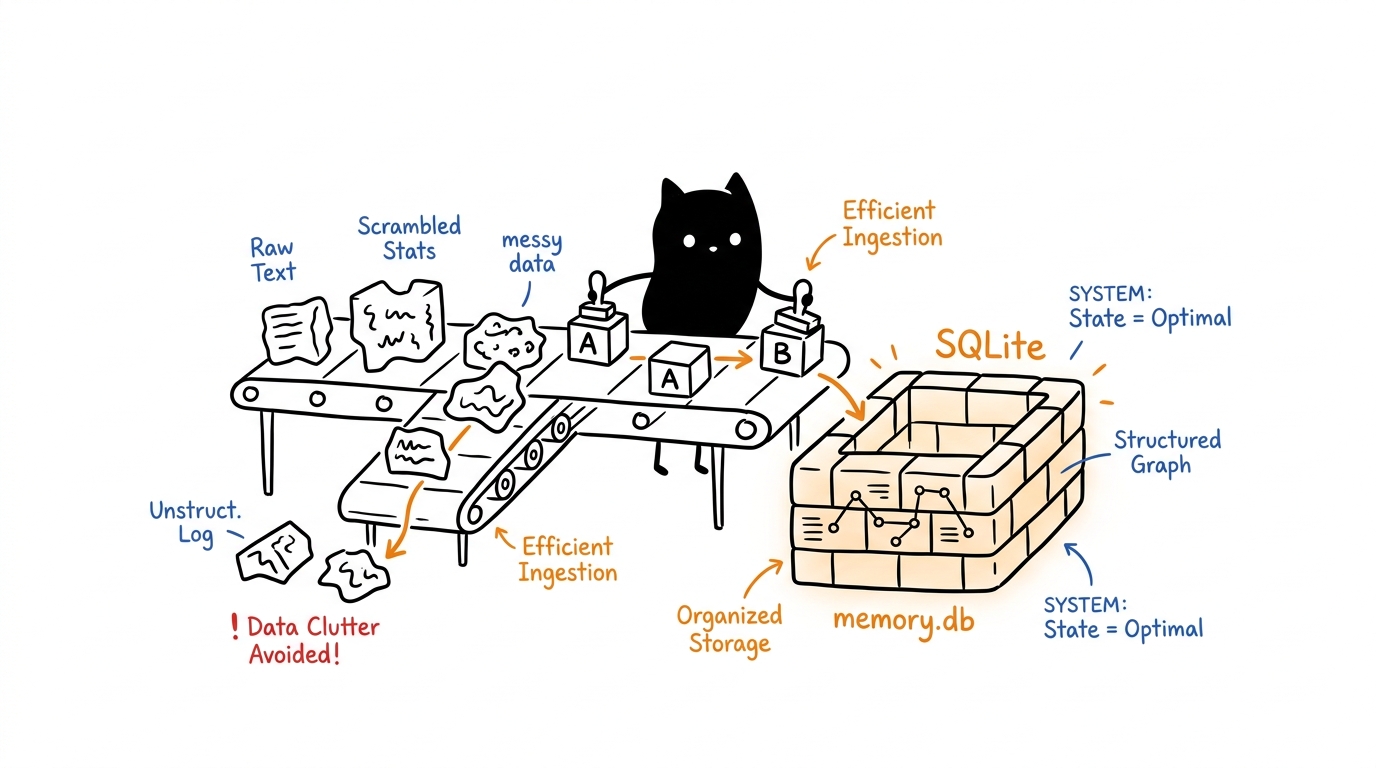
- Single Database: Uses only
memory.dbfor all operations - Core CRUD: Essential database operations (query, insert, update, delete)
- SQL Execution: Direct SQL query execution
- Data Transfer: Import/export CSV and JSON files
- 27 Tools Total: Seven database tools, ten memory tools, one guidance tool, and nine runtime companion tools
Runtime Companion Integration
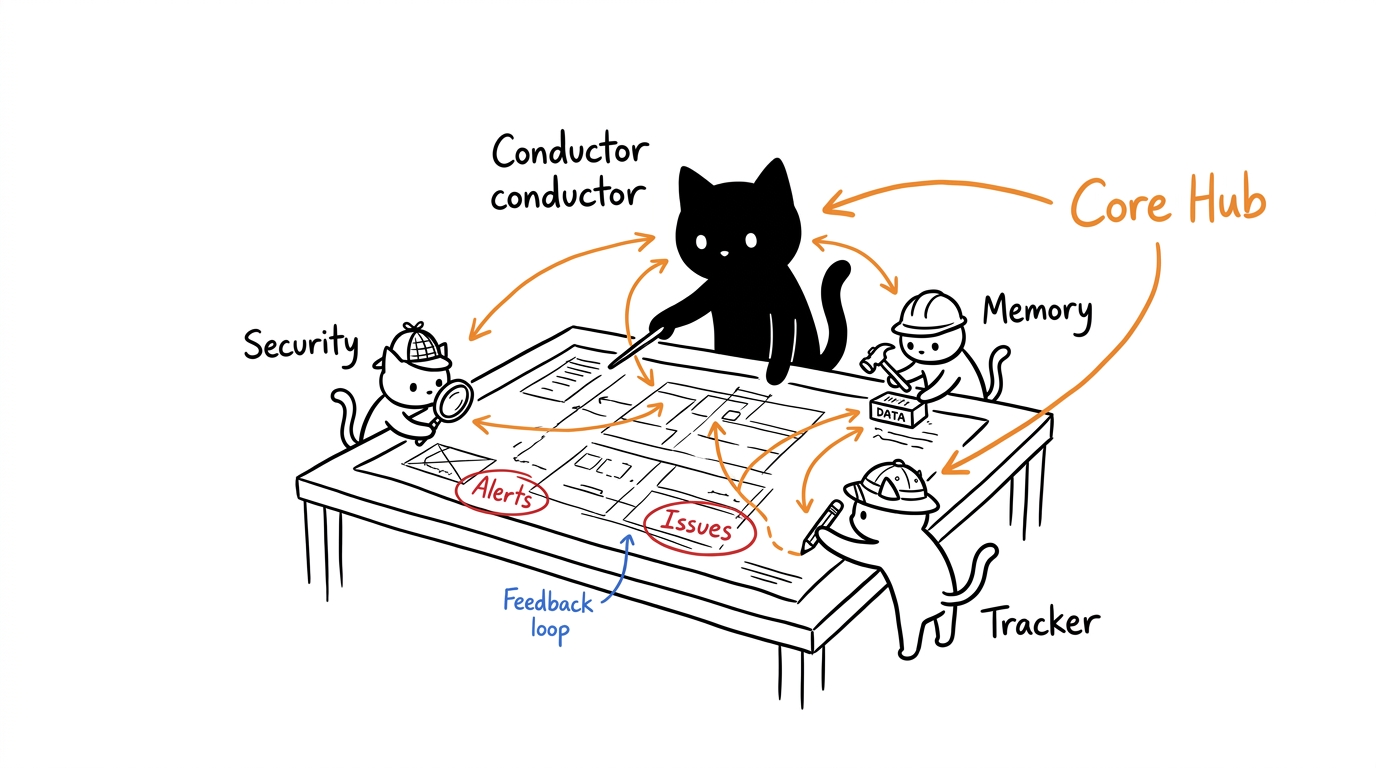
The repository includes six guardian-* AgentSkills and exposes their operational capabilities through typed MCP tools:
| Companion | Runtime role | MCP surface |
|---|---|---|
guardian-memory |
Persistent entities, relations, and observations | Ten memory tools |
guardian-session |
Active-task, bug, blocker, and recent-change summaries | get_session_context |
guardian-tracker |
Bounded Git diff and untracked-file analysis | analyze_git_changes |
guardian-wall |
Untrusted-text normalization and prompt-injection detection | inspect_untrusted_text |
guardian-security |
Secret scanning and Trivy image scanning | scan_project_secrets, scan_container_image |
guardian-cache |
Optional namespaced Redis storage | Four cache_* tools |
AgentSkills provide host-side workflows and instructions. The MCP runtime implements the corresponding operations directly in TypeScript, except container scanning, which invokes Trivy as a bounded external process. No generic script or shell execution tool is exposed.
AI Guidance System
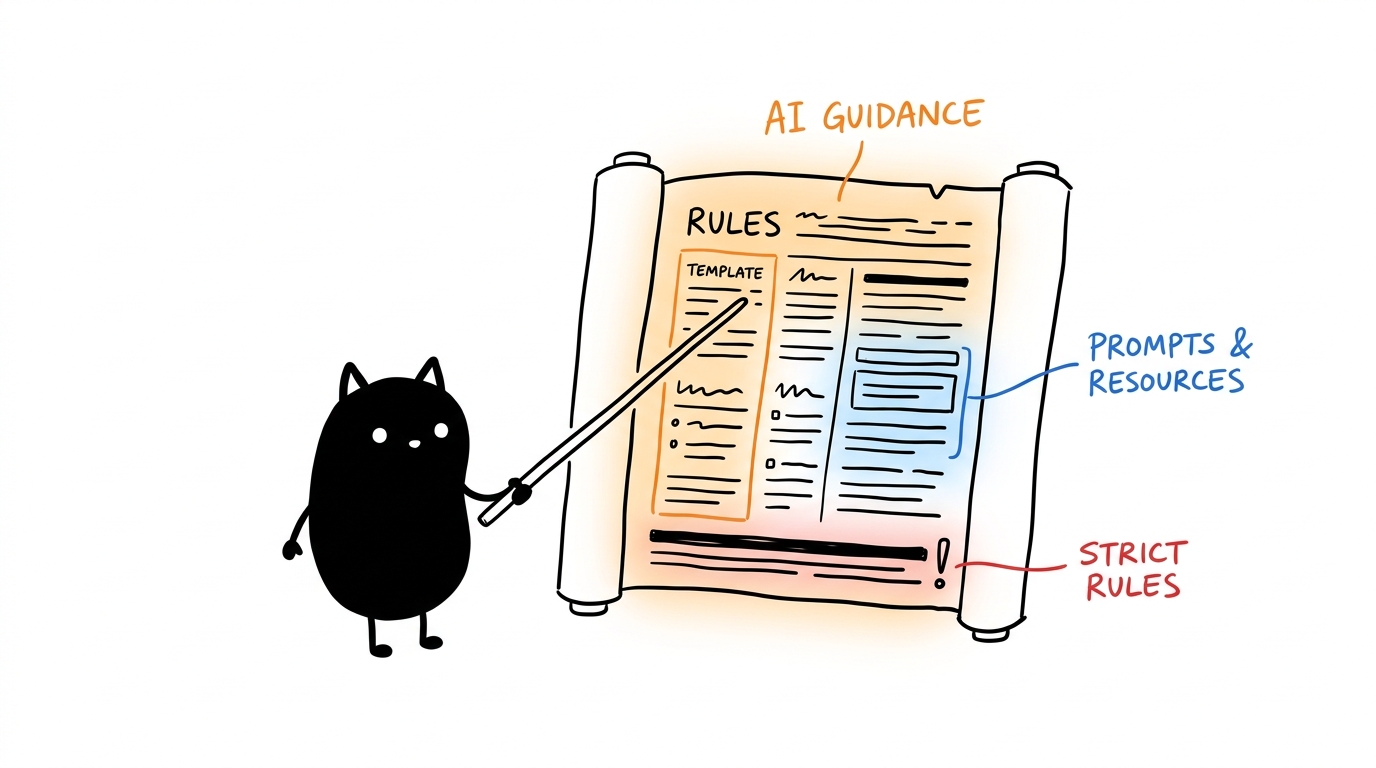
- 11 Resources: Templates, best practices, project status, and companion capability health
- 27 Prompts: Comprehensive pre-built workflows for all aspects of project management
- Expert Guidance: Step-by-step instructions for complex operations
- Contextual Help: Adaptive prompts based on user needs
- Knowledge Base: Comprehensive project management wisdom
Advanced Features
- Schema Validation: Comprehensive input validation with Zod schemas
- Error Handling: Detailed error messages and graceful failure handling
- Connection Management: Bounded 20-connection LRU cache with shutdown cleanup
- File Integration: CSV and SQL imports are streamed; CSV writes use bounded string assembly
- Result Limits: Unbounded raw
SELECTqueries are capped at 10,000 rows
Enterprise Features
- TypeScript: Fully typed with comprehensive error handling
- Input Validation: Zod schema validation for all parameters
- Error Recovery: Graceful error handling with detailed error messages
- Resource Management: Automatic cleanup of connections and resources
- Testing: Eight Jest suites with 83 passing tests
Requirements
- Node.js: >= 18.0.0
- npm: Latest stable version
- SQLite3: Automatically installed as dependency
- Redis: Optional; required only for
cache_*tools throughREDIS_URL - Trivy: Optional; required only for
scan_container_image
Installation
- Clone the repository:
git clone https://github.com/1999AZZAR/project-guardian-mcp-server.git
cd project-guardian-mcp-server
- Install dependencies:
npm install
- Build the project: Choose between development or production build:
For development (includes source maps and full TypeScript compilation):
npm run build
For production (creates an optimized, minified bundle):
npm run build:prod
- Run the test suite:
npm test
- Start the server:
npm start
Updating After Changes
When you pull new updates or modify the code, you must rebuild the server and restart your MCP client (Cursor, Claude Desktop, etc.) for the changes to take effect:
- Pull the latest code:
git pull - Install new dependencies (if any):
npm install - Rebuild the bundle:
npm run build:prod - Important: Restart your IDE or the MCP connection so the client can fetch the newly updated tools and prompts.
Available Tools
This MCP server currently provides 27 tools:
Database Operations (7 tools)
execute_sql - Execute SQL Query
Execute raw SQL queries on memory.db.
Parameters:
query(required): SQL query stringparameters(optional): Query parameters array
query_data - Query Table Data
Query data from memory.db tables with filtering and pagination.
Parameters:
table(required): Table nameconditions(optional): WHERE conditions objectlimit(optional): Maximum rows to returnoffset(optional): Number of rows to skiporderBy(optional): Column to sort byorderDirection(optional): Sort direction ("ASC" or "DESC")
insert_data - Insert Records
Insert records into memory.db table.
Parameters:
table(required): Table namerecords(required): Array of record objects to insert
update_data - Update Records
Update records in memory.db table.
Parameters:
table(required): Table nameconditions(required): WHERE conditions for records to updateupdates(required): Fields to update
delete_data - Delete Records
Delete records from memory.db table.
Parameters:
table(required): Table nameconditions(required): WHERE conditions for records to delete
import_data - Import Data
Import data from CSV or JSON file into memory.db table.
Parameters:
table(required): Target table namefilePath(required): Path to source fileformat(optional): File format ("csv" or "json")options(optional): Import options (delimiter, hasHeader)
export_data - Export Data
Export memory.db table data to CSV or JSON file.
Parameters:
table(required): Source table namefilePath(required): Output file pathformat(optional): Output format ("csv" or "json")conditions(optional): WHERE conditions to filter exportoptions(optional): Export options (delimiter, includeHeader)
Memory and Guidance Tools (11 tools)
initialize_memory - Initialize Memory System
Set up the project memory database schema and tables.
Parameters: None
create_entity - Create Project Entities
Create entities in the project knowledge graph (supports single or batch).
Parameters:
entities(required): Array of entity objectsname: Entity nameentityType: Type (project, task, person, resource)observations: Array of notes about the entity
create_relation - Create Entity Relationships
Create relationships between project entities (supports single or batch).
Parameters:
relations(required): Array of relation objectsfrom: Source entity nameto: Target entity namerelationType: Relationship type (depends_on, blocks, owns, etc.)
add_observation - Add Entity Observations
Add observations/notes to project entities (supports single or batch).
Parameters:
observations(required): Array of observation objectsentityName: Target entity namecontents: Array of observation strings to add
delete_entity - Delete Project Entities
Remove entities and their relations from project memory (supports single or batch).
Parameters:
entityNames(required): Array of entity names to delete
delete_observation - Remove Entity Observations
Remove specific observations from entities (supports single or batch).
Parameters:
deletions(required): Array of deletion objectsentityName: Target entity nameobservations: Array of observation strings to remove
delete_relation - Delete Entity Relationships
Remove relationships between project entities (supports single or batch).
Parameters:
relations(required): Array of relation objects to deletefrom: Source entity nameto: Target entity namerelationType: Relationship type to delete
read_graph - Read Project Knowledge Graph
Retrieve the entire project knowledge graph with all entities and relationships.
Parameters: None
search_nodes - Search Project Knowledge
Search for entities and relations matching a query across names, types, and content.
Parameters:
query(required): Search term
open_node - Get Entity Details
Retrieve detailed information about project entities (supports single or batch).
Parameters:
names(required): Array of entity names to retrieve
get_project_guidance - Access AI Guidance
Invoke a project guidance framework to receive specialized instructions and checklists for specific workflows. This allows the AI to autonomously fetch and follow established project management protocols.
Parameters:
guidance_name(required): Name of the guidance (e.g., project-setup, sprint-planning)arguments(optional): Arguments required by the specific guidance framework
Runtime Companion Tools (9 tools)
get_session_context
Summarize active tasks, open bugs, recent changes, blockers, and the next suggested action directly from the knowledge graph.
limit(optional, 1-50, default 10): Maximum entries per result group.
analyze_git_changes
Return exact machine-readable changed paths from Git, including renames and optionally untracked files.
commit(optional): Analyze one commit against its parent.since(optional, default1): Analyze changes since N commits ago or a Git date.includeUntracked(optional, defaulttrue): Include untracked files for worktree analysis.maxFiles(optional, 1-500, default 100): Bound returned paths.commitand a customsincevalue are mutually exclusive.
inspect_untrusted_text
Normalize up to 256 KiB of untrusted text and detect hidden formatting, instruction overrides, role mimicry, hidden HTML/CSS, remote exfiltration markup, and encoded instruction-like content.
text(required): External or otherwise untrusted content.- Detection is heuristic. Returned normalized text remains untrusted data.
scan_project_secrets
Scan a workspace-relative file or directory for likely hardcoded credentials. Results contain only type, relative file path, and line number; matched values are never returned.
path(optional, default.): Workspace-relative scan target.exclude(optional): Additional directory names to skip.maxFindings(optional, 1-500, default 100): Bound findings.- Absolute paths, traversal, missing paths, and symlink escapes are rejected.
scan_container_image
Run a timeout-limited Trivy scan and return bounded HIGH/CRITICAL vulnerability summaries.
image(required): Container image reference.maxFindings(optional, 1-500, default 100): Bound findings.- Requires Trivy. Image values beginning with
-, containing whitespace, or containing control characters are rejected.
Redis cache tools
cache_get: Read onemema:<category>:<name>key.cache_set: Store a value up to 512 KiB with optionalttlSecondsfrom 1 to 604800.cache_delete: Delete one namespaced key.cache_scan: Cursor-scan amema:*pattern with a bounded count.
Project scan paths are restricted to the current Git workspace. Redis tools connect lazily and return an unavailable error when REDIS_URL is unset. Container scanning remains unavailable until Trivy is installed. Read project-guardian://companions/catalog for current capability health.
AI Guidance System
Project Guardian MCP includes comprehensive resources and prompts to help AI models effectively use the toolset for project management.
Available Resources
Project Guardian provides 11 key resources that AI models can read to understand project management concepts, access capability health, and get comprehensive project insights:
project-guardian://templates/entity-types
Standard entity types for project management with examples and usage guidelines.
project-guardian://templates/relationship-types
Common relationship types between project entities with practical examples.
project-guardian://templates/project-workflows
Standard workflows for using Project Guardian tools in different scenarios.
project-guardian://templates/best-practices
Comprehensive best practices guide for effective project knowledge management.
project-guardian://status/current-graph
Current state of the project knowledge graph with summary statistics.
project-guardian://cache/recent-activities
Recently performed project management activities and updates for tracking progress.
project-guardian://cache/workflow-templates
Frequently used workflow templates with examples and implementation guidance.
project-guardian://metrics/project-stats
Statistical overview of project entities, relationships, and activities with health metrics.
project-guardian://cache/team-members
Cached information about project team members and their roles within the organization.
project-guardian://status/recent-changes
Recent additions, updates, and modifications to the knowledge graph for audit and monitoring.
project-guardian://companions/catalog
Lists all six companions, their MCP tools, external prerequisites, and current availability.
Available Prompts
Project Guardian offers 27 prompts covering project setup, planning, quality, operations, and incident workflows:
Core Project Management
project-setup - Project Initialization
Arguments:
project_name(required): Name of the projectteam_members(optional): Comma-separated list of team members
Provides step-by-step guidance for setting up a new project structure with appropriate entities and relationships.
sprint-planning - Sprint Planning
Arguments:
sprint_name(required): Name/number of the sprintduration_days(optional): Sprint duration in days
Guides through comprehensive sprint planning including task breakdown, dependencies, and capacity planning.
progress-update - Progress Tracking
Arguments:
task_name(required): Name of the task to updateprogress_notes(required): Progress update description
Structured process for updating task progress and managing dependencies.
retrospective - Project Retrospective
Arguments:
time_period(required): Time period being reviewed (e.g., "last sprint", "Q1")
Comprehensive retrospective process including data analysis, pattern identification, and improvement action creation.
Quality & Process Management
code-review - Code Review Process
Arguments:
pull_request_title(required): Title of the pull request being reviewedreviewer_name(optional): Name of the reviewer
Structured code review process with technical checklists, issue documentation, and approval workflows.
bug-tracking - Bug Management
Arguments:
bug_description(required): Description of the bug or issueseverity_level(optional): Critical, High, Medium, or Low severity
Complete bug tracking workflow from discovery to resolution with impact analysis and stakeholder communication.
technical-debt-assessment - Technical Debt Analysis
Arguments:
component_name(required): Name of the component or codebase being assessedassessment_scope(optional): Scope of assessment (file, module, system)
Comprehensive technical debt identification, prioritization, and remediation planning.
Release & Deployment Management
release-planning - Release Planning
Arguments:
release_version(required): Version number for the release (e.g., "v2.1.0")release_date(optional): Target release date
Complete release planning process including quality gates, risk assessment, and deployment coordination.
Risk & Change Management
risk-assessment - Risk Management
Arguments:
risk_description(required): Description of the riskimpact_level(optional): High, Medium, or Low impact
Complete workflow for documenting risks, identifying impacts, and developing mitigation strategies.
change-management - Change Control
Arguments:
change_description(required): Description of the proposed changeimpact_assessment(optional): High, Medium, or Low impact assessment
Structured change management process with impact analysis, approval workflows, and implementation tracking.
Team & Resource Management
team-productivity - Productivity Analysis
Arguments:
timeframe(required): Time period to analyze (week, month, quarter)focus_area(optional): Area to focus on (velocity, quality, collaboration)
Team productivity assessment with performance metrics, root cause analysis, and improvement planning.
resource-allocation - Resource Planning
Arguments:
resource_type(required): Type of resource (human, infrastructure, budget)planning_horizon(optional): Planning timeframe (sprint, quarter, year)
Resource allocation optimization with capacity planning, gap analysis, and utilization tracking.
Documentation & Communication
stakeholder-communication - Communication Management
Arguments:
communication_type(required): Type of communication (status_update, issue_alert, milestone_reached)audience(optional): Target audience (team, management, client, all)
Stakeholder communication planning and execution with audience-specific strategies and effectiveness tracking.
documentation-management - Documentation Updates
Arguments:
documentation_type(required): Type of documentation (api, user_guide, technical_spec)update_reason(optional): Reason for documentation update
Documentation maintenance process with content planning, review workflows, and publishing coordination.
Requirements & Planning Management
requirements-gathering - Requirements Gathering
Arguments:
requirement_type(required): Type of requirements (functional, non-functional, business, technical)stakeholders(optional): Comma-separated list of key stakeholders
Guides through comprehensive requirements gathering process with stakeholder management and requirement categorization.
user-story-management - User Story Management
Arguments:
feature_name(required): Name of the feature or epicuser_role(optional): Primary user role (e.g., "customer", "admin", "developer")
Structured process for creating, managing, and prioritizing user stories with acceptance criteria and dependencies.
Quality & Technical Management
testing-strategy - Testing Strategy Development
Arguments:
application_type(required): Type of application (web, mobile, api, desktop)criticality_level(optional): Business criticality (critical, high, medium, low)
Comprehensive testing strategy development including automated testing, quality gates, and risk-based testing.
security-assessment - Security Assessment
Arguments:
assessment_scope(required): Scope of security assessment (application, infrastructure, data)compliance_requirements(optional): Compliance standards (GDPR, HIPAA, SOC2, etc.)
Security assessment framework with vulnerability management, compliance verification, and security controls implementation.
performance-optimization - Performance Optimization
Arguments:
performance_metric(required): Primary metric to optimize (response_time, throughput, resource_usage)optimization_goal(optional): Specific performance target or improvement percentage
Performance monitoring setup, bottleneck identification, and optimization implementation with continuous monitoring.
ci-cd-setup - CI/CD Pipeline Setup
Arguments:
pipeline_type(required): Type of pipeline (build, test, deploy, full_ci_cd)target_platform(optional): Deployment target (aws, azure, gcp, kubernetes, heroku)
Complete CI/CD pipeline setup including quality gates, rollback procedures, and security integration.
architecture-review - Architecture Review
Arguments:
architecture_type(required): Type of architecture (microservices, monolithic, serverless, hybrid)review_focus(optional): Primary focus area (scalability, security, maintainability, performance)
Architectural assessment framework with design pattern analysis, technology stack evaluation, and improvement recommendations.
Knowledge & Team Management
knowledge-transfer - Knowledge Transfer
Arguments:
knowledge_domain(required): Domain of knowledge (technical, process, business)transfer_recipients(optional): Who needs to receive the knowledge (team, individual, department)
Knowledge transfer planning and execution with session management, documentation, and effectiveness validation.
vendor-management - Vendor Management
Arguments:
vendor_type(required): Type of vendor service (cloud, development, consulting, infrastructure)contract_value(optional): Contract value range (small, medium, large, enterprise)
Vendor relationship management including contract tracking, performance monitoring, and cost optimization.
Incident & Crisis Management
incident-response - Incident Response
Arguments:
incident_severity(required): Severity level (critical, high, medium, low)incident_type(optional): Type of incident (security, performance, functionality, availability)
Incident response framework with containment, recovery, root cause analysis, and post-incident review.
Financial & Resource Management
cost-management - Cost Management
Arguments:
cost_category(required): Primary cost category (infrastructure, personnel, tools, licenses)budget_constraint(optional): Budget constraint level (strict, flexible, unlimited)
Cost monitoring, optimization strategies, and budget management with forecasting and reporting.
Customer & Innovation Management
customer-feedback - Customer Feedback Management
Arguments:
feedback_channel(required): Primary feedback channel (survey, support, reviews, analytics)feedback_focus(optional): Focus area (usability, features, performance, support)
Customer feedback collection, analysis, and action planning with continuous improvement cycles.
innovation-planning - Innovation Planning
Arguments:
innovation_type(required): Type of innovation (product, process, technology, business_model)risk_tolerance(optional): Risk tolerance level (conservative, moderate, aggressive)
Innovation management framework with idea generation, experimentation, and success measurement.
How AI Models Use Guidance
- Discovery: List available resources and prompts to understand capabilities
- Learning: Read relevant resources to understand project management concepts
- Planning: Use appropriate prompts for complex workflows
- Execution: Follow structured guidance to use tools effectively
- Verification: Check results and iterate as needed This guidance system ensures AI models can provide expert-level project management assistance using the Project Guardian toolset.
Behavioral Protocol (System Rules)
Every prompts/get response from this MCP server includes a shared Behavioral Protocol as a system message (implemented in src/prompts/behavioral-protocol.ts). This protocol enforces:
- Minimal, production-ready, self-documenting code with a security-first approach.
- No buzzwords, unnecessary emoji, or filler; direct, technically accurate answers.
- Adaptive response depth based on the user's request (quick answers vs. complex breakdowns).
- Consistent use of validated best practices for systems, programming, UI/UX, and design.
Clients integrating this MCP server should treat the first system message as the governing rules for any downstream model that uses these prompts.
Usage Examples
Project Guardian Setup
// Initialize the project memory system
const initResult = await mcpClient.callTool('initialize_memory', {});

// Create your first project entities
const entityResult = await mcpClient.callTool('create_entity', {
  entities: [
    {
      name: 'web_platform',
      entityType: 'project',
      observations: ['Main web application platform', 'React + Node.js stack', 'Q2 2024 delivery']
    },
    {
      name: 'user_authentication',
      entityType: 'feature',
      observations: ['OAuth2 implementation', 'Google/GitHub providers', 'JWT tokens']
    }
  ]
});

// Establish project relationships
const relationResult = await mcpClient.callTool('create_relation', {
  relations: [
    {
      from: 'user_authentication',
      to: 'web_platform',
      relationType: 'part_of'
    }
  ]
});
Project Management Workflow
// Add progress observations
await mcpClient.callTool('add_observation', {
  observations: [
    {
      entityName: 'user_authentication',
      contents: [
        'Completed OAuth2 setup for Google provider',
        'JWT implementation finished',
        'Unit tests passing at 95% coverage'
      ]
    }
  ]
});

// Search project knowledge
const searchResult = await mcpClient.callTool('search_nodes', {
  query: 'authentication'
});

// Read entire project knowledge graph
const graphResult = await mcpClient.callTool('read_graph', {});

// Get detailed entity information
const entityDetails = await mcpClient.callTool('open_node', {
  names: ['user_authentication', 'web_platform']
});
Database Operations
// Execute custom SQL queries
const sqlResult = await mcpClient.callTool('execute_sql', {
  query: 'SELECT * FROM entities WHERE entity_type = ?',
  parameters: ['project']
});

// Query project data
const queryResult = await mcpClient.callTool('query_data', {
  table: 'entities',
  conditions: { entity_type: 'task' },
  limit: 10
});

// Import/export data
const importResult = await mcpClient.callTool('import_data', {
  table: 'project_data',
  filePath: './project_backup.csv',
  format: 'csv'
});
Configuration
Optional Runtime Services
Redis is optional and is never contacted during startup. Configure it only when cache tools are needed:
{
  "env": {
    "REDIS_URL": "redis://localhost:6379/0"
  }
}
Trivy is discovered from PATH when scan_container_image is called. Missing Redis or Trivy affects only its associated tools; memory, database, guidance, session, Git, wall, and project-secret tools remain available.
The companion catalog reports available, optional, or unavailable for each runtime capability. The server uses stdio transport and does not expose an HTTP listener.
For Cursor IDE
Add this server to your Cursor MCP configuration (~/.cursor/mcp.json):
{
  "mcpServers": {
    "project-guardian": {
      "command": "node",
      "args": ["/path/to/project-guardian-mcp-server/dist/index.js"],
      "env": {}
    }
  }
}
For Claude Desktop
Add this server to your Claude Desktop configuration (claude_desktop_config.json):
{
  "mcpServers": {
    "project-guardian": {
      "command": "node",
      "args": ["/path/to/project-guardian-mcp-server/dist/index.js"],
      "env": {}
    }
  }
}
Project Structure
project-guardian-mcp-server/
├── src/
│   ├── index.ts              # Main entry point
│   ├── server.ts             # MCP server orchestrator
│   ├── memory-manager.ts     # Knowledge graph and entity management
│   ├── sqlite-manager.ts     # Database operations and connection management
│   ├── import-export.ts      # CSV/JSON data import and export functionality
│   ├── types.ts              # TypeScript type definitions and schemas
│   ├── handlers/
│   │   └── request-handlers.ts # Central tool execution dispatcher
│   ├── tools/
│   │   ├── tool-registry.ts     # Tool definitions and listing
│   │   ├── database-tools.ts    # Database operation tool schemas
│   │   ├── memory-tools.ts      # Memory management tool schemas
│   │   ├── guidance-tools.ts    # Guidance tool schema
│   │   └── runtime-tools.ts     # Companion runtime tool schemas
│   ├── runtime/
│   │   ├── path-guard.ts        # Workspace path containment
│   │   └── runtime-capabilities.ts # Native companion implementations
│   ├── resources/
│   │   ├── resource-registry.ts  # Resource definitions and handlers
│   │   ├── resource-definitions.ts # Static resource metadata
│   │   ├── resource-handlers.ts   # Dynamic resource content generation
│   │   └── companion-catalog.ts   # Companion capability health
│   └── prompts/
│       ├── prompt-registry.ts       # Prompt definitions and handlers
│       ├── prompt-definitions.ts    # Static prompt metadata
│       ├── prompt-handlers.ts       # Dynamic prompt content generation
│       └── behavioral-protocol.ts   # Shared Behavioral Protocol system prompt
├── __tests__/                # Comprehensive test suite
│   ├── tool-registry.test.ts
│   ├── resource-registry.test.ts
│   ├── prompt-registry.test.ts
│   ├── request-handlers.test.ts
│   ├── runtime-capabilities.test.ts
│   ├── import-export.test.ts
│   ├── sqlite-manager.test.ts
│   └── bug-fixes.test.ts
├── skills/                   # Six distributable guardian-* AgentSkills
├── dist/                     # Ignored production build output
├── memory.db                 # Ignored local SQLite state, created on first run
├── package.json              # Project dependencies and scripts
├── package.prod.json         # Production-only dependencies for smaller bundle
├── tsconfig.json            # TypeScript configuration
├── jest.config.js           # Test configuration
└── README.md                # This documentation
Key Components
- server.ts: MCP server lifecycle, transport, handlers, and shutdown coordination
- handlers/request-handlers.ts: Central dispatcher routing tool calls to appropriate managers
- tools/: Tool definition and registration system (27 tools total)
tool-registry.ts: Lists all available toolsdatabase-tools.ts: Database operation schemas (7 tools)memory-tools.ts: Memory management schemas (10 tools)guidance-tools.ts: Autonomous guidance tool schema (1 tool)runtime-tools.ts: Typed companion capability schemas (9 tools)
- runtime/: Workspace guards and companion runtime implementations
- resources/: Resource management system (11 resources total)
resource-registry.ts: Resource listing and content servingresource-definitions.ts: Static resource metadataresource-handlers.ts: Dynamic content generation
- prompts/: Prompt management system (27 prompts total)
prompt-registry.ts: Prompt listing and content servingprompt-definitions.ts: Static prompt metadataprompt-handlers.ts: Dynamic prompt generation with contextbehavioral-protocol.ts: Centralized Behavioral Protocol system message used by all prompts
- memory-manager.ts: Knowledge graph operations for entities, relationships, and observations
- sqlite-manager.ts: Database abstraction with bounded connection caching and schema management
- import-export.ts: CSV, JSON, and SQL data transfer utilities
- types.ts: Zod schemas for input validation and TypeScript type safety
- skills/: Agent-side workflows, scripts, references, and assets for the six companion packages
Local State
memory.db and its memory.db-* sidecars are runtime state and are ignored by Git. A clone starts with no project memory; the server creates the database and schema locally on first run. Back up or export memory explicitly when it must move between machines. Never commit the database because observations can contain private project context.
Development
- Clone the repository:
git clone https://github.com/1999AZZAR/project-guardian-mcp-server.git
cd project-guardian-mcp-server
- Install dependencies:
npm install
- Build the project: For active development (with file watching):
npm run dev
For a standard build:
npm run build
For a production-optimized build:
npm run build:prod
- Run tests:
npm test
- Start the server:
npm start
License
MIT License - see LICENSE file for details.
No comments yet
Be the first to share your take.