
Vodou
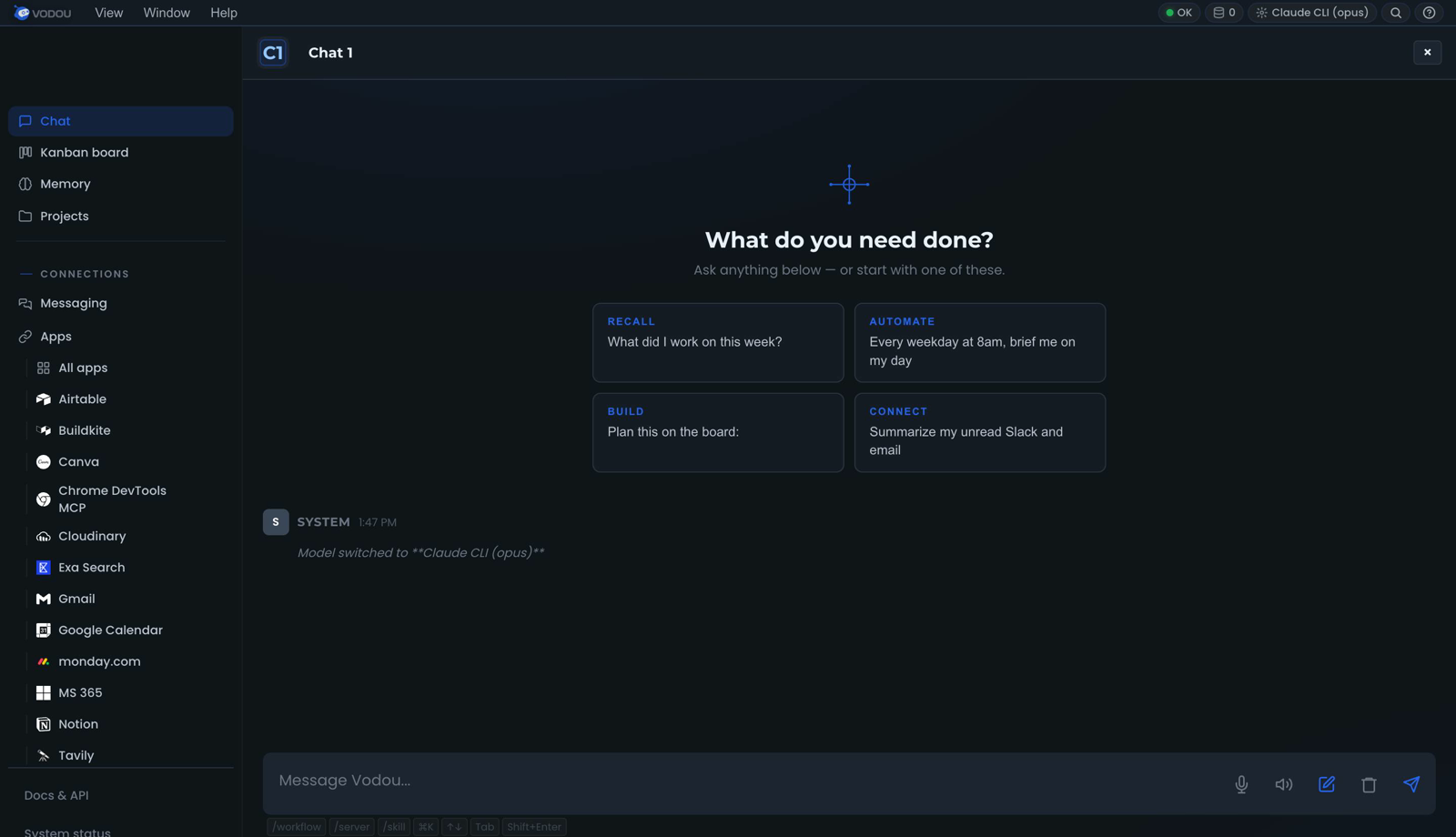
Vodou is an app that runs on your computer and gives every AI you use one memory of you — your facts, your preferences, your files, your tools and your rules — then shows you exactly what it did with them.
Everyone else builds a harness for the agents you run. Vodou carries yours to the AI you actually use.
What you can do with it
- Ask ChatGPT "what's my dog's name?" and it knows. Press Ctrl+B in ChatGPT, Claude, Gemini, Perplexity, Grok, Copilot or 16 other sites and your memory arrives in their composer. Nothing to copy-paste, nothing to re-explain.
- Use Claude Code, Cursor and Gemini CLI and have them all know the same things. Your memory and rules reach every coding agent through the files they already read. Switch tools without your AI getting dumber.
- Drop in a PDF, a contract, a spec, a folder — then ask which document answers a question. It reads them, remembers them, and cites the one that matters.
- Text it from your phone and it actually does the thing. Telegram, Slack, WhatsApp, iMessage, Discord, email, voice — same brain, same tools, whichever surface you're on.
- Say what you want and see the plan before it runs. "Research three competitors and put the summary in a doc" becomes visible steps you can run once, edit, save as a reusable skill, or schedule. If it needs a decision from you mid-run, it stops and asks.
- Connect the apps you already use. Notion, Linear, Gmail, Slack, Microsoft 365, Stripe, Figma, Cloudflare and more, callable from any chat.
- Keep work and personal apart. Vaults and per-project scoping decide what an AI can see; a leak policy you control decides what may never leave.
- Use your own AI keys — or no key at all. OpenAI, Anthropic, Google, Groq, Mistral, DeepSeek, xAI, OpenRouter… or a local model: llama.cpp ships with Vodou, Ollama and LM Studio are one setting away. Cheap local models can do the housekeeping while a frontier model handles the hard question.
- See a receipt for every turn —
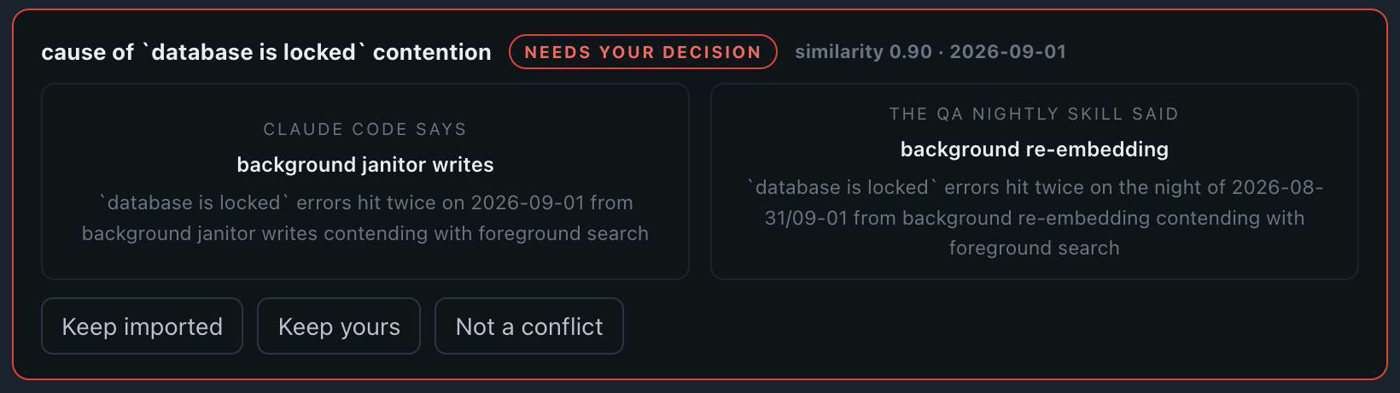
4 memories · 2 tools · 1 skill— and a queue of the places two memories disagree, for you to settle instead of the AI guessing.
How it works, in three lines
- It captures. The chats you're already having, the documents you add, the facts you pin — extracted into a memory that lives in a database on your machine.
- It follows you. A browser extension for the AI sites, hooks and rules files for the coding agents, an MCP host for desktop apps, chat channels for your phone.
- It shows its work. Every turn leaves a receipt. Every surface is graded on evidence —
a check with no evidence answers
unknown, neverok.
Three things nothing else does
It goes into the AI you already use. Not a chat window of ours next to theirs. The extension works on 22 sites today; the same memory reaches Claude Code, Cursor, Gemini CLI, Codex, Zed and the other coding agents through hooks and the rules files they already read.
Any AI client can adopt your brain. Vodou is an MCP host, not just another server — Claude Desktop, Cursor, VS Code, Windsurf, Zed or a script can attach in one command, each with its own identity, a scoped profile, an audit log and a kill switch. Anything that speaks OpenAI can use Vodou as its backend and get your context for free.
vodou-core mcp install            # which clients are detected
vodou-core mcp install cursor     # write Cursor's entry — done
POST http://127.0.0.1:8765/v1/chat/completions — see
docs/mcp-host.md and docs/openai-compatible-api.md.
It never tells you it worked when it cannot prove it did. Receipts per turn, a conflict queue instead of silent averaging, and a self-grader that reports what it has evidence of per surface. Every one of these exists because we shipped the opposite once and wrote it down — the engineering blog is where those stories are told.
host            transport   status   prompt  rec_turn  recall  evid
chatgpt-web     extension   stable     ✓        ✓        ✓      ✓
claude-ai-web   extension   stable     ✓        ✓        ✓      ✓
claude-code     hook        stable     ✓        ✓        —      ✓
cursor          hook        stable     ✓        ✓        —      ✓
gemini-cli      hook        stable     ✓        ✓        —      ✓
telegram        gateway     stable     ✓        ✓        —      ✓
vodou-console   gateway     stable     ✓        ✓        —      ✓
✓ = evidence in the database · — = none found in the window · rows shown are the ones a
first-day user meets. Yes, the recall column is honest: for hook and gateway hosts it is still
graded from a rotating log rather than a row of its own, so it goes blank between windows. That
is a gap in our instrument, it is listed as one, and this table will change when it is fixed.
Quickstart (~10 minutes)
macOS (Apple Silicon or Intel) · Linux (x64 or arm64):
curl -fsSL https://raw.githubusercontent.com/VodouAI/OS/main/install-vodou.sh | bash
Windows (x64, beta):
irm https://raw.githubusercontent.com/VodouAI/OS/main/install-vodou.ps1 | iex
Here is exactly what happens next — nothing in this list is a placeholder:
- The installer clones this open tree, downloads the matching engine binary from
VodouAI/vodou-core, verifies its SHA-256 against the release manifest (and refuses to run on a mismatch), provisions the runtime, starts Vodou, and opens the setup wizard in your browser. - A free account. The wizard's first screen creates one (or signs you in). Vodou needs it so the engine can be licensed to you — nothing about your memory leaves your machine. Capture, extraction, ranking and inject all run locally; the account is a token round-trip.
- An AI to think with. Pick a provider: the Claude CLI if you have a Claude subscription (recommended — no API costs), an API key, or a local model. Required — Vodou's own chat, skills and agents run on it. You can change it any time in Settings.
- Your first fact. The wizard asks for one "usual" — your drink order, your takeout, your morning — and pins it instantly. It's in your memory before you finish reading this line.
- The extension. Install Vodou Bridge from the Chrome Web Store; the wizard shows a readiness ladder going green rung by rung so you're never asked to press a button that won't work.
- The moment. The wizard pre-fills a question into ChatGPT with your memory attached. Press send. ChatGPT answers with your own detail in it. (No extension yet? It tells you so and shows the by-hand version instead of a dead button.)
- Your first agent runs from the console while you watch — it reads what you just told it and reports back. From here every turn has a receipt.
After the wizard: Ctrl+B in any supported composer attaches your memory to what you're about to send. Auto-attach at send is a setting you turn on when you trust it.
Platform notes. macOS + Linux are the primary targets. Windows is beta — the engine is unsigned (SmartScreen will warn) and the installer is still being hardened; if you hit a snag, please open an issue. Pin a version with
VODOU_VERSION=x.y.z(bash) or$env:VODOU_VERSION="x.y.z"(PowerShell).
macOS: the binaries are not yet notarized. They are ad-hoc signed, which means they carry no Developer ID and Gatekeeper does not recognise them. Two paths, and only one of them is smooth:
- The installer above strips the quarantine flag for you (
xattr -dr com.apple.quarantine), so a curl-pipe install just works. This is the supported path.- If you download and extract the tarball by hand in Finder, macOS keeps the quarantine flag and will refuse to open the binaries — "cannot be opened because the developer cannot be verified". Clear it yourself before running anything:
Or right-click the binary → Open → Open and macOS will remember the exception.xattr -dr com.apple.quarantine /path/to/VodouNotarization with a Developer ID is planned before beta. Until then this warning is expected and is not a sign that anything is wrong with the download — verify the SHA-256 against the release manifest if you want certainty about what you got.
Alpha. Vodou is under active development and moving fast. Expect rough edges, and please report them — issues from real use are the most valuable thing you can send us.
Open-core — what's open vs. proprietary
Vodou is open-core, and we'd rather be upfront than have you find out later. The line is simple: everything except the engine is open.
| License | Where | |
|---|---|---|
| The whole client + orchestration stack — gateway, all MCP servers, browser extension, skills, installers, docs | Apache-2.0 (open) | this repo |
The engine — the memory brain + retrieval (vodou-core), source and compiled binary |
Proprietary, EULA | fetched as a signed binary from VodouAI/vodou-core |
Why: your memory pipeline runs locally and free; the engine binary is how we keep
the lights on. Everything you can read and run around the engine is genuinely open — yours
to fork, extend, and contribute to. Preserve NOTICE when you redistribute.
Where to go next
| If you want to… | Read |
|---|---|
| Understand memory across tools, vaults, and the leak policy | docs/memory-follows-you.md |
| Install or sideload the browser extension | docs/vodou-bridge.md |
| Attach Claude Desktop / Cursor / VS Code | docs/mcp-host.md |
| Use Vodou as an OpenAI-compatible backend | docs/openai-compatible-api.md |
| Connect Notion, Linear, Stripe, … | docs/vodou-apps.md |
| Build trigger → action flows | docs/vodou-automations.md |
| Schedule things | docs/vodou-scheduler.md |
| Reach Vodou from Slack, Telegram, WhatsApp, … | docs/messaging.md |
| Plans, runs and approvals | docs/workflows.md |
| Write a skill | docs/skills.md |
| Run the multi-agent board | docs/board-tutorial.md |
| Use the CLI | docs/vodou-cli.md |
| Everything else | docs/ · CHANGELOG.md · ROADMAP.md |
Contributing
We'd love your help on the open surface — new capture adapters, skills, client fixes, docs. See CONTRIBUTING.md (we use a lightweight CLA, not DCO) and the good first issues.
Community
- Code of Conduct
- Security policy — please report vulnerabilities privately
- Questions → GitHub Discussions
License
This repo is Apache License 2.0 — see LICENSE and NOTICE. The Vodou engine binary is proprietary and governed by its EULA.
No comments yet
Be the first to share your take.