
MyOpenPanels
English | 简体中文
MyOpenPanels is a local-first visual workspace for AI agents.
Install
Paste the following message into your AI agent:
Install the MyOpenPanels Agent Skill from:
https://github.com/mooqii/OpenPanels/tree/main/skills/myopenpanels

Use your Skill installer to install only this directory. Then invoke
MyOpenPanels once to finish setup and open Studio.
After installation, simply ask:
Open MyOpenPanels.
The first run installs or verifies the native myopenpanels CLI, starts the
local Studio, and opens it for you. MyOpenPanels currently supports macOS and
Windows.
A Visual Workspace for AI Agents
AI agents are good at reasoning and generating content, but a chat window is not always the best place to organize knowledge, edit visual material, or move work toward publication.
MyOpenPanels gives local, shell-capable AI agents a shared visual workspace. You and your agent can work on the same project through persistent panels, explicit selections, reusable Skills, and visible task progress. Project content stays on your computer, while the native CLI connects the agent to Studio.
The current workflow is organized into five panels:
- Wiki for persistent, structured knowledge
- Writing for creating and revising documents
- Canvas for visual thinking and image work
- Typesetting for preparing publication-ready content
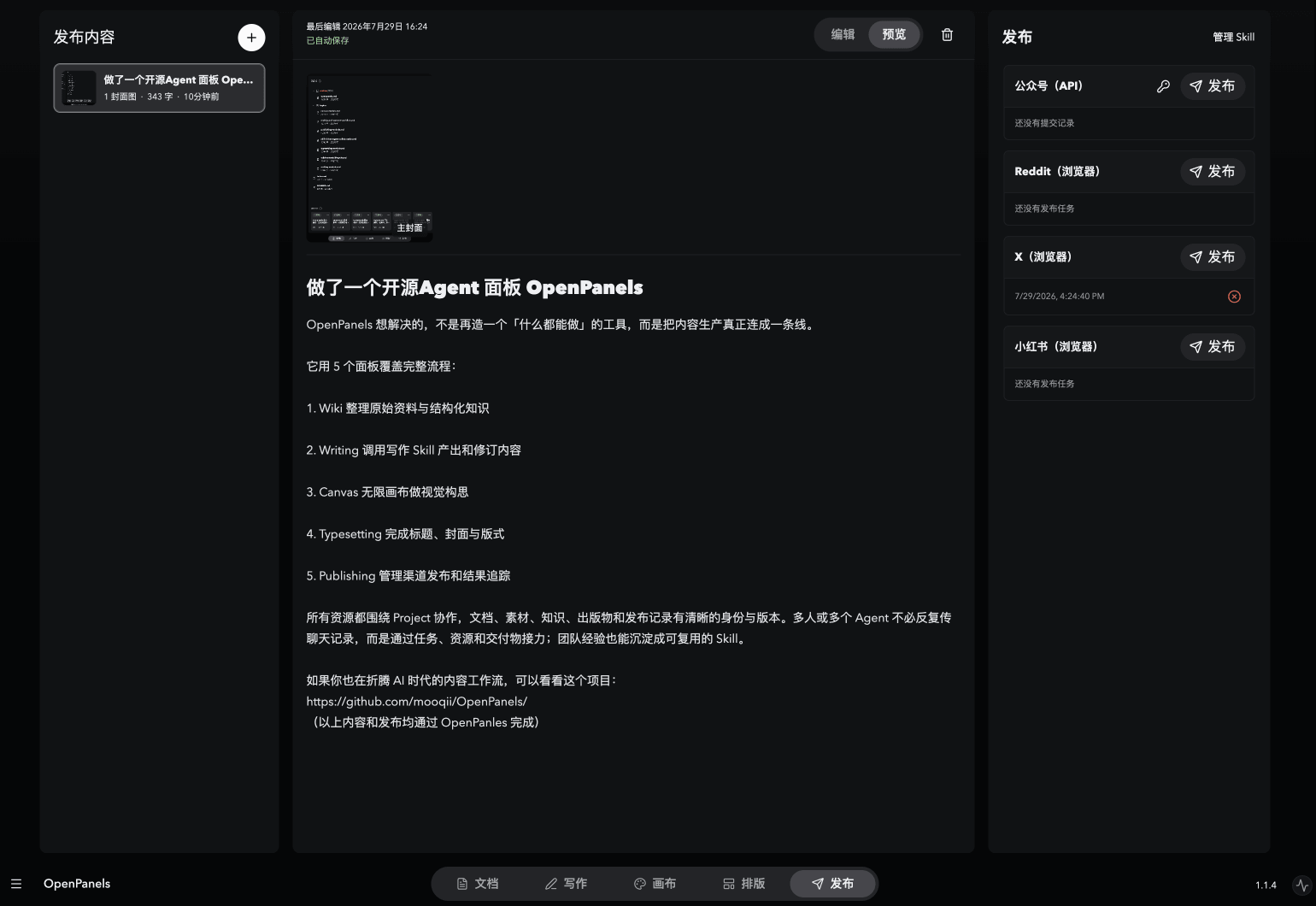
- Publishing for releasing content to target platforms
https://github.com/user-attachments/assets/58c3e174-8369-4720-9d64-e1168ec2749b
Wiki
Wiki turns source material into a structured knowledge space that can grow over time. Import files or Markdown as source documents, organize knowledge into Wiki spaces, and maintain interlinked Markdown pages instead of repeatedly rediscovering the same information.
You can select Wiki knowledge or individual documents as context for the agent. The original sources remain available alongside the synthesized Wiki, making the knowledge base useful for both research and later writing.
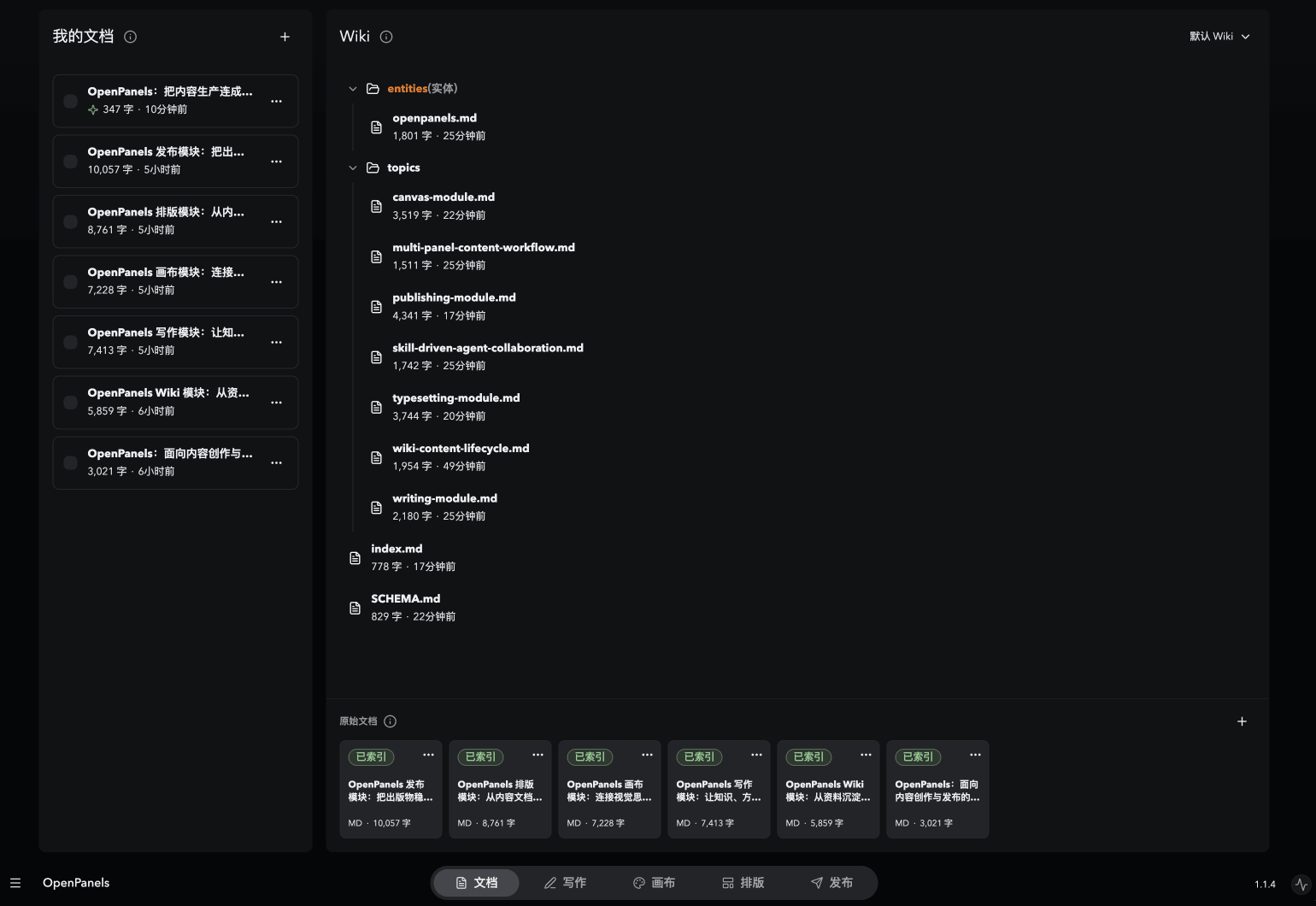
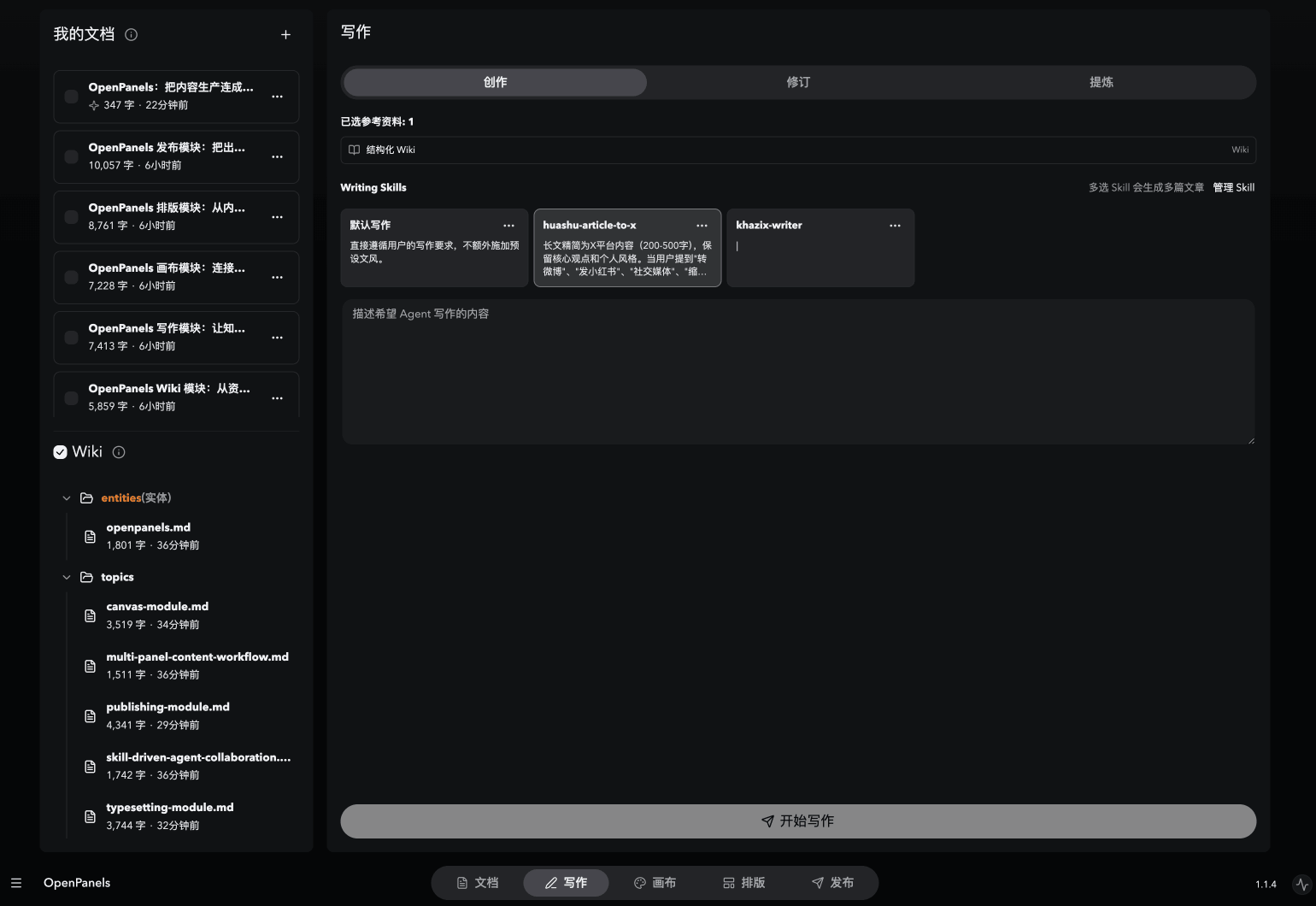
Writing
Writing uses selected Wiki knowledge and documents as source context for focused writing tasks. It supports creating new documents, revising existing ones, and applying one or more Writing Skills for different voices, structures, or editorial methods.
You can also distill selected example articles into a reusable Writing Skill. The result is saved as a persistent document that can continue into the Typesetting and Publishing workflow.
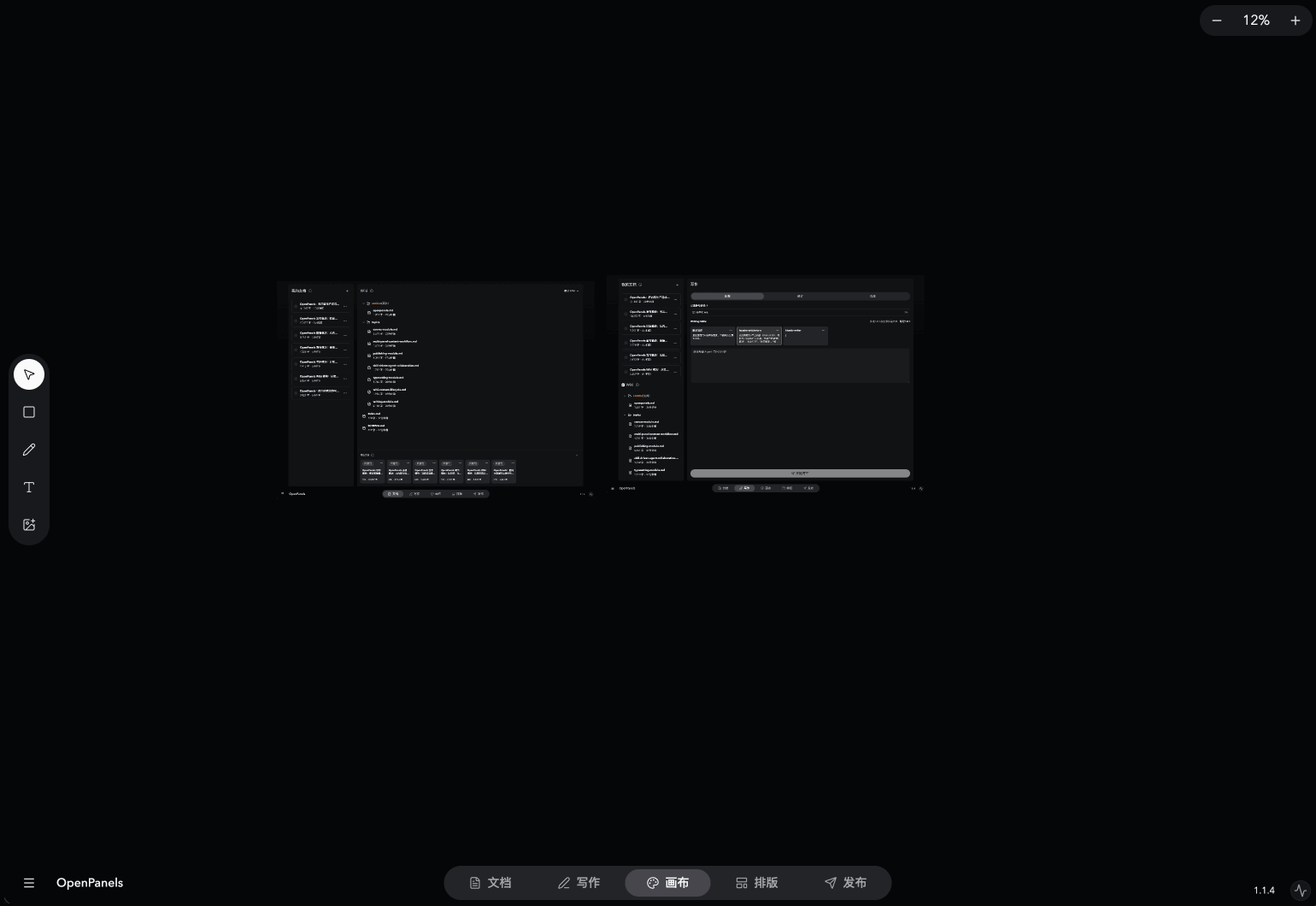
Canvas
Canvas is a persistent visual workspace for arranging ideas, images, text, shapes, drawings, and connectors. Use it for diagrams, moodboards, brainstorming, visual research, and asset preparation.
The agent can read an explicit selection, insert or generate images, edit a selected image, and export selected content. This keeps visual collaboration grounded in the objects you choose instead of relying on a vague description of the whole board.
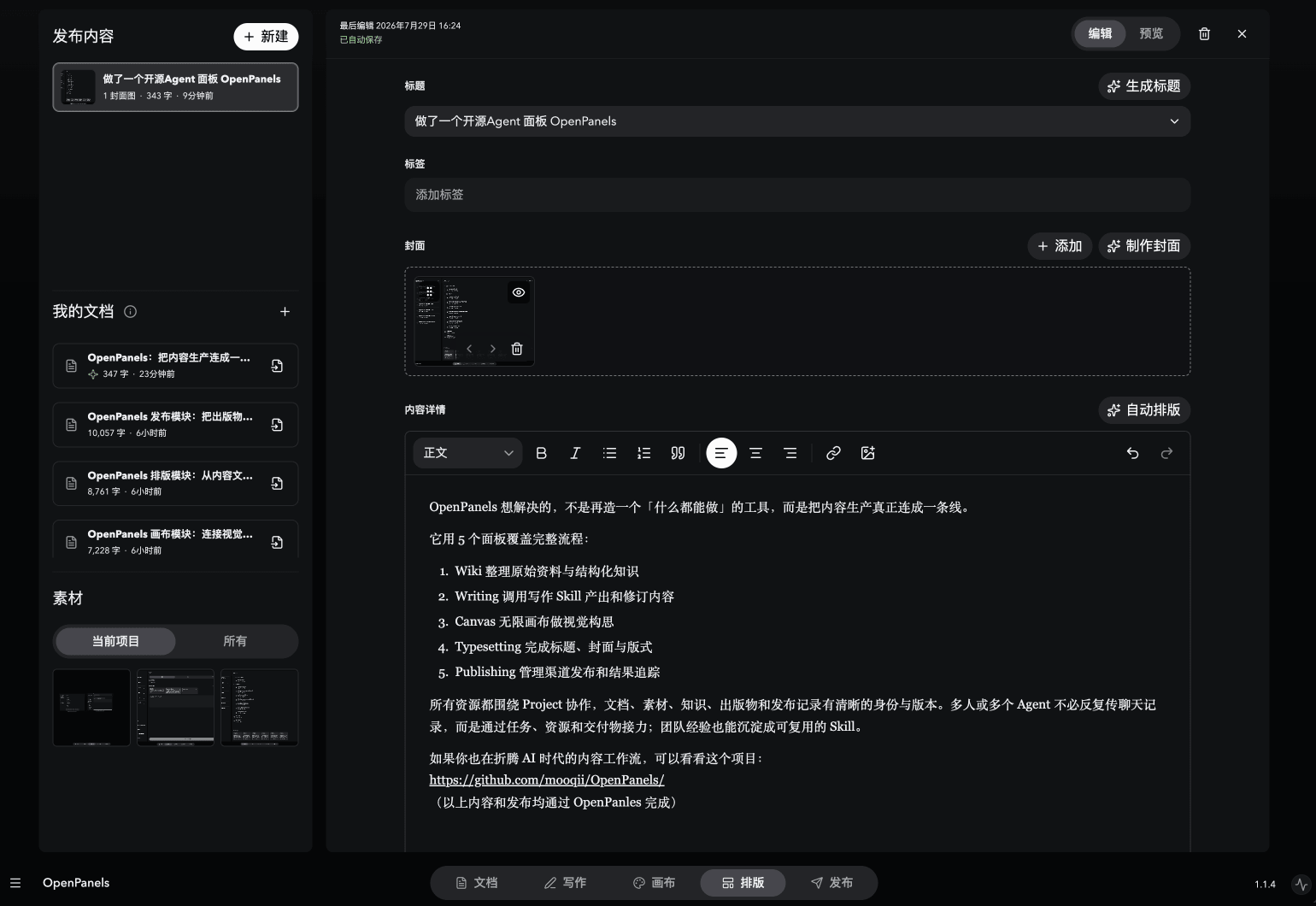
Typesetting
Typesetting turns documents into publication projects. Edit rich text, insert documents and Canvas assets, manage titles, covers, tags, and media, then switch between editing and previewing the final result.
Title, cover, and layout Skills can hand work to an agent while keeping the result visible and editable. This makes Typesetting the bridge between a finished draft and content that is ready for a specific publishing format.
Publishing
Publishing takes a prepared publication and releases a captured version through a selected Publishing Skill. Each release keeps its own attempts and outcomes, so queued, running, completed, uncertain, or failed publishing work remains visible.
Publishing Skills can describe platform-specific release workflows. MyOpenPanels also includes direct WeChat Official Account draft integration, with local credential storage and configuration validation.
No comments yet
Be the first to share your take.