
@everworker/oneringai
A unified AI agent library with multi-provider support for text generation, image/video generation, audio (TTS/STT), and agentic workflows.


What's new in v0.11.0
This release adds a provider-neutral advanced inference layer across OpenAI, Anthropic, and Google: prompt caching, durable asynchronous text batches, provider-hosted web/code/file/MCP tools, executable capability discovery, explicit data-handling controls, and detailed cache/reasoning/tool telemetry with mixed-cache and batch cost estimation. It also adds Cal.com, Calendly, HeyReach, EmailBison, and Clay connector templates, bringing the registry to 50 vendors and 54 logos.
See the v0.11.0 release notes for behavior details, safety constraints, upgrade guidance, and the complete fix list.
Table of Contents
- What's new in v0.11.0
- Features
- Quick Start — Installation, basic usage, tools, vision, audio, images, video, search, scraping
- Supported Providers
- Key Features
- 1. Agent with Plugins
- 2. Dynamic Tool Management
- 3. Tool Execution Plugins
- 4. Session Persistence
- Storage Registry
- 5. Working Memory
- 6. Research with Search Tools
- 7. Context Management
- 8. InContextMemory
- 9. Persistent Instructions
- 10. User Info
- 10b. Self-Learning Memory — plugin + tools —
MemoryPluginNextGen+MemoryWritePluginNextGenwith 12memory_*LLM tools (6 read incl.memory_search_documents+ 6 write incl.memory_set_agent_rule); supersedes 9 & 10 - 11. Direct LLM Access
- Advanced Inference — Prompt caching, async batches, provider-hosted tools, telemetry, and data policy
- 12. Audio Capabilities
- Embeddings — Multi-vendor text embeddings with MRL dimension control
- 13. Model Registry
- 14. Streaming
- 15. OAuth for External APIs
- 16. Developer Tools
- 17. Custom Tool Generation — Agents create, test, and persist their own tools
- 18. Document Reader — PDF, DOCX, XLSX, PPTX, CSV, HTML, images
- 19. Desktop Automation Tools — Screenshot, mouse, keyboard, window control for computer use agents
- 20. Routine Execution — Multi-step workflows with task dependencies, validation, and memory bridging
- 21. External API Integration — Scoped Registry, Vendor Templates, Tool Discovery
- 22. Microsoft Graph Connector Tools — Email, calendar, meetings, and Teams transcripts
- 23. Tool Catalog — Dynamic tool loading/unloading for agents with 100+ tools
- 24. Async (Non-Blocking) Tools — Background tool execution with auto-continuation
- 25. Long-Running Sessions (Suspend/Resume) — Suspend agent loops waiting for external input, resume days later
- 26. Agent Registry — Global tracking, deep inspection, parent/child hierarchy, event fan-in, external control
- 27. Agent Orchestrator — Multi-agent teams with shared workspace, delegation, and async execution
- 28. Telegram Connector Tools — Bot API tools for messaging, updates, and webhooks
- 29. Twilio Connector Tools — SMS and WhatsApp messaging tools
- 30. Google Workspace Connector Tools — Gmail, Calendar, Meet, and Drive tools
- 31. Zoom Connector Tools — Meeting management and transcripts
- 32. Unified Calendar — Cross-provider meeting slot finder (Google + Microsoft)
- 33. Multi-Account Connectors — Multiple accounts per vendor with automatic routing
- 34. Integration Testing — Reusable test suites for connector tools
- 36. Instruction Templates —
{{DATE}},{{AGENT_ID}}, custom{{COMMAND:arg}}with extensible registry
- MCP Integration
- Documentation
- Examples
- Development
- Architecture
- Troubleshooting
- Contributing
- License
Documentation
Start here if you're looking for detailed docs or the full API reference.
| Document | Description |
|---|---|
| User Guide | Comprehensive guide covering every feature with examples — connectors, agents, context, plugins, audio, video, search, MCP, OAuth, and more |
| API Reference | Auto-generated reference for all public exports — classes, interfaces, types, and functions with signatures |
| CHANGELOG | Version history and migration notes |
Tutorial / Architecture Series
Part 0. One Lib to Rule Them All: Why We Built OneRingAI: introduction and architecture overview
Part 1. Your AI Agent Forgets Everything. Here’s How We Fixed It.: context management plugins
EVERWORKER DESKTOP APP
We realize that library alone in these times is not enough to get you excited, so we built a FREE FOREVER desktop app on top of this library to showcase its power! Check the Everworker Desktop repository for installation instructions. Or watch the video first:
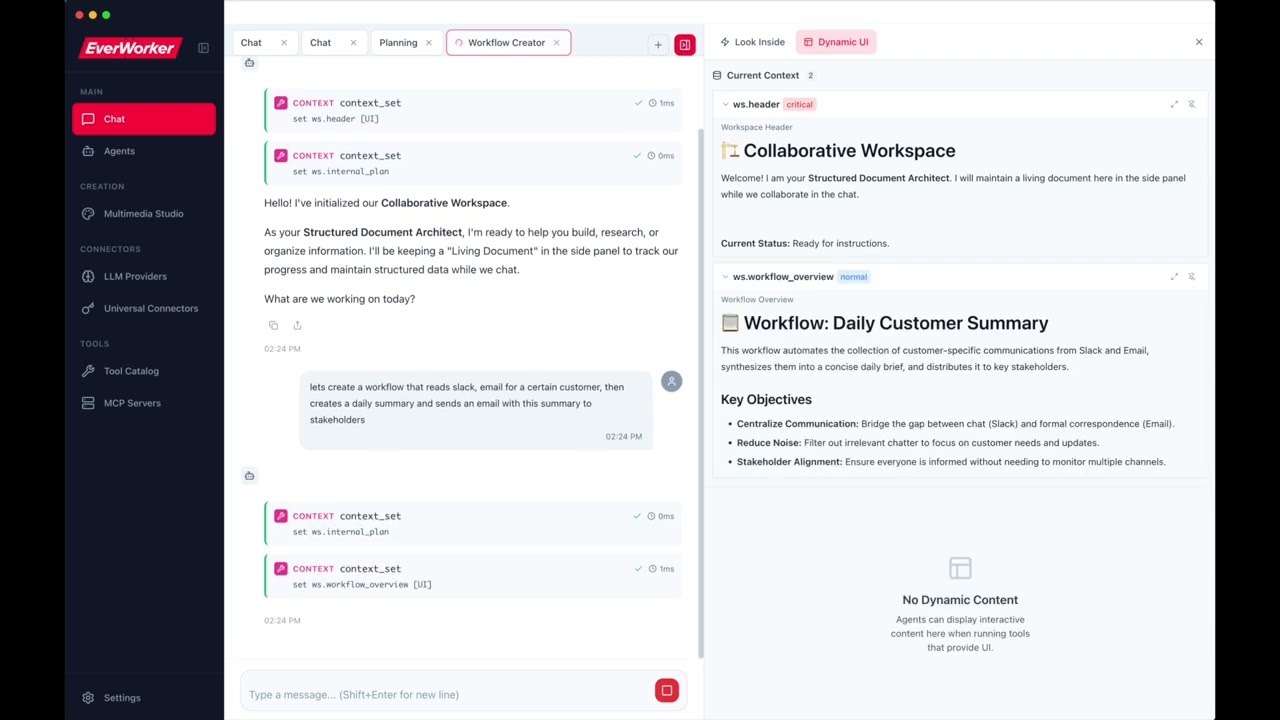
Better to see once and then dig in the code! :)
YOUetal
Showcasing another amazing "built with oneringai": "no saas" agentic business team
Features
- ✨ Unified API - One interface for 12 AI providers (OpenAI, Anthropic, Google, Vertex, Groq, Together, Perplexity, Grok, DeepSeek, Mistral, Ollama, Custom)
- 🔑 Connector-First Architecture - Single auth system with support for multiple keys per vendor
- 📊 Model Registry - Complete metadata for 60+ latest (2026) models with pricing and features
- 🎤 Audio Capabilities - Text-to-Speech (TTS) and Speech-to-Text (STT) with OpenAI and Groq
- 🖼️ Image Generation - gpt-image-1.5, gpt-image-1, Google Imagen 4 with editing and variations
- 🎬 Video Generation - NEW: OpenAI Sora 2 and Google Veo 3 for AI video creation
- 🔢 Embeddings - NEW: Multi-vendor embedding generation with MRL dimension control (OpenAI, Google, Ollama, Mistral)
- 🔍 Web Search - Connector-based search with Serper, Brave, Tavily, and RapidAPI providers
- 🔌 NextGen Context - Clean, plugin-based context management with
AgentContextNextGen - 🎛️ Dynamic Tool Management - Enable/disable tools at runtime, namespaces, priority-based selection
- 🔌 Tool Execution Plugins - NEW: Pluggable pipeline for logging, analytics, UI updates, custom behavior
- 💾 Session Persistence - Save and resume conversations with full state restoration
- ⏸️ Long-Running Sessions - NEW: Suspend agent loops via
SuspendSignal, resume hours/days later withAgent.hydrate() - 👤 Multi-User Support - Set
userIdonce, flows automatically to all tool executions and session metadata - 🔒 Auth Identities - Restrict agents to specific connectors (and accounts), composable with access policies
- 🤖 Universal Agent - ⚠️ Deprecated - Use
Agentwith plugins instead - 🤖 Task Agents - ⚠️ Deprecated - Use
AgentwithWorkingMemoryPluginNextGen - 🔬 Research Agent - ⚠️ Deprecated - Use
Agentwith search tools - 🎯 Context Management - Algorithmic compaction with tool-result-to-memory offloading
- 📌 InContextMemory - Live key-value storage directly in LLM context with optional UI display (
showInUI) - 📝 Persistent Instructions - ⚠️ Deprecated in favour of
MemoryPluginNextGen(self-learning memory). Still works unchanged. - 👤 User Info Plugin - ⚠️ Deprecated in favour of
MemoryPluginNextGen. Still works unchanged. - 🧠 Self-Learning Memory - NEW:
MemoryPluginNextGen+MemoryWritePluginNextGen+ 12memory_*tools — brain-like entity/fact store with three-principal permissions, semantic search, graph queries, LLM-synthesised profiles that evolve from observations, user-driven behavior rules, optional background ingestion viaSessionIngestorPluginNextGen - 🛠️ Agentic Workflows - Built-in tool calling and multi-turn conversations
- 🔧 Developer Tools - NEW: Filesystem and shell tools for coding assistants (read, write, edit, grep, glob, bash)
- 🧰 Custom Tool Generation - NEW: Let agents create, test, and persist their own reusable tools at runtime — complete meta-tool system with VM sandbox
- 🖥️ Desktop Automation - NEW: OS-level computer use — screenshot, mouse, keyboard, and window control for vision-driven agent loops
- 📄 Document Reader - NEW: Universal file-to-text converter — PDF, DOCX, XLSX, PPTX, CSV, HTML, images auto-converted to markdown
- 🔌 MCP Integration - NEW: Model Context Protocol client for seamless tool discovery from local and remote servers
- 👁️ Vision Support - Analyze images with AI across all providers
- 📋 Clipboard Integration - Paste screenshots directly (like Claude Code!)
- 🔐 Scoped Connector Registry - NEW: Pluggable access control for multi-tenant connector isolation
- 💾 StorageRegistry - Centralized storage configuration — swap all backends (sessions, media, custom tools, etc.) with one
configure()call - 🔐 OAuth 2.0 - Full OAuth support for external APIs with encrypted token storage
- 📦 Vendor Templates - NEW: Pre-configured auth templates for 45+ services (GitHub, Slack, Stripe, etc.)
- 📧 Microsoft Graph Tools - NEW: Email, calendar, meetings, and Teams transcripts via Microsoft Graph API
- 🔁 Routine Execution - NEW: Multi-step workflows with task dependencies, LLM validation, retry logic, and memory bridging between tasks
- 📊 Execution Recording - NEW: Persist full routine execution history with
createExecutionRecorder()— replaces manual hook wiring - ⏰ Scheduling & Triggers - NEW:
SimpleSchedulerfor interval/one-time schedules,EventEmitterTriggerfor webhook/queue-driven execution - 📦 Tool Catalog - NEW: Dynamic tool loading/unloading — agents discover and load only the categories they need at runtime
- Async Tools - NEW: Non-blocking tool execution — long-running tools run in background while the agent continues reasoning, with auto-continuation when results arrive
- 📡 Agent Registry - NEW: Global tracking of all active agents — deep inspection, parent/child hierarchy, event fan-in, external control
- 📱 Telegram Tools - NEW: 6 Telegram Bot API tools — send messages/photos, get updates, webhooks, chat info
- 📞 Twilio Tools - NEW: 4 Twilio tools — SMS, WhatsApp messaging, message listing and details
- 📧 Google Workspace Tools - NEW: 11 tools for Gmail, Calendar, Meet transcripts, and Drive (read, search, list files)
- 🎥 Zoom Tools - NEW: 3 Zoom tools — create/update meetings, get cloud recording transcripts
- 📅 Unified Calendar - NEW: Cross-provider meeting slot finder aggregating Google + Microsoft calendars
- 👥 Multi-Account Connectors - NEW: Multiple accounts per vendor (e.g., work + personal) with automatic routing
- 🧪 Integration Testing - NEW: Reusable test suite framework for connector tools with 10 built-in suites
- 📝 Instruction Templates - NEW:
{{DATE}},{{AGENT_ID}},{{RANDOM:1:10}}and custom{{COMMAND:arg}}in agent instructions — extensible registry with async support - 🔄 Streaming - Real-time responses with event streams
- ⚡ Advanced Inference - Provider-aware prompt caching, asynchronous text batches, provider-hosted tools, detailed usage telemetry, and explicit data-handling policy
- 📝 TypeScript - Full type safety and IntelliSense support
v0.2.0 — Multi-User Support: Set
userIdonce on an agent and it automatically flows to all tool executions, OAuth token retrieval, session metadata, and connector scoping. Combine withidentitiesand access policies for complete multi-tenant isolation. See Multi-User Support and Auth Identities in the User Guide.
Quick Start
Installation
npm install @everworker/oneringai
Basic Usage
import { Connector, Agent, Vendor } from '@everworker/oneringai';

// 1. Create a connector (authentication)
Connector.create({
  name: 'openai',
  vendor: Vendor.OpenAI,
  auth: { type: 'api_key', apiKey: process.env.OPENAI_API_KEY! },
});

// 2. Create an agent
const agent = Agent.create({
  connector: 'openai',
  model: 'gpt-4.1',
});

// 3. Run
const response = await agent.run('What is the capital of France?');
console.log(response.output_text);
// Output: "The capital of France is Paris."
With Tools
import { ToolFunction } from '@everworker/oneringai';

const weatherTool: ToolFunction = {
  definition: {
    type: 'function',
    function: {
      name: 'get_weather',
      description: 'Get current weather',
      parameters: {
        type: 'object',
        properties: {
          location: { type: 'string' },
        },
        required: ['location'],
      },
    },
  },
  execute: async (args) => {
    return { temp: 72, location: args.location };
  },
};

const agent = Agent.create({
  connector: 'openai',
  model: 'gpt-4.1',
  tools: [weatherTool],
});

await agent.run('What is the weather in Paris?');
Vision
import { createMessageWithImages } from '@everworker/oneringai';

const agent = Agent.create({
  connector: 'openai',
  model: 'gpt-4o',
});

const response = await agent.run(
  createMessageWithImages('What is in this image?', ['./photo.jpg'])
);
Audio (NEW)
import { TextToSpeech, SpeechToText } from '@everworker/oneringai';

// Text-to-Speech — built-in voice
const tts = TextToSpeech.create({
  connector: 'openai',
  model: 'tts-1-hd',
  voice: 'nova', // alloy | ash | ballad | coral | echo | fable | onyx | nova | sage | shimmer | verse | marin | cedar
});

await tts.toFile('Hello, world!', './output.mp3');

// Text-to-Speech — custom voice (OpenAI). Pass the `voice_…` id you got
// when registering the voice in the OpenAI dashboard; the SDK call is
// handled automatically.
const customTts = TextToSpeech.create({
  connector: 'openai',
  model: 'gpt-4o-mini-tts',
  voice: 'voice_1234abcd',
});
await customTts.toFile('Spoken in your bespoke voice.', './brand.mp3');

// Speech-to-Text
const stt = SpeechToText.create({
  connector: 'openai',
  model: 'whisper-1',
});

const result = await stt.transcribeFile('./audio.mp3');
console.log(result.text);
Image Generation (NEW)
import { ImageGeneration } from '@everworker/oneringai';

// OpenAI DALL-E
const imageGen = ImageGeneration.create({ connector: 'openai' });

const result = await imageGen.generate({
  prompt: 'A futuristic city at sunset',
  model: 'gpt-image-1.5',
  size: '1024x1024',
  quality: 'high',
});

// Save to file
const buffer = Buffer.from(result.data[0].b64_json!, 'base64');
await fs.writeFile('./output.png', buffer);

// Google Imagen
const googleGen = ImageGeneration.create({ connector: 'google' });

const googleResult = await googleGen.generate({
  prompt: 'A colorful butterfly in a garden',
  model: 'imagen-4.0-generate-001',
});
Video Generation (NEW)
import { VideoGeneration } from '@everworker/oneringai';

// OpenAI Sora
const videoGen = VideoGeneration.create({ connector: 'openai' });

// Start video generation (async - returns a job)
const job = await videoGen.generate({
  prompt: 'A cinematic shot of a sunrise over mountains',
  model: 'sora-2',
  duration: 8,
  resolution: '1280x720',           // 720x1280 / 1280x720 / 1024x1792 / 1792x1024 (1.4× HD)
});

// Wait for completion
const result = await videoGen.waitForCompletion(job.jobId);

// Download the video
const videoBuffer = await videoGen.download(job.jobId);
await fs.writeFile('./output.mp4', videoBuffer);

// Google Veo
const googleVideo = VideoGeneration.create({ connector: 'google' });

const veoJob = await googleVideo.generate({
  prompt: 'A butterfly flying through a garden',
  model: 'veo-3.1-generate-preview',
  duration: 8,
});
Sora: extend, remix, edit (OpenAI only)
The Videos API references completed clips by id — pass the jobId returned
by generate(), not a buffer or URL.
// Extend — generate an additional segment after the source clip.
const extension = await videoGen.extend({
  model: 'sora-2',
  video: job.jobId,           // id of a completed video
  prompt: 'The camera pulls back to reveal a snow-covered valley',
  extendDuration: 8,          // length of the *new* segment, snapped to 4/8/12
});

// Remix — same length, prompt-steered re-generation.
const remix = await videoGen.remix({
  videoId: job.jobId,
  prompt: 'Same composition, but at golden hour',
});

// Edit — apply a prompt-described change to a completed clip.
const edited = await videoGen.edit({
  videoId: job.jobId,
  prompt: 'Add light snowfall throughout',
});
Sora: reusable characters (OpenAI only)
Upload a reference video to register a character. Note: the unified generate()
does not yet apply the character id — reference the character in your prompt and
use getCharacter() to look it up.
const character = await videoGen.createCharacter({
  name: 'Hero',
  video: './reference-shot.mp4', // Buffer | local path | URL
});
// → { id: 'char_…', name: 'Hero' }

const scene = await videoGen.generate({
  prompt: 'Hero walks across a windswept beach at dusk',
});

// Look up later
const same = await videoGen.getCharacter(character.id);
Embeddings (NEW)
import { Embeddings } from '@everworker/oneringai';

// OpenAI embeddings
const embeddings = Embeddings.create({ connector: 'openai' });

const result = await embeddings.embed(['Hello world', 'How are you?'], {
  model: 'text-embedding-3-small',
  dimensions: 512,  // MRL: reduce dimensions for faster search
});

console.log(result.embeddings.length);     // 2
console.log(result.embeddings[0].length);  // 512

// Ollama (local, free)
const local = Embeddings.create({ connector: 'ollama-local' });
const localResult = await local.embed('search query');
// Uses qwen3-embedding (4096 dims, #1 on MTEB multilingual)
Document Reader (NEW)
Read any document format — agents automatically get markdown text from PDFs, Word docs, spreadsheets, and more:
import { Agent, developerTools } from '@everworker/oneringai';

const agent = Agent.create({
  connector: 'openai',
  model: 'gpt-4.1',
  tools: developerTools,
});

// read_file auto-converts binary documents to markdown
await agent.run('Read /path/to/report.pdf and summarize the key findings');
await agent.run('Read /path/to/data.xlsx and describe the trends');
await agent.run('Read /path/to/presentation.pptx and list all slides');
Programmatic usage:
import { DocumentReader, readDocumentAsContent } from '@everworker/oneringai';

// Read any file to markdown pieces
const reader = DocumentReader.create();
const result = await reader.read('/path/to/report.pdf');
console.log(result.pieces); // DocumentPiece[] (text + images)

// One-call conversion to LLM Content[] (for multimodal input)
const content = await readDocumentAsContent('/path/to/slides.pptx', {
  imageFilter: { minWidth: 100, minHeight: 100 },
  imageDetail: 'auto',
});

const response = await agent.run([
  { type: 'input_text', text: 'Analyze this document:' },
  ...content,
]);
Supported Formats:
- Office: DOCX, PPTX, ODT, ODP, ODS, RTF (via
officeparser) - Spreadsheets: XLSX, CSV (via
exceljs) - PDF (via
unpdf) - HTML (via Readability + Turndown)
- Text: TXT, MD, JSON, XML, YAML
- Images: PNG, JPG, GIF, WEBP, SVG (pass-through as base64)
Web Search
Connector-based web search with multiple providers:
import { Connector, SearchProvider, ConnectorTools, Services, Agent, tools } from '@everworker/oneringai';

// Create search connector
Connector.create({
  name: 'serper-main',
  serviceType: Services.Serper,
  auth: { type: 'api_key', apiKey: process.env.SERPER_API_KEY! },
  baseURL: 'https://google.serper.dev',
});

// Option 1: Use SearchProvider directly
const search = SearchProvider.create({ connector: 'serper-main' });
const results = await search.search('latest AI developments 2026', {
  numResults: 10,
  country: 'us',
  language: 'en',
});

// Option 2: Use with Agent via ConnectorTools
const searchTools = ConnectorTools.for('serper-main');

const agent = Agent.create({
  connector: 'openai',
  model: 'gpt-4.1',
  tools: [...searchTools, tools.webFetch],
});

await agent.run('Search for quantum computing news and summarize');
Supported Search Providers:
- Serper - Google search via Serper.dev (2,500 free queries)
- Brave - Independent search index (privacy-focused)
- Tavily - AI-optimized search with summaries
- RapidAPI - Real-time web search (various pricing)
Web Scraping
Enterprise web scraping with automatic fallback and bot protection bypass:
import { Connector, ScrapeProvider, ConnectorTools, Services, Agent, tools } from '@everworker/oneringai';

// Create ZenRows connector for bot-protected sites
Connector.create({
  name: 'zenrows',
  serviceType: Services.Zenrows,
  auth: { type: 'api_key', apiKey: process.env.ZENROWS_API_KEY! },
  baseURL: 'https://api.zenrows.com/v1',
});

// Option 1: Use ScrapeProvider directly
const scraper = ScrapeProvider.create({ connector: 'zenrows' });
const result = await scraper.scrape('https://protected-site.com', {
  includeMarkdown: true,
  vendorOptions: {
    jsRender: true,        // JavaScript rendering
    premiumProxy: true,    // Residential IPs
  },
});

// Option 2: Use web_scrape tool with Agent via ConnectorTools
const scrapeTools = ConnectorTools.for('zenrows');

const agent = Agent.create({
  connector: 'openai',
  model: 'gpt-4.1',
  tools: [...scrapeTools, tools.webFetch],
});

// web_scrape auto-falls back: native → API
await agent.run('Scrape https://example.com and summarize');
Supported Scrape Providers:
- ZenRows - Enterprise scraping with JS rendering, residential proxies, anti-bot bypass
- Jina Reader - Clean content extraction with AI-powered readability
- Firecrawl - Web scraping with JavaScript rendering
- ScrapingBee - Headless browser scraping with proxy rotation
Supported Providers
| Provider | Text | Vision | TTS | STT | Image | Video | Tools | Context |
|---|---|---|---|---|---|---|---|---|
| OpenAI | ✅ | ✅ | ✅ | ✅ | ✅ | ✅ | ✅ | 128K |
| Anthropic (Claude) | ✅ | ✅ | ❌ | ❌ | ❌ | ❌ | ✅ | 1M |
| Google (Gemini) | ✅ | ✅ | ✅ | ❌ | ✅ | ✅ | ✅ | 1M |
| Google Vertex AI | ✅ | ✅ | ❌ | ❌ | ❌ | ❌ | ✅ | 1M |
| Grok (xAI) | ✅ | ✅ | ❌ | ❌ | ✅ | ✅ | ✅ | 128K |
| Groq | ✅ | ❌ | ❌ | ❌ | ❌ | ❌ | ✅ | 128K |
| Together AI | ✅ | Some | ❌ | ❌ | ❌ | ❌ | ✅ | 128K |
| DeepSeek | ✅ | ❌ | ❌ | ❌ | ❌ | ❌ | ✅ | 64K |
| Mistral | ✅ | ❌ | ❌ | ❌ | ❌ | ❌ | ✅ | 32K |
| Perplexity | ✅ | ❌ | ❌ | ❌ | ❌ | ❌ | ✅ | 128K |
| Ollama | ✅ | Varies | ❌ | ❌ | ❌ | ❌ | ✅ | Varies |
| Custom | ✅ | Varies | ❌ | ❌ | ❌ | ❌ | ✅ | Varies |
Key Features
1. Agent with Plugins
The Agent class is the primary agent type, supporting all features through composable plugins:
import { Agent, createFileContextStorage } from '@everworker/oneringai';

// Create storage for session persistence
const storage = createFileContextStorage('my-assistant');

const agent = Agent.create({
  connector: 'openai',
  model: 'gpt-4.1',
  userId: 'user-123',            // Flows to all tool executions automatically
  identities: [                   // Only these connectors visible to tools
    { connector: 'github' },
    { connector: 'slack' },
  ],
  tools: [weatherTool, emailTool],
  context: {
    features: {
      workingMemory: true,      // Store/retrieve data across turns
      inContextMemory: true,    // Key-value pairs directly in context
      persistentInstructions: true,  // Agent instructions that persist to disk
    },
    agentId: 'my-assistant',
    storage,
  },
});

// Run the agent
const response = await agent.run('Check weather and email me the report');
console.log(response.output_text);

// Save session for later
await agent.context.save('session-001');
Features:
- 🔧 Plugin Architecture - Enable/disable features via
context.features - 💾 Session Persistence - Save/load full state with
ctx.save()andctx.load() - 📝 Working Memory - Store findings with automatic eviction
- 📌 InContextMemory - Key-value pairs visible directly to LLM
- 🔄 Persistent Instructions - Agent instructions that persist across sessions
2. Dynamic Tool Management (NEW)
Control tools at runtime. AgentContextNextGen is the single source of truth - agent.tools and agent.context.tools are the same ToolManager instance:
import { Agent } from '@everworker/oneringai';

const agent = Agent.create({
  connector: 'openai',
  model: 'gpt-4.1',
  tools: [weatherTool, emailTool, databaseTool],
});

// Disable tool temporarily
agent.tools.disable('database_tool');

// Enable later
agent.tools.enable('database_tool');

// UNIFIED ACCESS: Both paths access the same ToolManager
console.log(agent.tools === agent.context.tools);  // true

// Changes via either path are immediately reflected
agent.context.tools.disable('email_tool');
console.log(agent.tools.listEnabled().includes('email_tool'));  // false

// Context-aware selection
const selected = agent.tools.selectForContext({
  mode: 'interactive',
  currentTask: 'send-invoice',
});

// Backward compatible
agent.addTool(newTool);        // Still works!
agent.removeTool('old_tool');  // Still works!
3. Tool Execution Plugins (NEW)
Extend tool execution with custom behavior through a pluggable pipeline architecture. Add logging, analytics, UI updates, permission prompts, or any custom logic:
import { Agent, LoggingPlugin, type IToolExecutionPlugin } from '@everworker/oneringai';

const agent = Agent.create({
  connector: 'openai',
  model: 'gpt-4.1',
  tools: [weatherTool],
});

// Add built-in logging plugin
agent.tools.executionPipeline.use(new LoggingPlugin());

// Create a custom plugin
const analyticsPlugin: IToolExecutionPlugin = {
  name: 'analytics',
  priority: 100,

  async beforeExecute(ctx) {
    console.log(`Starting ${ctx.toolName}`);
  },

  async afterExecute(ctx, result) {
    const duration = Date.now() - ctx.startTime;
    trackToolUsage(ctx.toolName, duration);
    return result; // Must return result (can transform it)
  },

  async onError(ctx, error) {
    reportError(ctx.toolName, error);
    return undefined; // Let error propagate (or return value to recover)
  },
};

agent.tools.executionPipeline.use(analyticsPlugin);
Plugin Lifecycle:
beforeExecute- Modify args, abort execution, or pass through- Tool execution
afterExecute- Transform results (runs in reverse priority order)onError- Handle/recover from errors
Plugin Context (PluginExecutionContext):
interface PluginExecutionContext {
  toolName: string;           // Name of the tool being executed
  args: unknown;              // Original arguments (read-only)
  mutableArgs: unknown;       // Modifiable arguments
  metadata: Map<string, unknown>; // Share data between plugins
  startTime: number;          // Execution start timestamp
  tool: ToolFunction;         // The tool being executed
  executionId: string;        // Unique ID for this execution
}
Built-in Plugins:
LoggingPlugin- Logs tool execution with timing and result summaries
Pipeline Management:
// Add plugin
agent.tools.executionPipeline.use(myPlugin);

// Remove plugin
agent.tools.executionPipeline.remove('plugin-name');

// Check if registered
agent.tools.executionPipeline.has('plugin-name');

// Get plugin
const plugin = agent.tools.executionPipeline.get('plugin-name');

// List all plugins
const plugins = agent.tools.executionPipeline.list();
4. Tool Permissions (NEW)
Policy-based permission system with per-user rules, argument inspection, and pluggable storage. Permissions are enforced at the ToolManager pipeline level -- all tool execution paths are gated.
Zero-Config (Backward Compatible)
Existing code works unchanged. Safe tools (read-only, memory, catalog) are auto-allowed; all others default to prompting:
const agent = Agent.create({ connector: 'openai', model: 'gpt-4.1', tools: [readFile, bash] });

// read_file executes immediately (in DEFAULT_ALLOWLIST)
// bash triggers approval flow (write/shell tools require approval by default)
Per-User Permission Rules
User rules have the highest priority -- they override all built-in policies. Rules support argument inspection with conditions:
import { PermissionPolicyManager } from '@everworker/oneringai';

const manager = new PermissionPolicyManager();

// Allow bash, but only in the project directory
await manager.userRules.addRule({
  id: '1', toolName: 'bash', action: 'allow', enabled: true,
  createdBy: 'user', createdAt: new Date().toISOString(), updatedAt: new Date().toISOString(),
  conditions: [{ argName: 'command', operator: 'not_contains', value: 'rm -rf' }],
});

// Block all web tools unconditionally
await manager.userRules.addRule({
  id: '2', toolName: 'web_fetch', action: 'deny', enabled: true, unconditional: true,
  createdBy: 'admin', createdAt: new Date().toISOString(), updatedAt: new Date().toISOString(),
});
Condition operators: starts_with, not_starts_with, contains, not_contains, equals, not_equals, matches (regex), not_matches.
Built-in Policies
Eight composable policies evaluated in priority order (deny short-circuits):
| Policy | Description |
|---|---|
| AllowlistPolicy | Auto-allow tools in the allowlist (read-only, memory, catalog) |
| BlocklistPolicy | Hard-block tools in the blocklist (no approval possible) |
| SessionApprovalPolicy | Cache approvals per-session with optional argument-scoped keys |
| PathRestrictionPolicy | Restrict file tools to allowed directory roots |
| BashFilterPolicy | Block/flag dangerous shell commands by pattern |
| UrlAllowlistPolicy | Restrict web tools to allowed URL domains |
| RolePolicy | Role-based access control (map user roles to tool permissions) |
| RateLimitPolicy | Limit tool invocations per time window |
import { PathRestrictionPolicy, BashFilterPolicy } from '@everworker/oneringai';

const agent = Agent.create({
  connector: 'openai', model: 'gpt-4.1',
  permissions: {
    policies: [
      new PathRestrictionPolicy({ allowedPaths: ['/workspace'] }),
      new BashFilterPolicy({ denyCommands: ['rm -rf', 'sudo'] }),
    ],
  },
});
Approval Dialog Integration
When a tool needs approval, the onApprovalRequired callback fires. Return a createRule to persist the decision:
const agent = Agent.create({
  connector: 'openai', model: 'gpt-4.1',
  permissions: {
    onApprovalRequired: async (ctx) => {
      const userChoice = await showApprovalDialog(ctx.toolName, ctx.args);

      return {
        approved: userChoice.allow,
        // Persist as a user rule so it won't ask again
        createRule: userChoice.remember ? {
          description: `Auto-allow ${ctx.toolName}`,
          conditions: [{ argName: 'path', operator: 'starts_with', value: '/workspace' }],
        } : undefined,
      };
    },
  },
});
Tool Self-Declaration
Tool authors declare permission defaults on the tool definition. App developers can override at registration:
const myTool: ToolFunction = {
  definition: { type: 'function', function: { name: 'deploy', description: '...', parameters: {...} } },
  execute: async (args) => { /* ... */ },
  // Author-declared defaults
  permission: {
    scope: 'once',
    riskLevel: 'high',
    approvalMessage: 'This will deploy to production',
    sensitiveArgs: ['environment', 'version'],
  },
};

// App developer can override at registration
agent.tools.register(myTool, {
  permission: { scope: 'session' },  // Relax to session-level approval
});
For complete documentation, see the User Guide.
5. Session Persistence
Save and resume full context state including conversation history and plugin states:
import { AgentContextNextGen, createFileContextStorage } from '@everworker/oneringai';

// Create storage for the agent
const storage = createFileContextStorage('my-assistant');

// Create context with storage
const ctx = AgentContextNextGen.create({
  model: 'gpt-4.1',
  features: { workingMemory: true },
  storage,
});

// Build up state
ctx.addUserMessage('Remember: my favorite color is blue');
await ctx.memory?.store('user_color', 'User favorite color', 'blue');

// Save session with metadata
await ctx.save('session-001', { title: 'User Preferences' });

// Later... load session
const ctx2 = AgentContextNextGen.create({ model: 'gpt-4.1', storage });
const loaded = await ctx2.load('session-001');

if (loaded) {
  // Full state restored: conversation, plugin states, etc.
  const color = await ctx2.memory?.retrieve('user_color');
  console.log(color); // 'blue'
}
What's Persisted:
- Complete conversation history
- All plugin states (WorkingMemory entries, InContextMemory, etc.)
- System prompt
Storage Location: ~/.oneringai/agents/<agentId>/sessions/<sessionId>.json
Storage Registry
Swap all storage backends (sessions, media, custom tools, OAuth tokens, etc.) with a single configure() call at init time. No breaking changes — all existing APIs continue to work.
import { StorageRegistry } from '@everworker/oneringai';

StorageRegistry.configure({
  media: new S3MediaStorage(),
  oauthTokens: new EncryptedFileTokenStorage(),
  // Context-aware factories — optional StorageContext for multi-tenant partitioning
  customTools: (ctx) => new MongoCustomToolStorage(ctx?.userId),
  sessions: (agentId, ctx) => new RedisContextStorage(agentId, ctx?.tenantId),
  persistentInstructions: (agentId, ctx) => new DBInstructionsStorage(agentId, ctx?.userId),
  workingMemory: (ctx) => new RedisMemoryStorage(ctx?.tenantId),
  routineDefinitions: (ctx) => new MongoRoutineStorage(ctx?.userId),
});

// All agents and tools automatically use these backends
const agent = Agent.create({ connector: 'openai', model: 'gpt-4.1' });
Resolution order: explicit constructor param > StorageRegistry > file-based default.
Multi-tenant: Factories receive an optional StorageContext (opaque, like ConnectorAccessContext). Set via StorageRegistry.setContext({ userId, tenantId }) — auto-forwarded to all factory calls for per-user/per-tenant storage partitioning.
See the User Guide for full documentation.
6. Working Memory
Use the WorkingMemoryPluginNextGen for agents that need to store and retrieve data:
import { Agent } from '@everworker/oneringai';

const agent = Agent.create({
  connector: 'openai',
  model: 'gpt-4.1',
  tools: [weatherTool, emailTool],
  context: {
    features: { workingMemory: true },
  },
});

// Agent now has unified store_get, store_set, store_delete, store_list, store_action tools
await agent.run('Check weather for SF and remember the result');
Features:
- 📝 Working Memory - Store and retrieve data with priority-based eviction
- 🏗️ Hierarchical Memory - Raw → Summary → Findings tiers for research tasks
- 🧠 Context Management - Automatic handling of context limits
- 💾 Session Persistence - Save/load via
ctx.save()andctx.load()
7. Research with Search Tools
Use Agent with search tools and WorkingMemoryPluginNextGen for research workflows:
import { Agent, ConnectorTools, Connector, Services, tools } from '@everworker/oneringai';

// Setup search connector
Connector.create({
  name: 'serper-main',
  serviceType: Services.Serper,
  auth: { type: 'api_key', apiKey: process.env.SERPER_API_KEY! },
  baseURL: 'https://google.serper.dev',
});

// Create agent with search and memory
const searchTools = ConnectorTools.for('serper-main');

const agent = Agent.create({
  connector: 'openai',
  model: 'gpt-4.1',
  tools: [...searchTools, tools.webFetch],
  context: {
    features: { workingMemory: true },
  },
});

// Agent can search and store findings in memory
await agent.run('Research AI developments in 2026 and store key findings');
Features:
- 🔍 Web Search - SearchProvider with Serper, Brave, Tavily, RapidAPI
- 📝 Working Memory - Store findings with priority-based eviction
- 🏗️ Tiered Memory - Raw → Summary → Findings pattern
8. Context Management
AgentContextNextGen is the modern, plugin-based context manager. It provides clean separation of concerns with composable plugins:
import { Agent, AgentContextNextGen } from '@everworker/oneringai';

// Option 1: Use AgentContextNextGen directly (standalone)
const ctx = AgentContextNextGen.create({
  model: 'gpt-4.1',
  systemPrompt: 'You are a helpful assistant.',
  features: { workingMemory: true, inContextMemory: true },
});

ctx.addUserMessage('What is the weather in Paris?');
const { input, budget } = await ctx.prepare(); // Ready for LLM call

// Option 2: Via Agent.create
const agent = Agent.create({
  connector: 'openai',
  model: 'gpt-4.1',
  context: {
    features: { workingMemory: true },
  },
});

// Agent uses AgentContextNextGen internally
await agent.run('Check the weather');
Feature Configuration
Enable/disable features
No comments yet
Be the first to share your take.