
Multibrand Design System for Figma — Claude Code Skill
A Claude Code skill that generates a complete, production-grade multibrand, four-tier design system directly inside a Figma file — every variable, text style, and effect style created automatically through the Figma Desktop Bridge (MCP). No manual token entry, no plugin import for the primary path.
Brand config in → ~662 variables, 25 text styles, and 12 effect styles appear in Figma's Variables and Styles panels, all WCAG-AA contrast-checked.
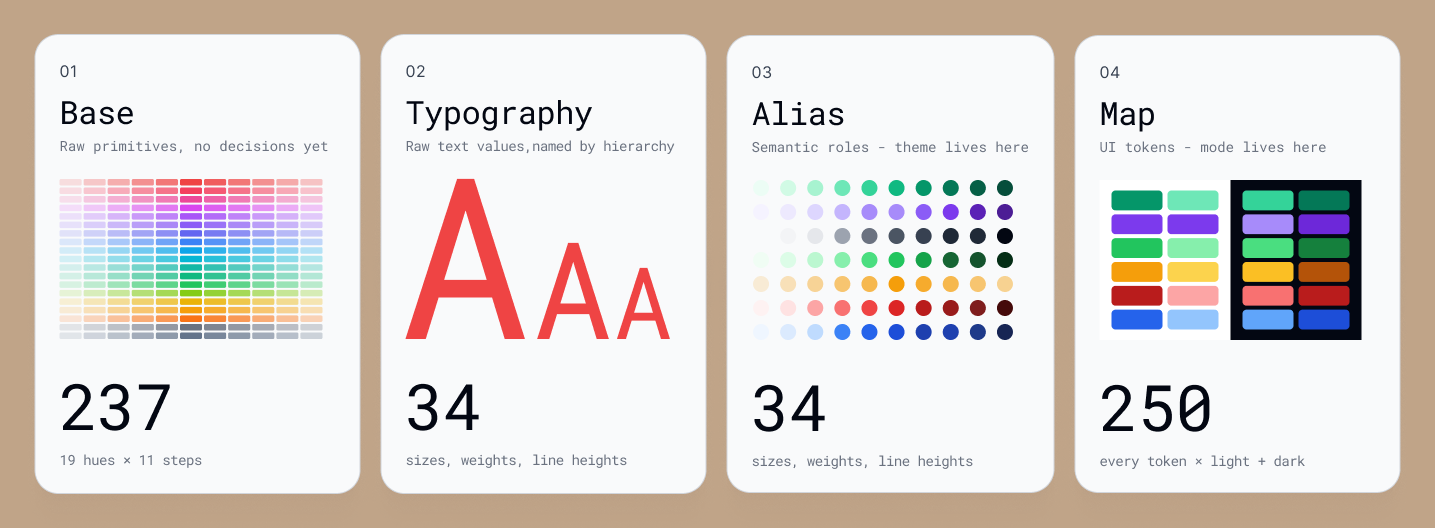
What it builds
4 variable collections
| Collection | Mode(s) | Contents |
|---|---|---|
| 1. Base | Value | 19 Tailwind v4 hues × 11 scales, Spacing, Radius |
| 2. Typography | Value | Font family, weight, size, line-height, letter-spacing, style |
| 3. Alias | Theme (Default) | Semantic roles → Base hue, chart series, Alpha washes, directional Drop-shadow tokens, Background-blur tokens |
| 4. Map | Light · Dark | UI tokens for Background, Text, Border, Icon, Chart, Overlay |
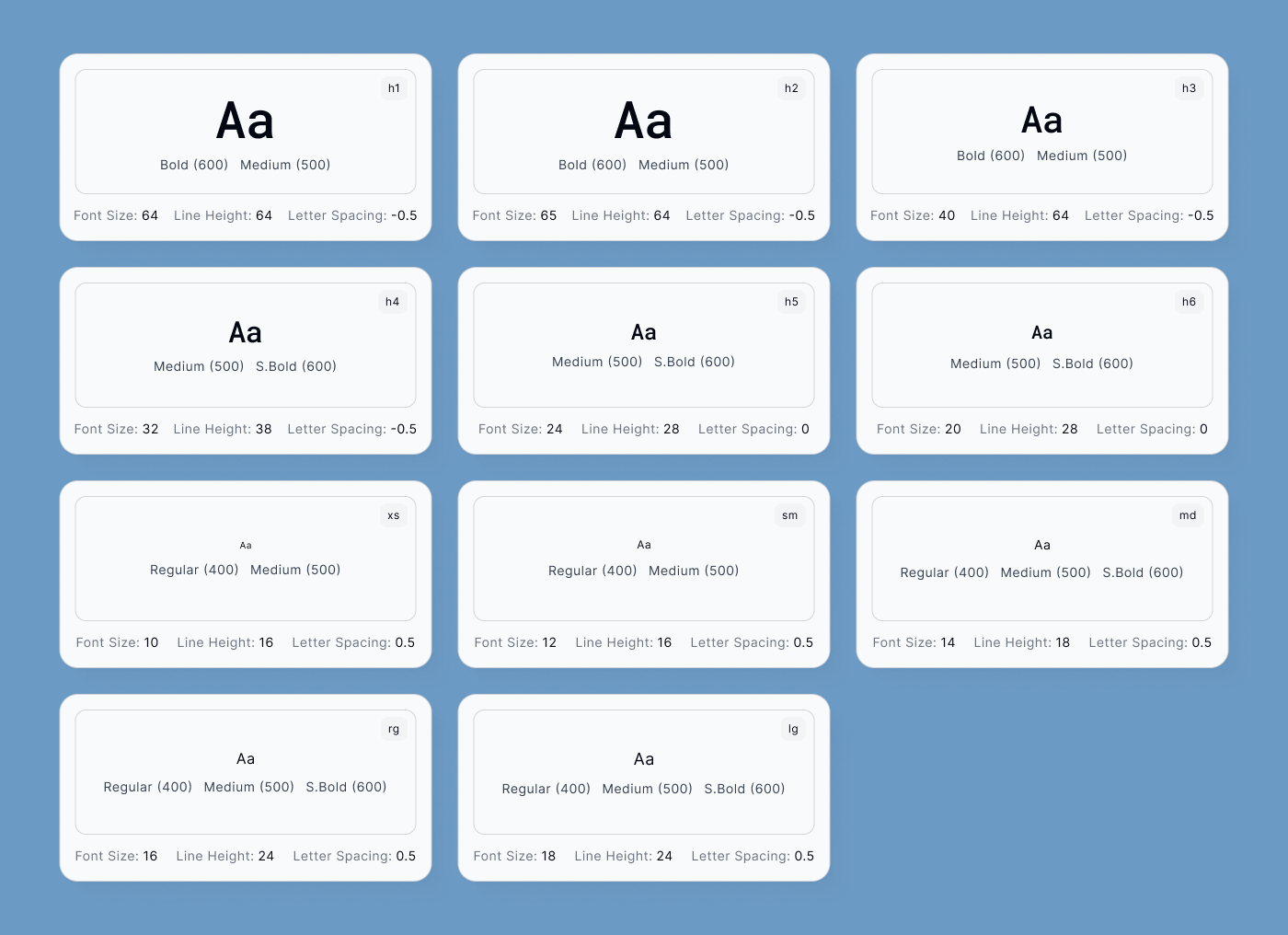
25 text styles — body xs through h1-B, every property bound to a variable
(including font weight).
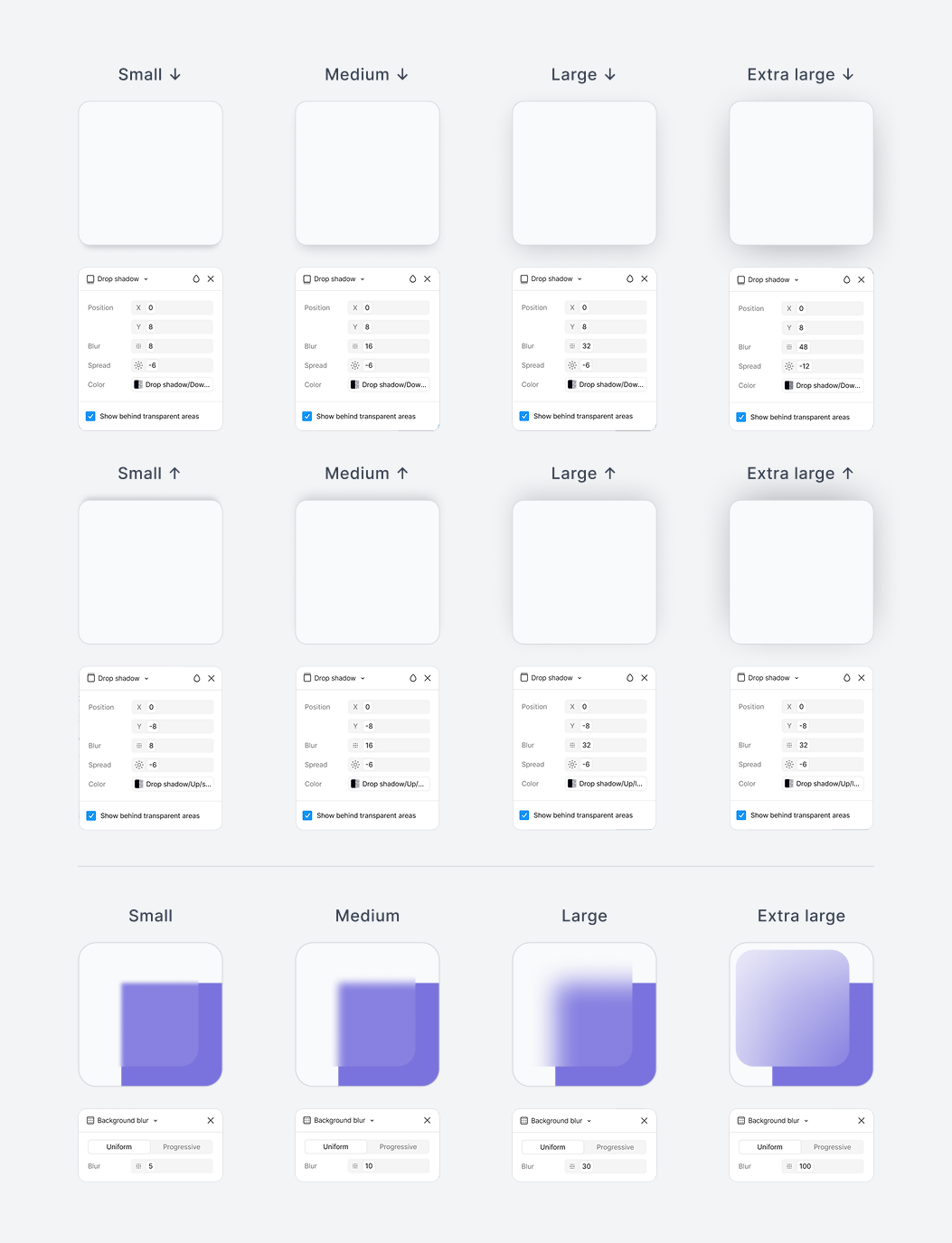
12 effect styles — 8 drop shadows (sm–xl, downward ↓ and upward ↑) + 4
background blurs (sm–xl), all bound to variables.
Every colored surface and text pairing is validated against WCAG AA 4.5:1, with per-hue "dead zone" handling so filled buttons stay legible in both light and dark mode.
A look inside
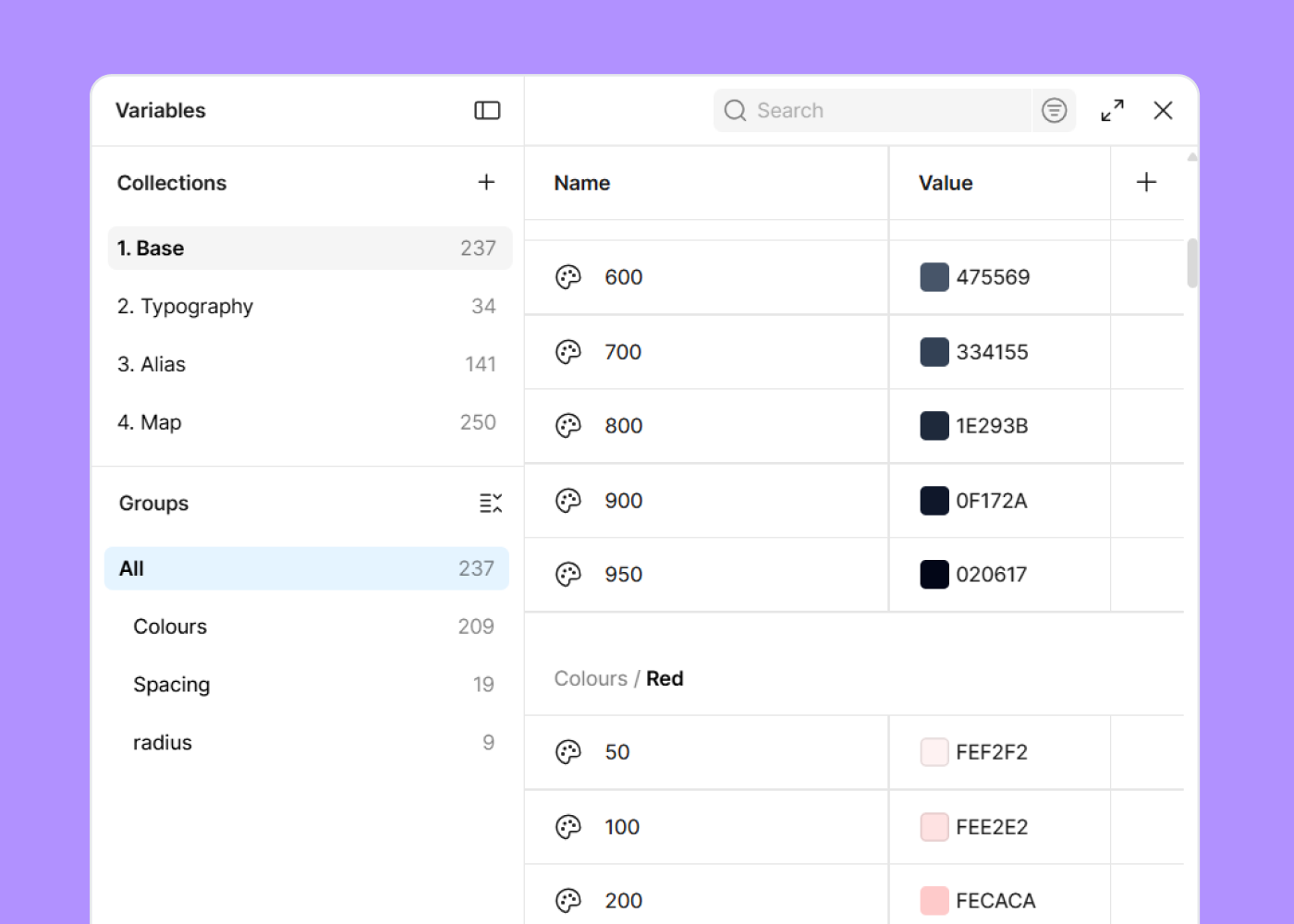
1. Base — raw Tailwind v4 primitives: 19 hues × 11 scales, plus Spacing and Radius.
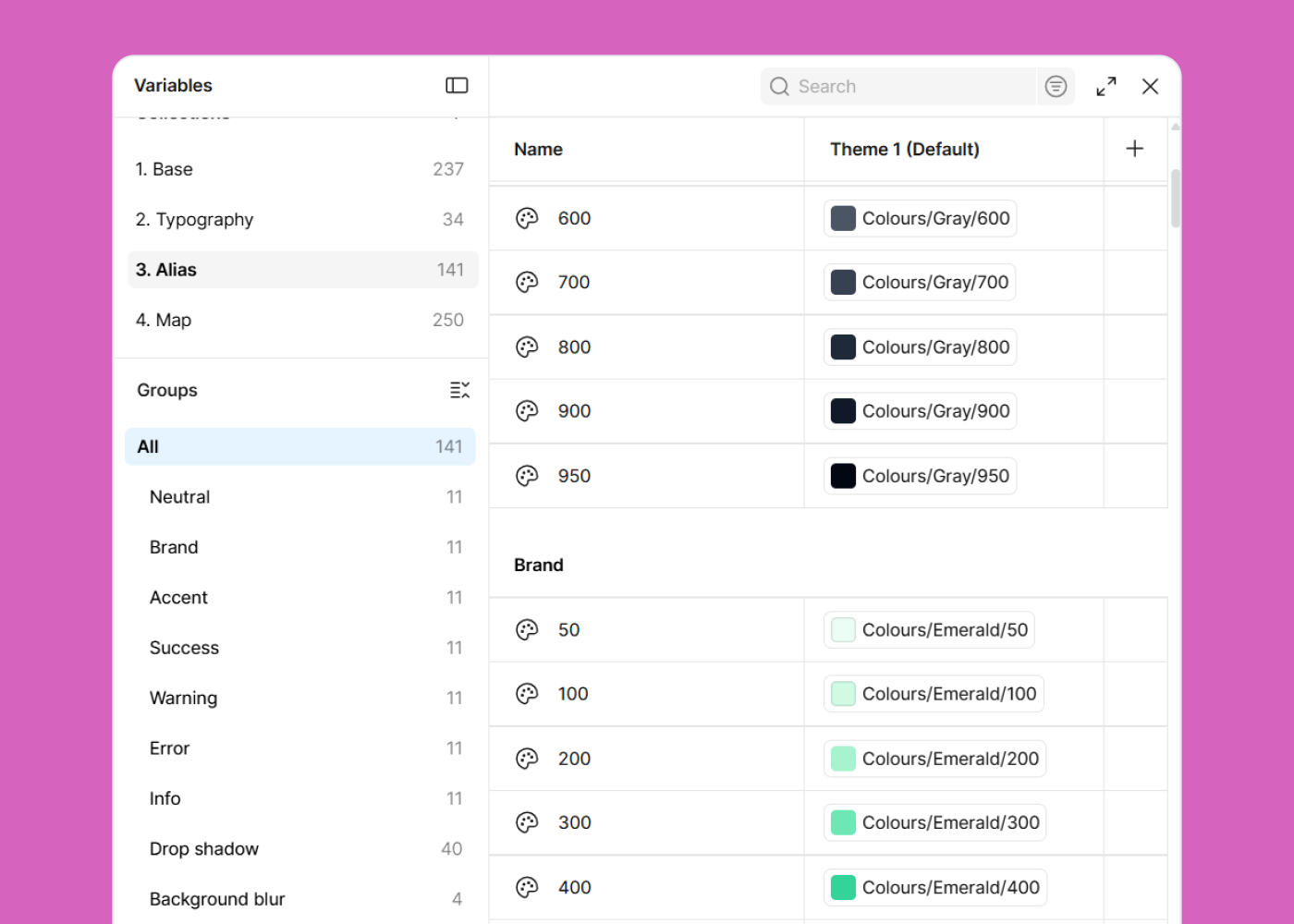
3. Alias — semantic roles (Brand, Accent, Neutral, Success, Warning, Error, Info) alias onto your chosen Base hues, alongside Drop-shadow and Background-blur tokens.
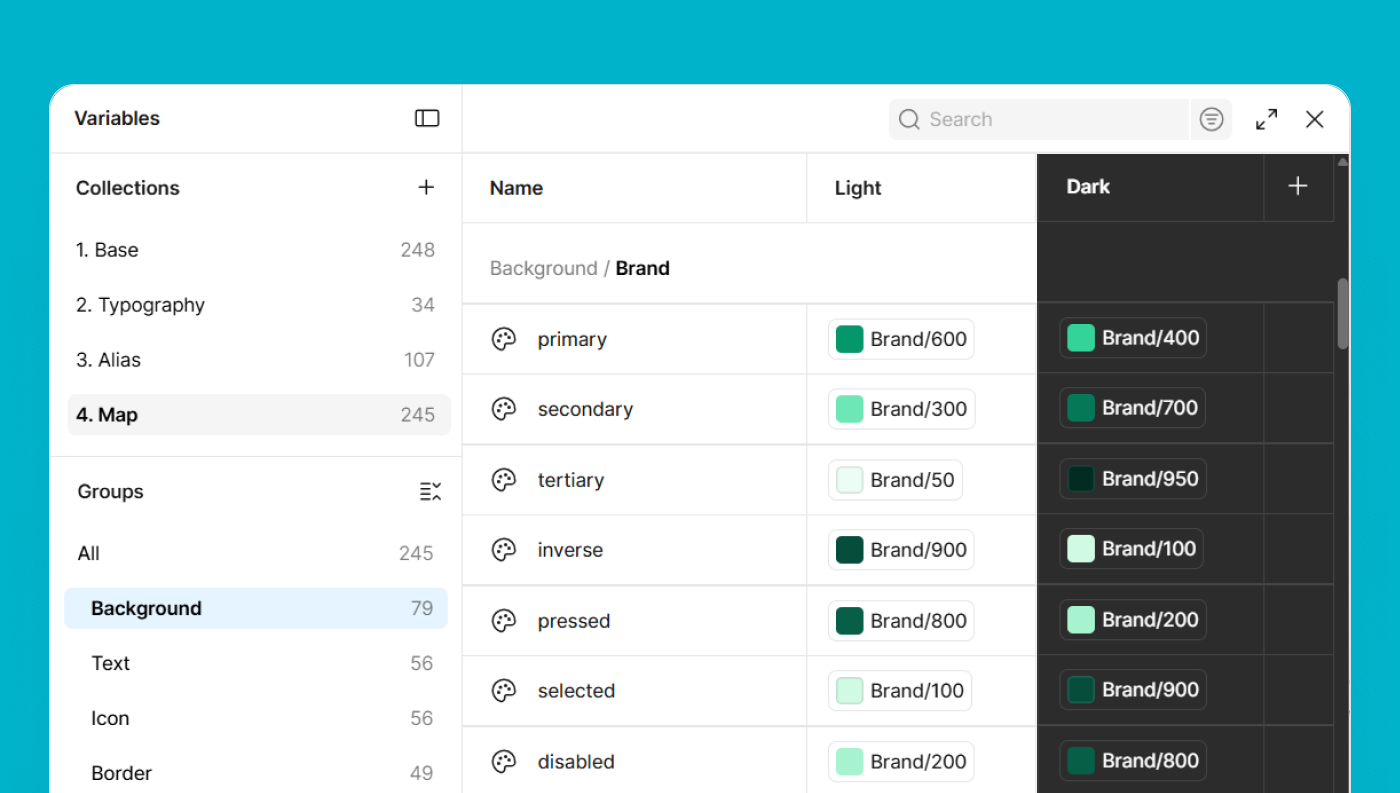
4. Map — every UI token resolved for Light and Dark mode (Background, Text, Icon, Border, and more).
25 text styles
body xs → h1-B, each with its weight variants and every property bound to a variable.
12 effect styles
8 drop shadows (sm–xl, downward ↓ and upward ↑) and 4 background blurs (sm–xl).
Requirements
- Claude Code (CLI, desktop, or IDE extension)
- A write-capable Figma MCP connection — the Figma Console MCP Desktop Bridge plugin, open inside the Figma file you want to build in.
- The official read-only Figma MCP (
https://mcp.figma.com/mcp) cannot create variables, so it won't work for the primary path.
- The official read-only Figma MCP (
- Optional fallback: Node.js, to generate a JSON file you import with the community Variables Import/Export plugin.
Install
Clone this repo straight into your Claude Code skills folder so it lands in a folder
named multibrand-design-system:
# macOS / Linux
git clone https://github.com/Ravindu997/multibrand-design-system-figma.git ~/.claude/skills/multibrand-design-system

# Windows (PowerShell)
git clone https://github.com/Ravindu997/multibrand-design-system-figma.git "$env:USERPROFILE\.claude\skills\multibrand-design-system"
Or download the ZIP from the green Code button above, unzip it, and copy the
contents into a folder named multibrand-design-system inside your .claude/skills/
directory.
Restart Claude Code (or start a new session) and the skill is available.
Usage
In Claude Code, run:
/multibrand-design-system
The skill will:
- Check your Figma write connection
- Ask for your brand configuration (7 color roles + 2 fonts + project name)
- Show a color/typography preview for approval
- Create every variable, text style, and effect style in Figma
Defaults if you don't specify: Emerald brand, Violet accent, Gray neutral, Green/Amber/Red/Blue for success/warning/error/info, Inter body font, Roboto Mono headings.
Repository contents
multibrand-design-system/
├── SKILL.md                    # The skill definition Claude Code reads
├── references/
│   └── architecture.md         # Full slot-level token architecture
├── scripts/
│   └── generate.js             # JSON-fallback generator (no-MCP path)
└── images/                     # README screenshots
License
Released under the MIT License.
No comments yet
Be the first to share your take.