
HTML Artifact Kit
A design system for everything your AI agent builds.
A portable, model-agnostic design system for AI-generated dashboards, reports, presentations, and operational tools.




Open the showroom · Explore the component lab · Install · How it works · Validate
Install
Install one canonical skill for every supported harness:
npx --yes --package github:amol-patil/html-artifact-kit#v1.1.0 html-artifact install --harness all
Restart your harness or begin a new conversation after installation.
| Codex | Claude Code | Gemini CLI | Cursor | Pi | Antigravity | Generic agents |
|---|---|---|---|---|---|---|
| ✓ | ✓ | ✓ | ✓ | ✓ | ✓ | ✓ |
Stop repairing the same design decisions
A prompt can produce one attractive page. A portable design system makes quality repeatable—without spending another nine prompts fixing radius, typography, spacing, and color.
| Without the kit | With the kit |
|---|---|
| Different models interpret “professional” differently. | One visual contract works across models and harnesses. |
| Components drift inside the same artifact. | Components share consistent foundations and behavior. |
| Every artifact begins with another styling conversation. | Dashboards, reports, presentations, and tools start from the same language. |
| Your attention goes to styling instead of substance. | Your attention stays on the decision, argument, or action. |
Try it
Ask naturally. Explicitly naming the skill is optional:
Build an executive dashboard for a regional paper company.
Show revenue, quota attainment, margin, and branch performance.
Deliver one self-contained HTML file.
Or create a completely different artifact:
Create a seven-section quarterly review presentation with
keyboard navigation, clickable slide controls, and print-to-PDF.
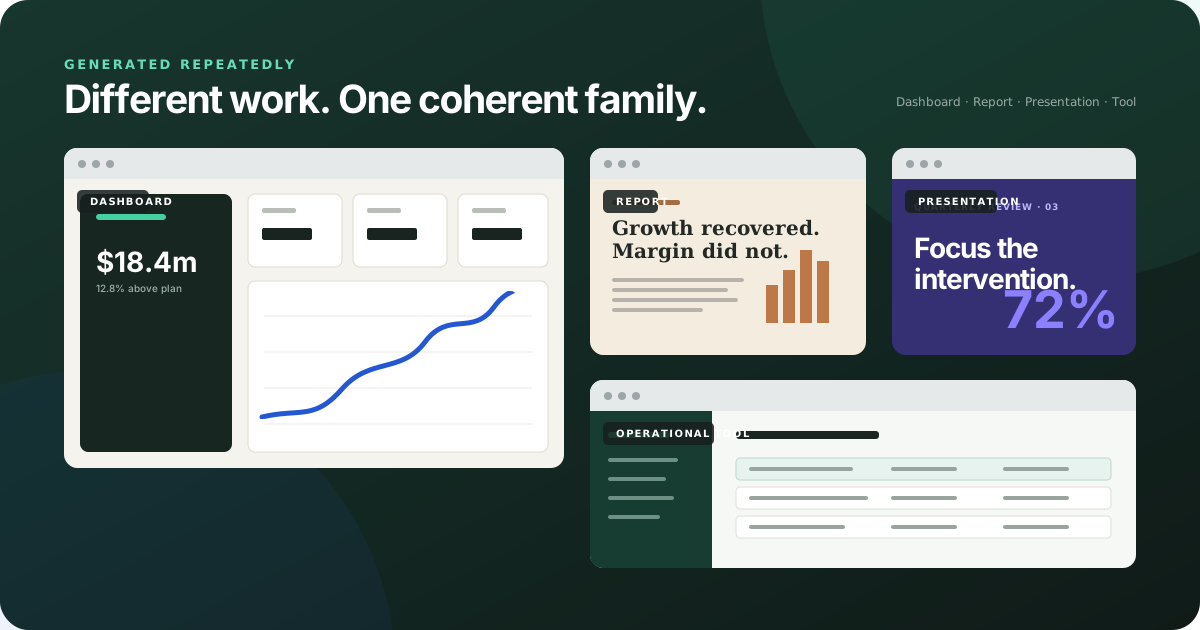
One system, different work
| Dashboard | Narrative report |
|---|---|
| See the decision. Metrics, trends, filters, exceptions, and data freshness in a calm operating view. | Follow the argument. Editorial hierarchy, evidence, citations, and intentional print behavior. |
| Presentation | Operational tool |
|---|---|
| Advance one idea. Full-viewport chapters, keyboard navigation, direct slide access, and print-to-PDF. | Act with context. Dense, predictable interfaces with filters, recovery states, and accessible controls. |
How it works
Prompt + content
       ↓
Portable design system
       ↓
One complete HTML file
The skill gives every agent the same:
- Visual foundations and canonical CSS
- Component anatomy and behavior
- Artifact-specific composition guidance
- Accessibility and portability contract
- Conformance auditor and human design scorecard
The foundations remain recognizable while each artifact gets the hierarchy, density, interaction, and rhythm its job requires.
What every artifact gets
- Responsive behavior at desktop, tablet, and mobile widths
- Semantic HTML, visible focus, reduced-motion support, and labeled controls
- Embedded CSS and JavaScript with no production CDN dependency
- Intentional print behavior for documents and presentations
- Artifact-specific composition instead of a generic grid of cards
- A deterministic conformance audit and separate human design scorecard
Tailwind CSS is available as an optional authoring tool. It is compiled at build time and never becomes a runtime requirement.
Publish and review
HTML Artifact Publisher is an optional, independent companion for hosting artifacts through Google Apps Script and collecting element-level conversations in Google Sheets. The kit has no runtime dependency on it.
When an artifact is likely to be reviewed, add stable data-comment-id values to meaningful regions. The artifact remains ordinary standalone HTML, while compatible review tools can keep comments attached more reliably across revisions.
Install for one project
Run from the project root:
npx --yes --package github:amol-patil/html-artifact-kit#v1.1.0 html-artifact install --scope project --harness all
Install into any Agent Skills-compatible directory:
npx --yes --package github:amol-patil/html-artifact-kit#v1.1.0 html-artifact install --target /path/to/harness/skills
What is included
skill/build-html-artifacts/
├── SKILL.md                    Core workflow and activation contract
├── assets/
│   ├── html-artifact-kit.css   Canonical visual system
│   └── starter.html            Portable authoring template
├── references/                 Foundations, components, and quality guidance
├── scripts/                    Bundler, validator, and conformance auditor
└── agents/openai.yaml          Optional Codex and ChatGPT metadata
The canonical skill is provider-neutral. Harness adapters only handle discovery; they do not change the design instructions.
Validate an artifact
node skill/build-html-artifacts/scripts/audit-artifact.mjs path/to/artifact.html
Artifacts must reach at least 85/100 with no critical failures. The reference showroom scores 100/100.
Audit an entire directory:
npm run audit:dir -- /absolute/path/to/trials
Develop locally
git clone https://github.com/amol-patil/html-artifact-kit.git
cd html-artifact-kit
npm install
npm run check
open examples/html-artifact-kit-showroom.html
open examples/html-artifact-kit-component-lab.html
Security
Agent Skills can contain instructions and executable scripts. Review third-party skills before installing them. This skill's scripts operate on local HTML files and do not require credentials, model APIs, or network access.
License
MIT © 2026 HTML Artifact Kit contributors
No comments yet
Be the first to share your take.