
GNO
Search finds. GNO proves.
A local knowledge engine for your notes, code, PDFs, and Office docs. Hybrid search, a browsable workspace with graph and editor, CLI, SDK, REST API, and MCP for ten AI clients — plus retrieval that can show its work.





bun install -g @gmickel/gno
gno setup ~/notes --name notes     # returns only after retrieval actually works
gno mcp install --target cursor    # or claude-code, claude-desktop, zed, ...
What you get
One local index across everything you have. Markdown, PDFs, Office documents, plain text, source code, and portable mail, calendar and transcript exports. Point it at a folder that mixes all of them and it handles the mix.
Three ways to search it. Keyword (BM25), semantic (vector), and hybrid — fused, reranked, and explainable, with structured intent controls and metadata filters. Ask for "how we handle retries" and find the paragraph about exponential backoff that never uses the word.
A workspace, not a search box. Cross-collection folder tree, per-tab browse context, a markdown editor, provenance-carrying quick capture, and a navigable knowledge graph.
Answers with citations. Ask a question in natural language and get an answer built from your own documents, with citations that resolve to the source passage.
Six interfaces on one index. A fast CLI, a web UI, a REST API, a TypeScript SDK, an MCP server, and a headless daemon — plus one-command install into ten agent clients. Nothing drifts between them.
Optional hosted publishing at gno.sh when a slice needs a URL.
No GPU required, no account required, no telemetry. Free and MIT licensed.
Why not just another local RAG tool
The above is most of what people use day to day. Beyond it, four things here are different, and each one is measurable rather than adjectival:
| What it does | Why it matters | |
|---|---|---|
| Context Capsules | Compiles one bounded evidence bundle per goal: exact line spans, content hashes, one global token budget, collapsed duplicates, and a written list of what it could not find | Your agent reads once instead of searching five times. 48.94% fewer retrieval calls, 44.12% less model-visible context, 100% task accuracy retained across 48 paired benchmark tasks |
| Verified answers | gno ask --verify generates against one closed Capsule, classifies every substantive claim, and withholds the draft below 100% support |
An abstention naming the failing claim beats a confident paragraph you have to fact-check by hand |
| Verified setup | gno setup returns only after lexical search finds a real hit derived from your corpus |
No green checkmark over a folder that indexed but cannot be searched |
| Egress policy | Per-collection fail-closed local_only / lan / remote, inherited by every derived Capsule, trace, and export |
Mixed setups are normal. Pin the client work local while your notes use the LAN GPU box |
Everything runs on your machine. Zero telemetry. The three network boundaries are explicit: downloading a model, configuring an HTTP inference endpoint, and uploading an artifact you exported for publishing.
And the receipts ship too. Every benchmark behind these numbers is committed to the repository against a pinned corpus, with its limitations stated alongside the result, so you can replay it rather than take it on trust.
Use it when
- your knowledge is split across Markdown, code, PDFs, Office files, and exported mail or transcripts
- you want one retrieval layer for the CLI, the browser, MCP, and a Bun/TypeScript SDK
- you want your coding agent to have a real memory without shipping your docs to a cloud API
- you need to prove, later, which bytes supported a conclusion
Two minutes, end to end
# Install
bun install -g @gmickel/gno

# Activate a folder. Returns only after BM25 proves an exact corpus-derived hit;
# semantic embedding continues independently in the background.
gno setup ~/notes --name notes

# Add more sources
gno collection add ~/work/docs --name work-docs --pattern "**/*.{md,pdf,docx}"
gno collection add ~/work/gno/src --name gno-code --pattern "**/*.{ts,tsx,js,jsx}"

# Tell retrieval what each collection is for
gno context add "work-docs:" "Architecture docs, runbooks, RFCs, meeting notes"

gno update --yes   # sync
gno embed          # embed when you want semantic retrieval

# Pick the search that fits the question
gno search "DEC-0054"                            # exact identifier
gno vsearch "retry failed jobs with backoff"     # natural language
gno query "JWT refresh token rotation" --explain # hybrid, with score traces

# Compile checkable evidence for a goal, then re-check it later
gno context build "why we dropped the queue rewrite" \
  --collection work-docs --budget 12000 --json --output capsule.json
gno context verify capsule.json

# Generate only what that evidence supports
gno ask "why did we drop the queue rewrite" --verify --show-sources

# Run the workspace (pick one — not both against the same index)
gno serve            # browser/desktop Web UI
gno daemon --detach  # headless indexing + resident MCP gateway
[!TIP] gno.sh/publish is live. Turn any GNO note or collection into a reader-first URL — editorial typography, scoped search, and four visibility modes from public to encrypted-before-upload. See the reader →
ClawdHub: GNO skills bundled for Clawdbot — clawdhub.com/gmickel/gno
Contents
Start here · Quick Start · Installation · Agent Integration · Search Modes
Surfaces · Web UI · REST API · SDK · Daemon Mode · Publish to gno.sh
Under the hood · How It Works · Features · Local Models · Fine-Tuned Models · Architecture · Development
Deep dives on gno.sh · Context Capsules · Knowledge Delta · Retrieval learning · Project profiles · Egress policies · Export adapters
What's New
Current release: v1.29.6 — see CHANGELOG.md
Full release history: CHANGELOG.md
- Trustworthy local context compiler: deterministic Context Capsules replace
repeated agent
query → get → multi-getorchestration with one bounded, citation-complete evidence handoff. The promoted benchmark retained 100% completion accuracy while reducing retrieval calls by 48.94% and model-visible context by 44.12%, with 100% exact claim-span linkage. - Verified answers and private quality learning: opt-in verified Ask checks every substantive claim against one closed Capsule and abstains below complete support. Local traces, explicit judgments, content-free qrels export, and read-only replay turn real misses into regression evidence without automatic personalization.
- Project-aware retrieval affinity: trusted local CLI searches can use the
current workspace or explicit
--project-rootvalues as a transparent, explainable+0.03soft ranking signal. Filters remain hard, and untrusted SDK, REST, MCP, and Web hints never probe paths or affect ranking. - Retrieval-proven activation:
gno status,gno doctor, REST, and the Web/Desktop dashboard now share a per-folder lexical retrieval proof. Local semantic readiness remains independent, and installed MCP targets can run an explicit read-only retrieval smoke from Connectors. - One resident gateway:
gno serveandgno daemonnow host stateful Streamable HTTP MCP at/mcpfrom the same long-lived runtime as their watcher, jobs, stores, and models. The packed npm smoke proves two-client parity, warm reuse, redacted lifecycle status, fail-closed security, restart, and shutdown. - Knowledge Delta:
gno changes,gno diff, andgno impactexpose bounded metadata-only history, structural change summaries, and explainable dependency paths across CLI, REST, MCP, and SDK. - Saved Capsule freshness: CLI-only
gno context watch,watches,reverify, andunwatchregister caller-owned Capsule files. The resident runtime coalesces evidence changes into canonical, non-generative freshness receipts and closed local metadata notifications. - Second-brain capture:
gno capture, REST/api/capture, SDKclient.capture(), MCPgno_capture, and Web UI Quick Capture write provenance-rich notes from text, stdin, or files, including typed presets for ideas, people, company/projects, and meetings - Local Chromium clipper: the npm package includes a reproducible unpacked
Manifest V3 extension for explicit visible selection or constrained Reader
capture. A loopback
gno servepairing, server-owned preview, exact provenance, and idempotent recovery protect every write; no history, cookies, remote fetch, store listing, or Firefox parity is claimed. - Verified setup and portable project profiles:
gno setup <folder>proves an exact lexical result before success; optional.gno/index.ymlprofiles carry explicit collection, context, model, content-type, and project-affinity intent without storing the index in the repository. - Portable export adapters: JSONL/NDJSON, EML/MBOX, ICS, WebVTT/SRT, explicit browser exports, and configured transcript exports become bounded, read-only logical records with exact file provenance—never live-account connectors.
- Collection-owned egress policy: every collection has an effective
local_only,lan, orremoteboundary that follows mixed and derived evidence through resident serving, inference, publishing, exports, Capsules, and traces. Authentication never overrides policy. - Schema-lite content types: optional
contentTypesrules map configured frontmattertypevalues or path prefixes to canonicalcontentTypemetadata in JSON search/query results and can apply one bounded, explainablesearchBoostwithout bypassing hard filters - Publish to gno.sh: new
gno publish exportCLI and Web UI action produce a self-contained artifact you upload to the hosted reader — public, secret, invite-only, or locally encrypted before upload - Retrieval Quality Upgrade: stronger BM25 lexical handling, code-aware chunking, terminal result hyperlinks, and per-collection model overrides
- Code Embedding Benchmarks: new benchmark workflow across canonical, real-GNO, and pinned OSS slices for comparing alternate embedding models
- Default Embed Model: all four built-in presets use
Qwen3-Embedding-0.6B-GGUF; see the dated, fixture-scoped evidence below
- Regression Fixes: tightened phrase/negation/hyphen/underscore BM25 behavior, cleaned non-TTY hyperlink output, improved
gno doctorchunking and embedding fingerprint visibility, and fixed the embedding autoresearch harness
Upgrading Existing Collections
If you already had collections indexed before the default embed-model switch to
Qwen3-Embedding-0.6B-GGUF, run:
gno models pull --embed
gno embed
That regenerates embeddings for the new default model. Old vectors are kept until you explicitly clear stale embeddings.
If the release also changes the embedding formatting/profile behavior for your active model, prefer one of these stronger migration paths:
gno embed --force
or per collection:
gno collection clear-embeddings my-collection --all
gno embed my-collection
If a re-embed run still reports failures, rerun with:
gno --verbose embed --force
Recent releases now print sample embedding errors and a concrete retry hint when batch recovery cannot fully recover on its own.
Model guides:
Fine-Tuned Model Quick Use
models:
  activePreset: slim-tuned
  presets:
    - id: slim-tuned
      name: GNO Slim Tuned
      embed: hf:Qwen/Qwen3-Embedding-0.6B-GGUF/Qwen3-Embedding-0.6B-Q8_0.gguf
      rerank: hf:ggml-org/Qwen3-Reranker-0.6B-Q8_0-GGUF/qwen3-reranker-0.6b-q8_0.gguf
      expand: hf:guiltylemon/gno-expansion-slim-retrieval-v1/gno-expansion-auto-entity-lock-default-mix-lr95-f16.gguf
      gen: hf:unsloth/Qwen3-1.7B-GGUF/Qwen3-1.7B-Q4_K_M.gguf
Then:
gno models use slim-tuned
gno models pull --expand
gno models pull --gen
gno query "ECONNREFUSED 127.0.0.1:5432" --thorough
Full guide: Fine-Tuned Models · Feature page
Quick Start
gno setup ~/notes --name notes   # Build BM25 and prove an exact local result
gno daemon --detach              # Keep index fresh in the background (macOS/Linux)
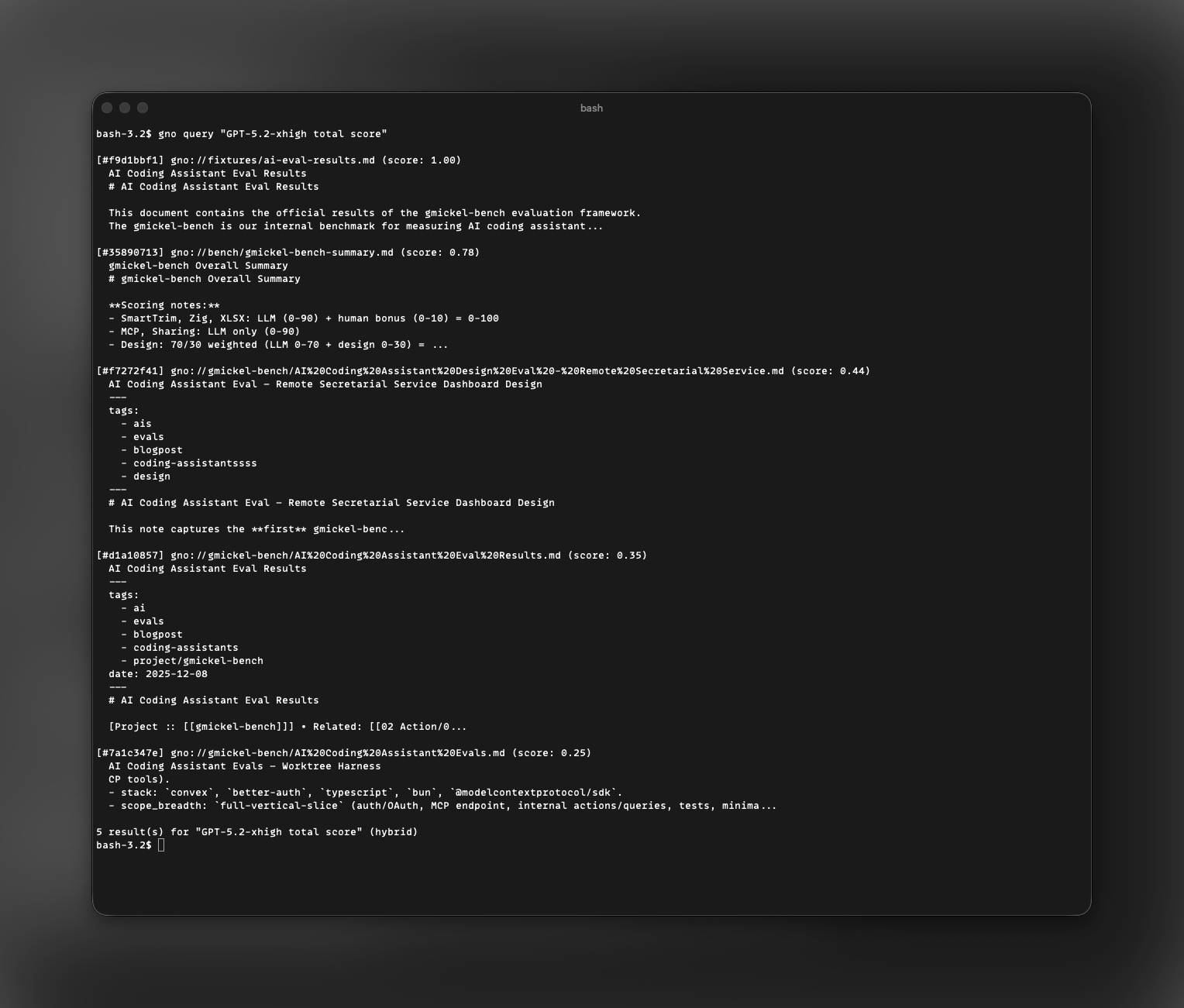
gno query "auth best practices"  # Hybrid search
gno ask "summarize the API" --answer  # AI answer with citations
Manage the detached process with gno daemon --status and gno daemon --stop.
Installation
Install GNO
Requires Bun >=1.3.0.
bun install -g @gmickel/gno
macOS: Vector search requires Homebrew SQLite:
brew install sqlite3
Verify the local installation and corpus-derived lexical retrieval:
gno setup ~/notes --name notes
gno setup returns only after BM25 finds an exact gno:// result from the
folder. It is safe to rerun: the same canonical folder and collection are
reused. Semantic indexing is a separate one-shot process; --no-semantic
records an explicit skip. Add repeatable --connector <id> flags only when you
also want supported agent integrations installed and checked. Setup is direct
and standalone—it never attaches to serve, daemon, Web, or MCP.
Use gno status --json for passive state and gno doctor for diagnostics.
Semantic pending and connector follow-up never invalidate proven lexical
search.
GNO supports macOS, Linux, and Windows. The current validated Windows target is
windows-x64, with a packaged
desktop beta zip now published on GitHub Releases. See
docs/WINDOWS.md for support scope and validation notes.
Keep an index fresh continuously without opening the Web UI:
gno daemon            # foreground (Ctrl+C to stop)
gno daemon --detach   # background (macOS/Linux); use --status / --stop to manage
gno daemon runs the watch/sync/embed loop headless. --detach self-spawns a
detached child and exits 0; gno daemon --status and gno daemon --stop give
you lifecycle control without nohup, launchd, or systemd units.
See also: docs/DAEMON.md
Connect to AI Agents
MCP Server (Claude Desktop, Cursor, Zed, etc.)
One command to add GNO to your AI assistant:
gno mcp install                      # Claude Desktop (default)
gno mcp install --target cursor      # Cursor
gno mcp install --target claude-code # Claude Code CLI
gno mcp install --target zed         # Zed
gno mcp install --target windsurf    # Windsurf
gno mcp install --target codex       # OpenAI Codex CLI
gno mcp install --target opencode    # OpenCode
gno mcp install --target amp         # Amp
gno mcp install --target lmstudio    # LM Studio
gno mcp install --target librechat --scope project # LibreChat
Each install records an absolute Bun/package entrypoint plus the active index,
config, data directory, and model cache, so desktop clients open the same GNO
workspace without relying on shell PATH or GNO_* inheritance. Inspect the
exact command, arguments, and workspace values with
gno mcp install --dry-run --json. If GNO is already configured in that
target, add --force to preview the replacement without writing it.
Check status: gno mcp status
Skills (Claude Code, Codex, OpenCode, OpenClaw)
Skills integrate via CLI with no MCP overhead and include second-brain recipe playbooks:
gno skill install --scope user        # User-wide
gno skill install --target codex      # Codex
gno skill install --target opencode   # OpenCode
gno skill install --target openclaw   # OpenClaw
gno skill install --target all        # All targets
Full setup guide: MCP Integration · CLI Reference
Daemon Mode
Use gno daemon when you want continuous indexing without the browser or
desktop shell open.
gno daemon                  # foreground + /mcp on 127.0.0.1:3000
gno daemon --no-sync-on-start
gno daemon --detach         # background (macOS/Linux); auto-writes pid + log files
gno daemon --status         # check the detached process
gno daemon --stop           # SIGTERM with 10s timeout, SIGKILL fallback
It reuses the same watch/sync/embed runtime as gno serve, but stays
headless. --detach / --status / --stop give you symmetric lifecycle
controls so you don't need nohup, launchd, or systemd units. The same
flag set is available on gno serve.
SDK
Embed GNO directly in another Bun or TypeScript app. No CLI subprocesses. No local server required.
Install:
bun add @gmickel/gno
Minimal client:
import { createDefaultConfig, createGnoClient } from "@gmickel/gno";

const config = createDefaultConfig();
config.collections = [
  {
    name: "notes",
    path: "/Users/me/notes",
    pattern: "**/*",
    include: [],
    exclude: [],
  },
];

const client = await createGnoClient({
  config,
  dbPath: "/tmp/gno-sdk.sqlite",
});

await client.index({ noEmbed: true });

const results = await client.query("JWT token flow", {
  noExpand: true,
  noRerank: true,
});

console.log(results.results[0]?.uri);
await client.close();
More SDK examples:
import { createGnoClient } from "@gmickel/gno";

const client = await createGnoClient({
  configPath: "/Users/me/.config/gno/index.yml",
  indexName: "research",
});

// Fast exact search
const bm25 = await client.search("DEC-0054", {
  collection: "work-docs",
});

// Semantic code lookup
const semantic = await client.vsearch("retry failed jobs with backoff", {
  collection: "gno-code",
});

// Hybrid retrieval with explicit intent
const hybrid = await client.query("token refresh", {
  collection: "work-docs",
  intent: "JWT refresh token rotation in our auth stack",
  candidateLimit: 12,
});

// Fetch content directly
const doc = await client.get("gno://work-docs/auth/refresh.md");
const bundle = await client.multiGet(["gno-code/**/*.ts"], { maxBytes: 25000 });

// Indexing / embedding
await client.update({ collection: "work-docs" });
await client.embed({ collection: "gno-code" });

await client.close();
Core SDK surface:
createGnoClient({ config | configPath, dbPath?, indexName? })search,vsearch,query,askget,multiGet,list,statusupdate,embed,indexclose
Full guide: SDK docs
Search Modes
| Command | Mode | Best For |
|---|---|---|
gno search |
Document-level BM25 | Exact phrases, code identifiers |
gno vsearch |
Contextual Vector | Natural language, concepts |
gno query |
Hybrid | Best accuracy (BM25 + vector + reranking) |
gno ask --answer |
RAG | Direct answers with citations |
BM25 indexes full documents (not chunks) with Snowball stemming, so "running" matches "run".
Vector embeds chunks with document titles for context awareness.
All retrieval modes also support metadata filters: --since, --until, --category, --author, --tags-all, --tags-any.
gno search "handleAuth"              # Find exact matches
gno vsearch "error handling patterns" # Semantic similarity
gno query "database optimization"    # Full pipeline
gno query "meeting decisions" --since "last month" --category "meeting,notes" --author "gordon"
gno query "performance" --intent "web performance and latency"
gno query "performance" --exclude "reviews,hiring"
gno ask "what did we decide" --answer # AI synthesis
Output formats: --json, --files, --csv, --md, --xml
Common CLI Recipes
# Search one collection
gno search "PostgreSQL connection pool" --collection work-docs

# Export retrieval results for an agent
gno query "authentication flow" --json -n 10
gno query "deployment rollback" --all --files --min-score 0.4

# Retrieve a document by URI or docid
gno get "gno://work-docs/runbooks/deploy.md"
gno get "#abc123"

# Fetch many documents at once
gno multi-get "work-docs/**/*.md" --max-bytes 20000 --md

# Inspect how the hybrid rank was assembled
gno query "refresh token rotation" --explain

# Work with filters
gno query "meeting notes" --since "last month" --category "meeting,notes"
gno search "incident review" --tags-all "status/active,team/platform"

# Export a publish artifact for gno.sh
gno publish export work-docs --out ~/Downloads/work-docs.json
gno publish export "gno://work-docs/runbooks/deploy.md" --out ~/Downloads/deploy.json
# Or let GNO choose your Downloads folder automatically
gno publish export work-docs
The local web UI exposes the same export flow:
- Collections page → collection menu →
Export for gno.sh - Document view →
Export for gno.sh
Both actions download the same JSON artifact the CLI writes, ready for upload at
https://gno.sh/studio.
Retrieval V2 Controls
Existing query calls still work. Retrieval v2 adds optional structured intent control and deeper explain output.
# Existing call (unchanged)
gno query "auth flow" --thorough

# Structured retrieval intent
gno query "auth flow" \
  --intent "web authentication and token lifecycle" \
  --candidate-limit 12 \
  --query-mode term:"jwt refresh token -oauth1" \
  --query-mode intent:"how refresh token rotation works" \
  --query-mode hyde:"Refresh tokens rotate on each use and previous tokens are revoked." \
  --explain

# Multi-line structured query document
gno query $'auth flow\nterm: "refresh token" -oauth1\nintent: how refresh token rotation works\nhyde: Refresh tokens rotate on each use and previous tokens are revoked.' --fast
- Modes:
term(BM25-focused),intent(semantic-focused),hyde(single hypothetical passage) - Explain includes stage timings, fallback/cache counters, and per-result score components
gno ask --jsonincludesmeta.answerContextfor adaptive source selection traces- Search and Ask web text boxes also accept multi-line structured query documents with
Shift+Enter
Agent Integration
Give your local LLM agents a long-term memory. GNO integrates as a Claude Code skill or MCP server, allowing agents to search, read, and cite your local files.
Skills
Skills add GNO search to Claude Code, Codex, OpenCode, and OpenClaw without MCP protocol overhead:
gno skill install --scope user
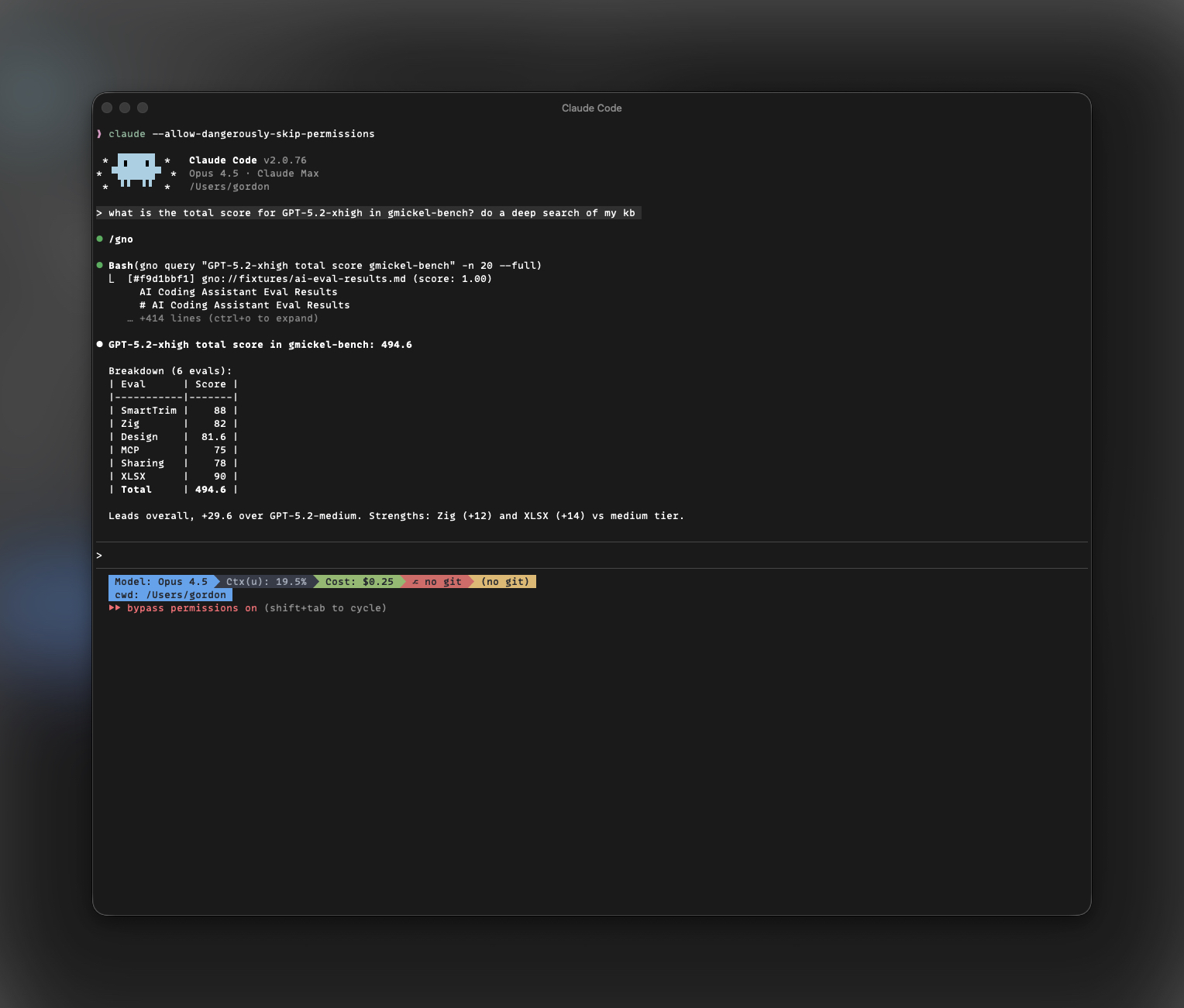
Then ask your agent: "Search my notes for the auth discussion"
Installed skills also include recipes for brain-first lookup, capture/file, meeting ingestion, email context, source summaries, idea capture, and citation/provenance. Preview them with gno skill show --file recipes/brain-first-lookup.md. Recipes use user-supplied/exported external material; they do not add native Gmail, Calendar, Slack, webhook, cron, or background-agent integrations.
Agent-friendly CLI examples:
# Structured retrieval output for an agent
gno query "authentication" --json -n 10

# File list for downstream retrieval
gno query "error handling" --all --files --min-score 0.35

# Full document content when the agent already knows the ref
gno get "gno://work-docs/api-reference.md" --full
gno multi-get "work-docs/**/*.md" --md --max-bytes 30000
MCP Server
Connect GNO to Claude Desktop, Cursor, Raycast, and more:
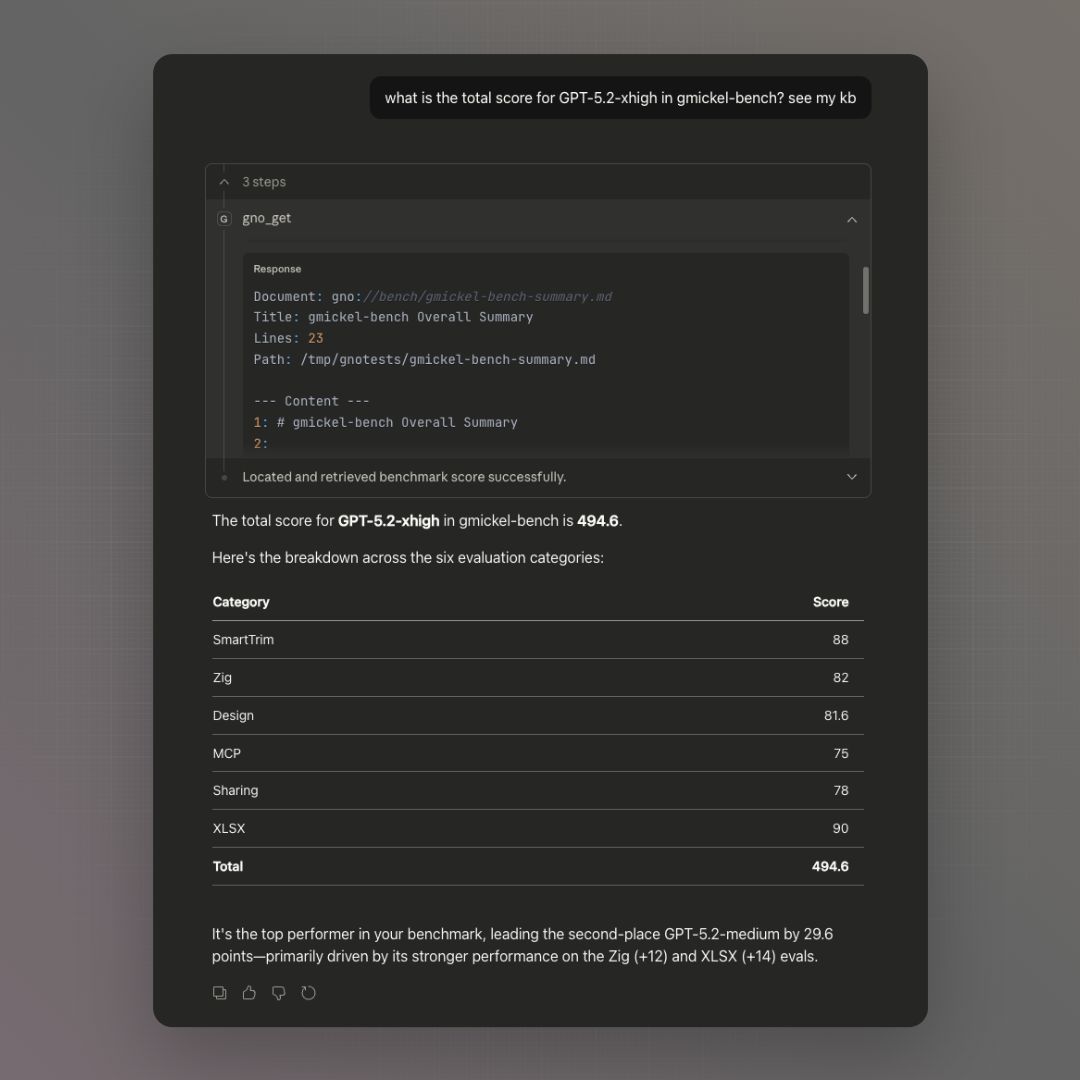
GNO exposes 25 tools by default via Model Context Protocol,
including the core retrieval tools below. Starting MCP with --enable-write
adds 15 opt-in mutation tools, for 40 total.
| Tool | Description |
|---|---|
gno_search |
BM25 keyword search |
gno_vsearch |
Vector semantic search |
gno_query |
Hybrid search (recommended) |
gno_context |
Budgeted exact evidence Capsule |
gno_context_verify |
Verify saved Capsule provenance |
gno_ask |
Opt-in closed-Capsule verified answer |
gno_get |
Retrieve document by ID |
gno_multi_get |
Batch document retrieval |
gno_links |
Get outgoing links from document |
gno_backlinks |
Get documents linking TO document |
gno_similar |
Find semantically similar documents |
gno_graph |
Get knowledge graph (nodes and edges) |
gno_status |
Index health check |
gno_trace_list |
List private local retrieval receipts |
gno_trace_show |
Inspect one bounded trace receipt |
gno_changes |
Read retained metadata-only changes |
gno_diff |
Read one structural document delta |
gno_impact |
Trace bounded dependency impact |
Design: Default MCP mode is read-only: retrieval, opt-in verified synthesis,
graph, status, and job inspection. Raw retrieval tools leave synthesis to your
AI assistant. gno_ask runs only when the caller sends literal verify: true;
it verifies claims against one closed Capsule and abstains unless every
substantive claim is supported. That classification is not a general factual
guarantee beyond the retained evidence. Write tools remain available only
through the explicit --enable-write opt-in.
gno serve and gno daemon also expose this surface as stateful Streamable
HTTP at http://127.0.0.1:3000/mcp. HTTP stays read-only by default.
Authenticated non-loopback access is available through the headless daemon and
requires an explicit restrictive bearer-token file plus exact Host and Origin
allowlists; gno serve remains loopback-only. Authentication alone never
enables mutation tools.
Web UI
Visual dashboard for search, browsing, editing, and AI answers. Right in your browser.
gno serve                    # Start on port 3000
gno serve --port 8080        # Custom port
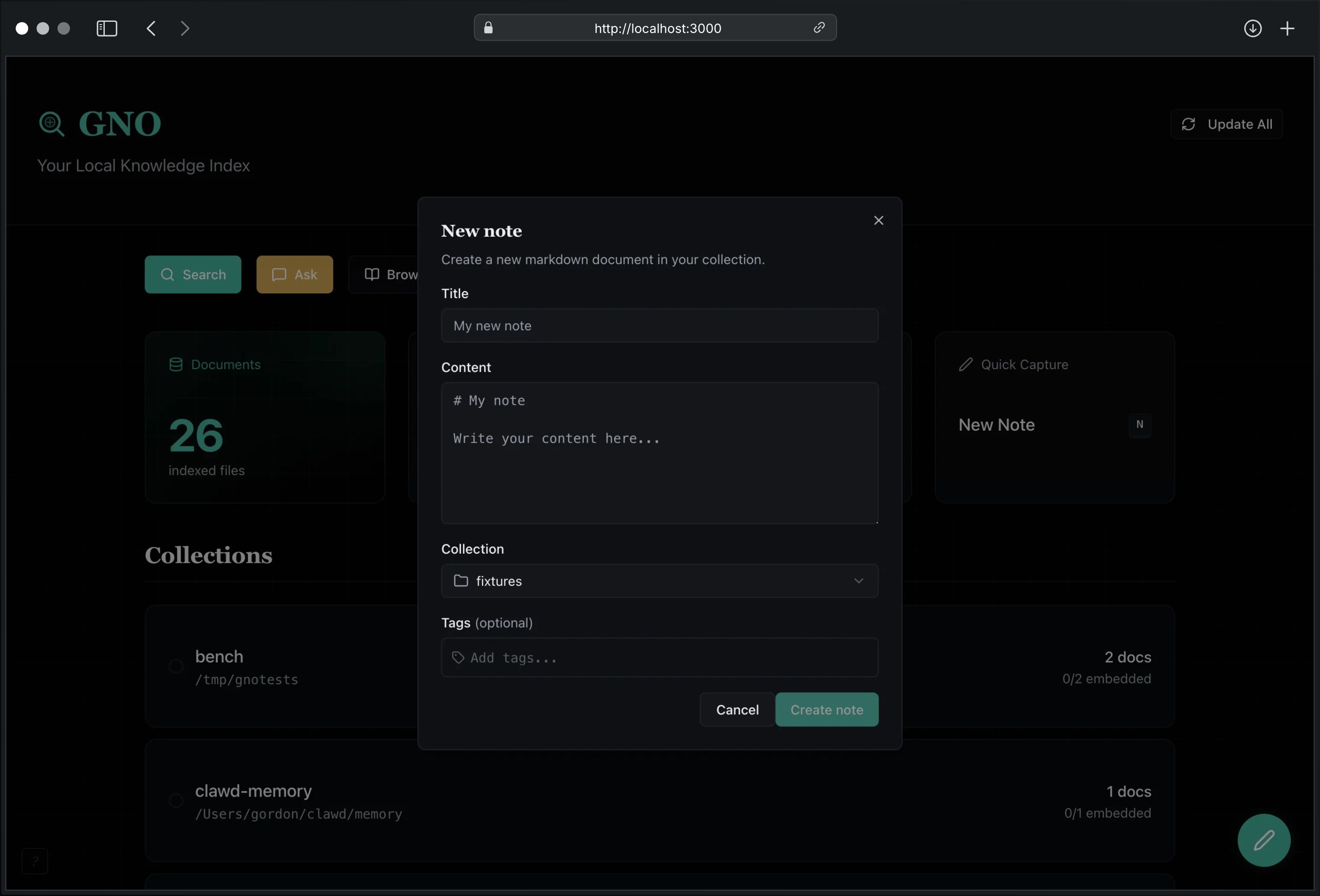
Open http://localhost:3000 to:
- Search: BM25, vector, or hybrid modes with visual results
- Browse: Cross-collection tree workspace with folder detail panes and per-tab browse context
- Edit: Create, edit, and delete documents with live preview
- Create in place: New notes in the current folder/collection with presets and command-palette flows
- Capture with provenance:
gno captureand Web UI Quick Capture write quick notes to an editable collection with structuredsource:metadata, typed preset scaffolds, and a receipt that separates write, sync, and embed state - Same capture contract everywhere: CLI, MCP
gno_capture, REST/api/capture, SDKclient.capture(), and Web UI Quick Capture return the same provenance receipt shape - Browser clipper: npm-distributed unpacked Chromium extension for explicit visible selection or Reader capture through a local preview/confirm flow. See Browser Clipper.
- Ask: AI-powered Q&A with citations
- Manage Collections: Add, remove, and re-index collections
- Verify retrieval: See each folder's lexical proof, exact failed stage, and remediation without waiting for semantic models
- Connect agents: Install core Skill/MCP integrations; explicitly verify configured MCP retrieval without changing client config. Skill installation is visible, but client runtime execution cannot be proven automatically
- Manage files safely: Rename, reveal, or move editable files to Trash with explicit index-vs-disk semantics
- Refactor files safely: Move, duplicate, and organize editable notes with reference warnings
- Switch presets: Change models live without restart
- Command palette: Jump, create, refactor, and section-navigate from one keyboard-first surface
Search
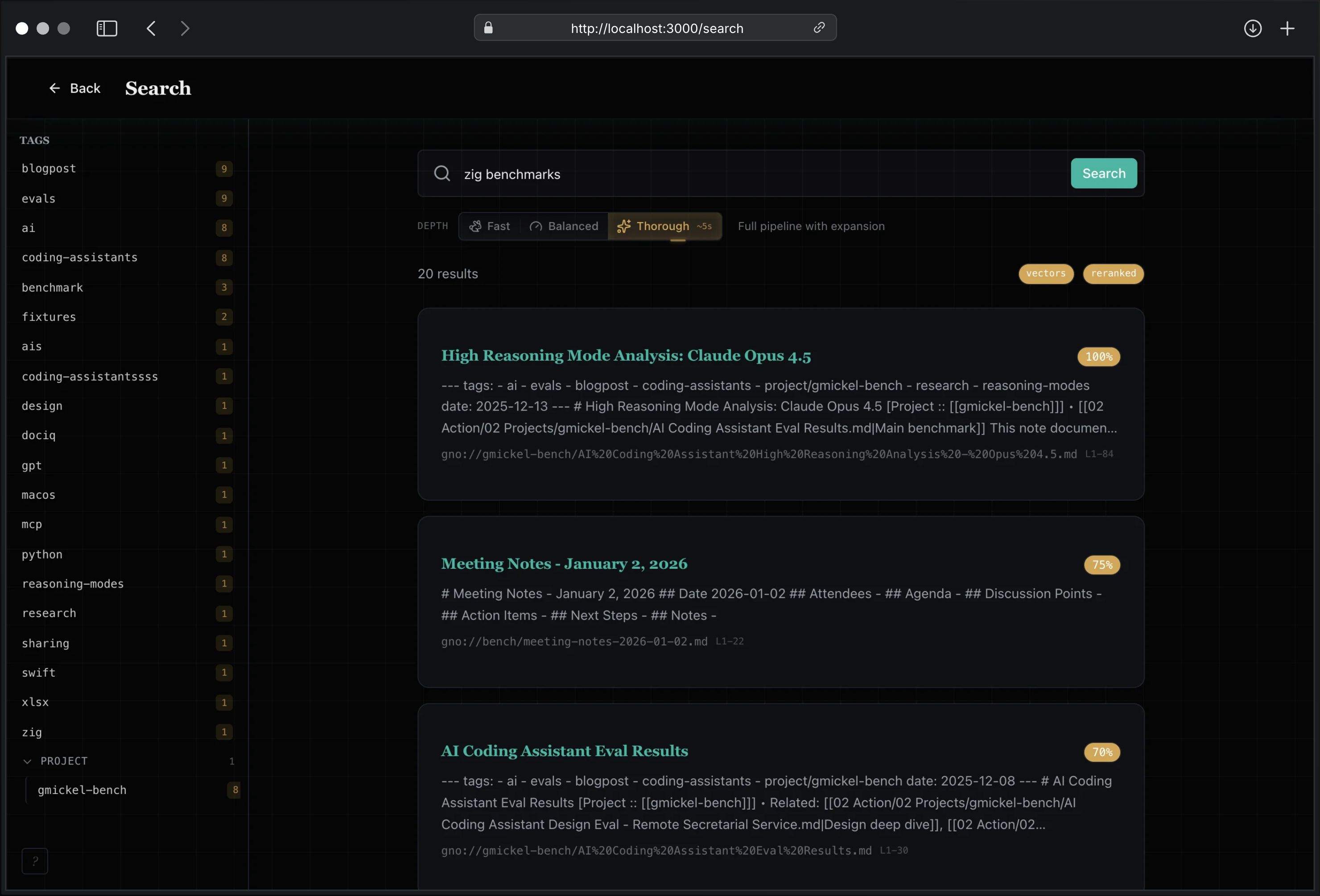
Three retrieval modes: BM25 (keyword), Vector (semantic), or Hybrid (best of both). Adjust search depth for speed vs thoroughness.
Document Editing
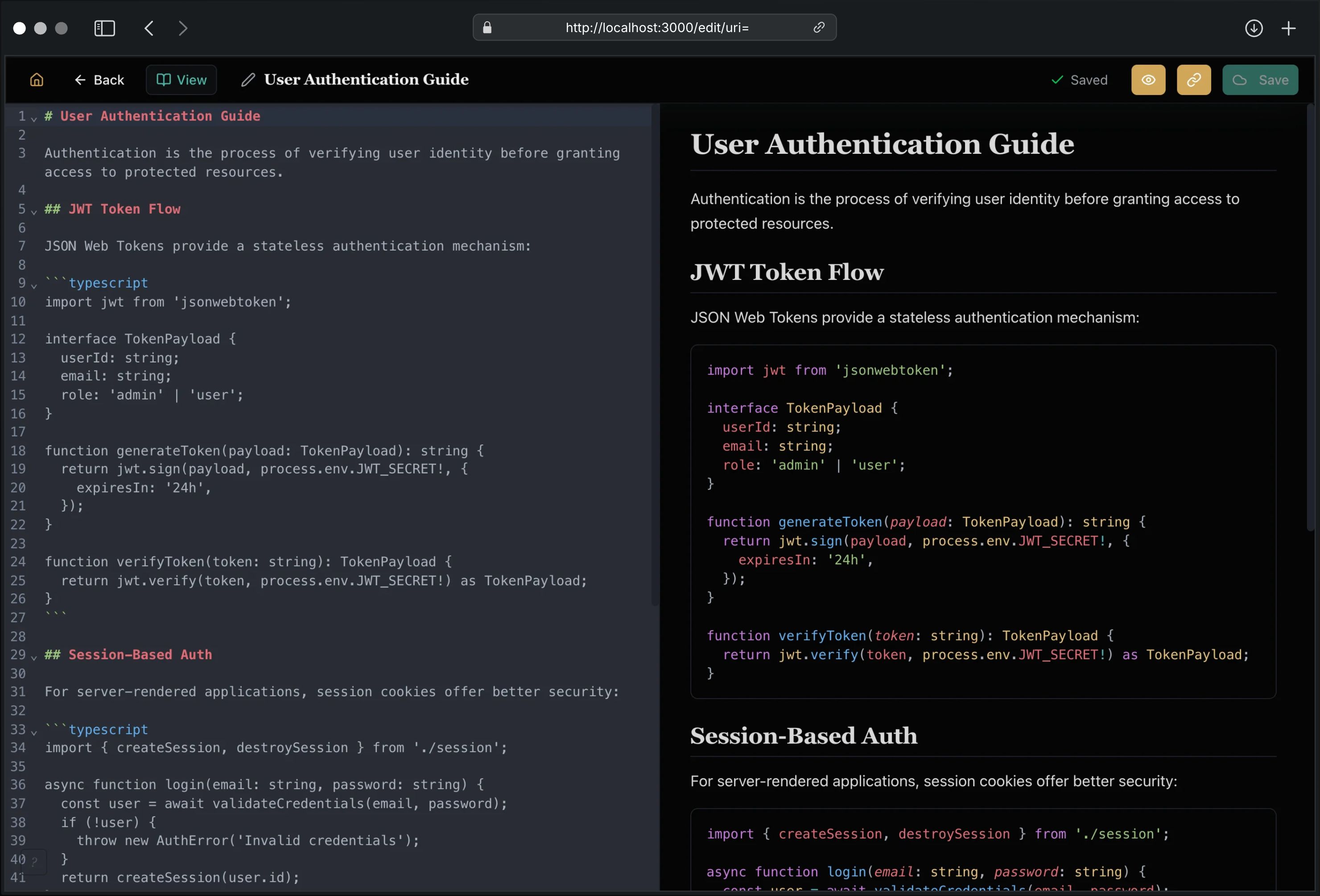
Full-featured markdown editor with:
| Feature | Description |
|---|---|
| Split View | Side-by-side editor and live preview |
| Auto-save | 2-second debounced saves |
| Syntax Highlighting | CodeMirror 6 with markdown support |
| Keyboard Shortcuts | ⌘S save, ⌘B bold, ⌘I italic, ⌘K link |
| Quick Capture | ⌘N creates new note from anywhere |
| Presets | Structured note scaffolds and insert actions |
Document Viewer
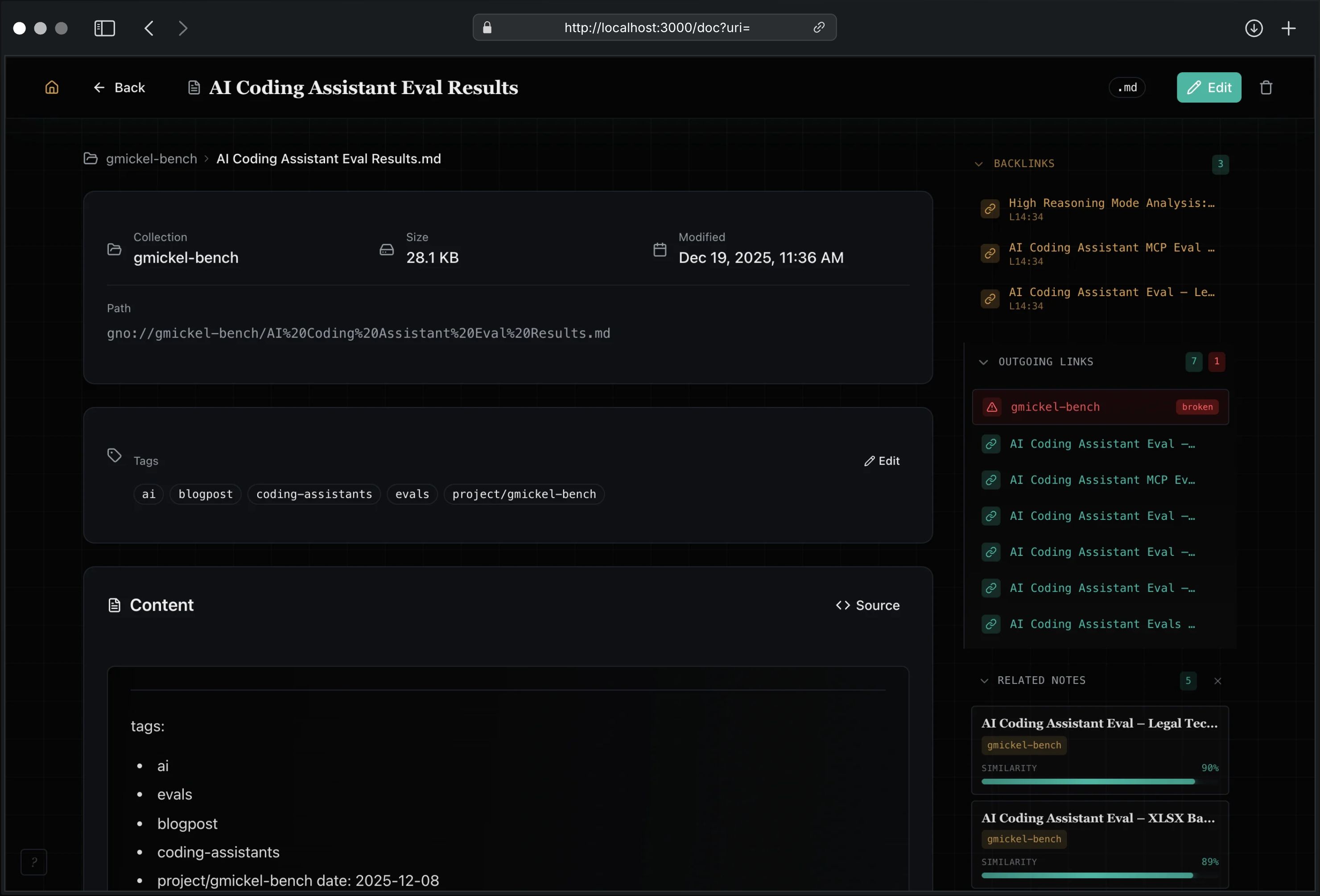
View documents with full context: outgoing links, backlinks, section outline, and AI-powered related notes sidebar.
Browse Workspace
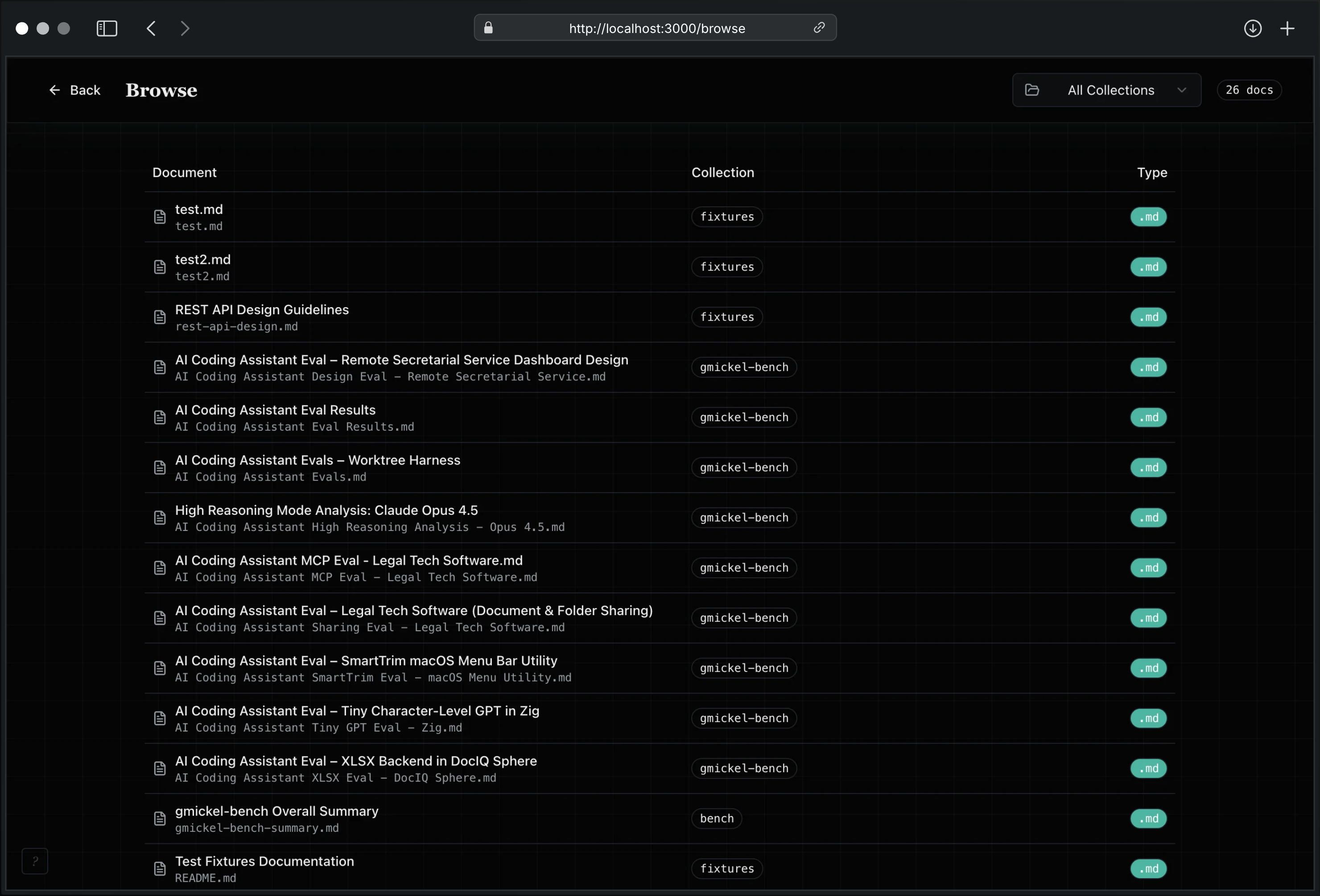
Navigate your notes like a real workspace, not just a flat list:
- Cross-collection tree sidebar
- Folder detail panes
- Create note and create folder from current browse context
- Pinned collections and per-tab browse state
- Direct jump from folder structure into notes
Knowledge Graph
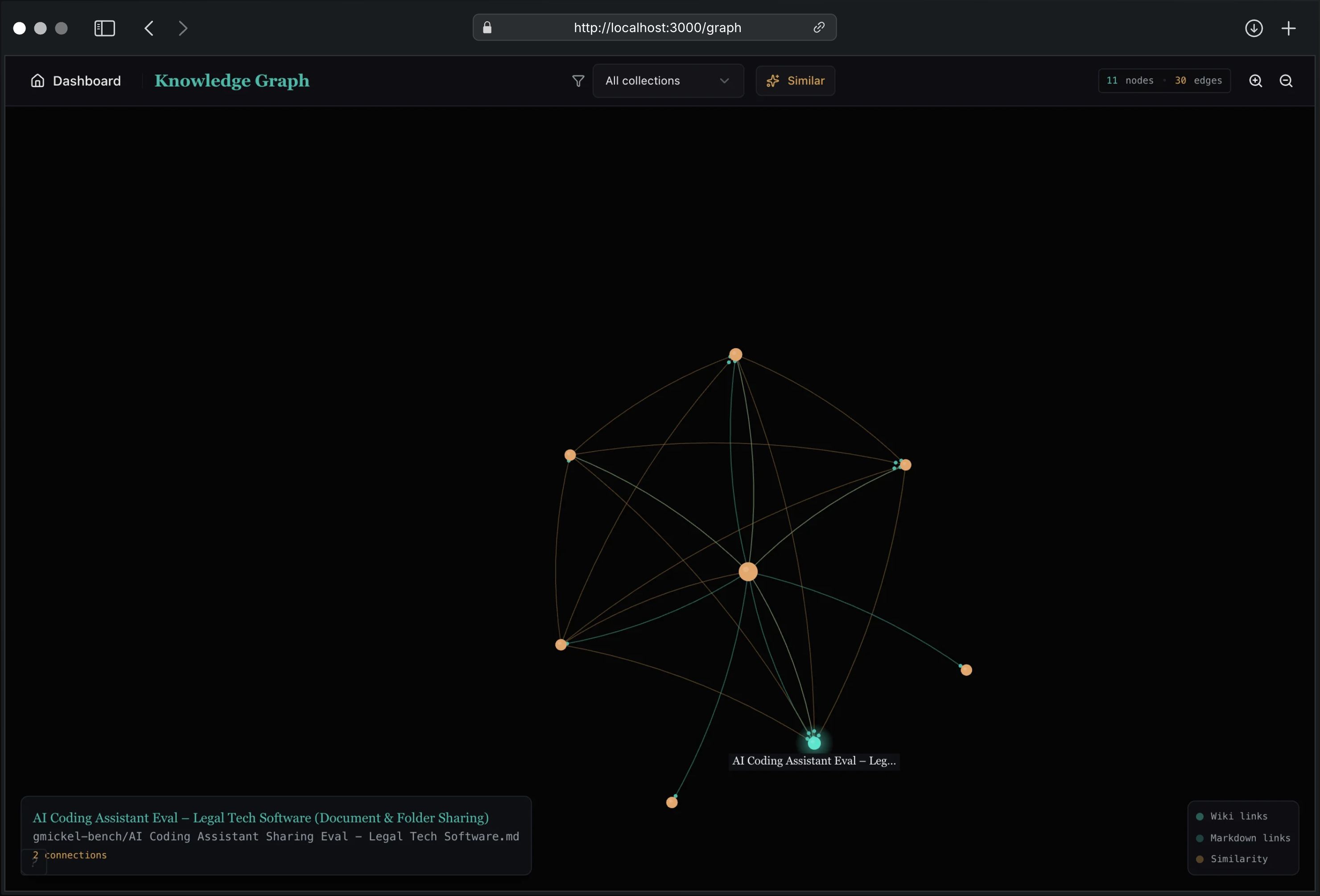
Interactive visualization of document connections. Wiki links, markdown links, and optional similarity edges rendered as a navigable constellation.
Collections Management
- Add collections with folder path input
- View document count, chunk count, embedding status
- Re-index individual collections
- Remove collections (documents preserved)
AI Answers
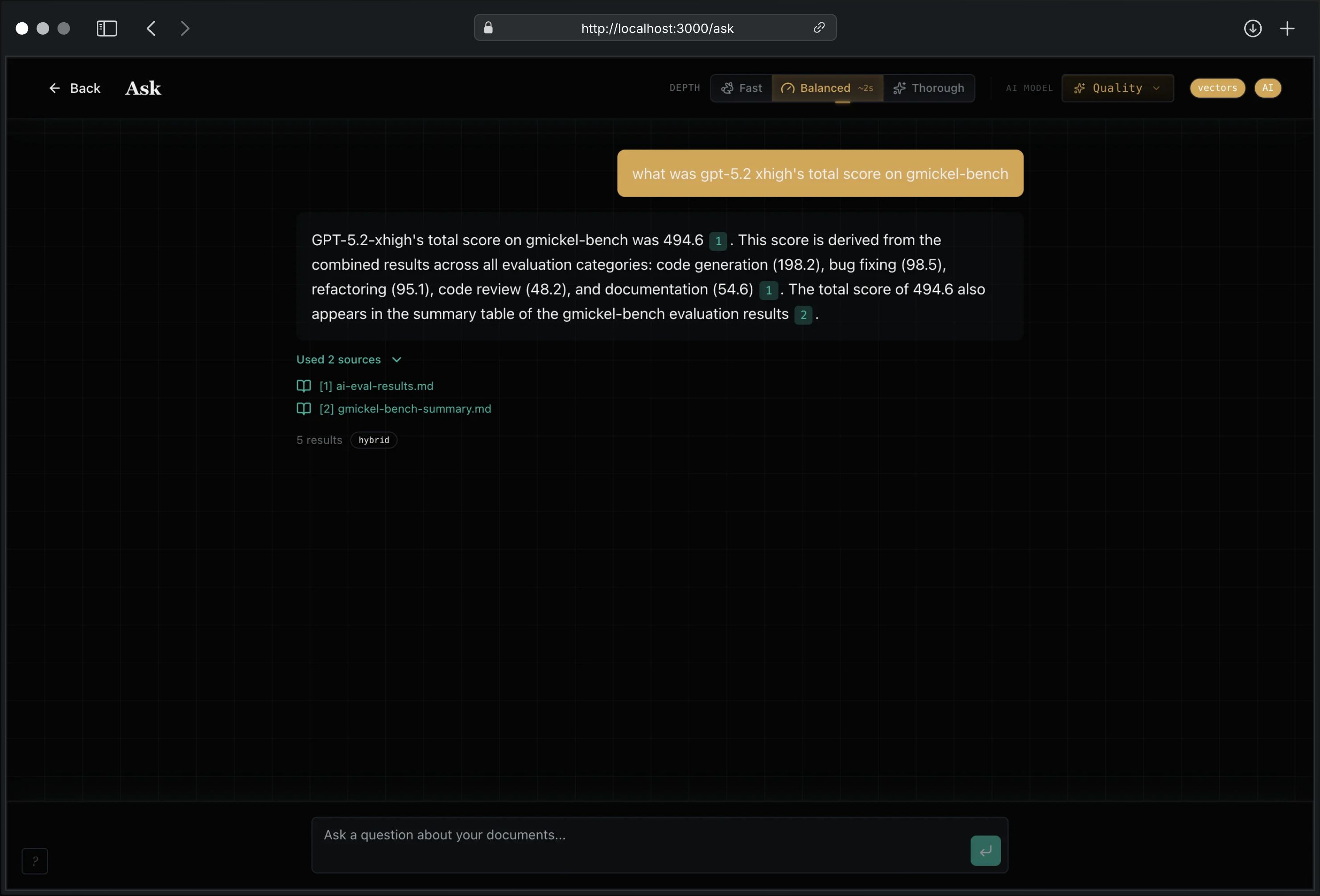
Ask questions in natural language. GNO searches your documents and synthesizes answers with inline citations linking to sources.
The Web UI and local-model path run on your machine with no account or telemetry. Network access occurs when GNO downloads models, when you configure an HTTP model backend, or when you explicitly upload an exported artifact to gno.sh.
Detailed docs: Web UI Guide
Publish to gno.sh
GNO is local-first, but sometimes you want a URL to send someone. gno.sh is the hosted reader on top of GNO — a polished, reading-first page for a single note or a whole collection, without mounting your vault or syncing anything.
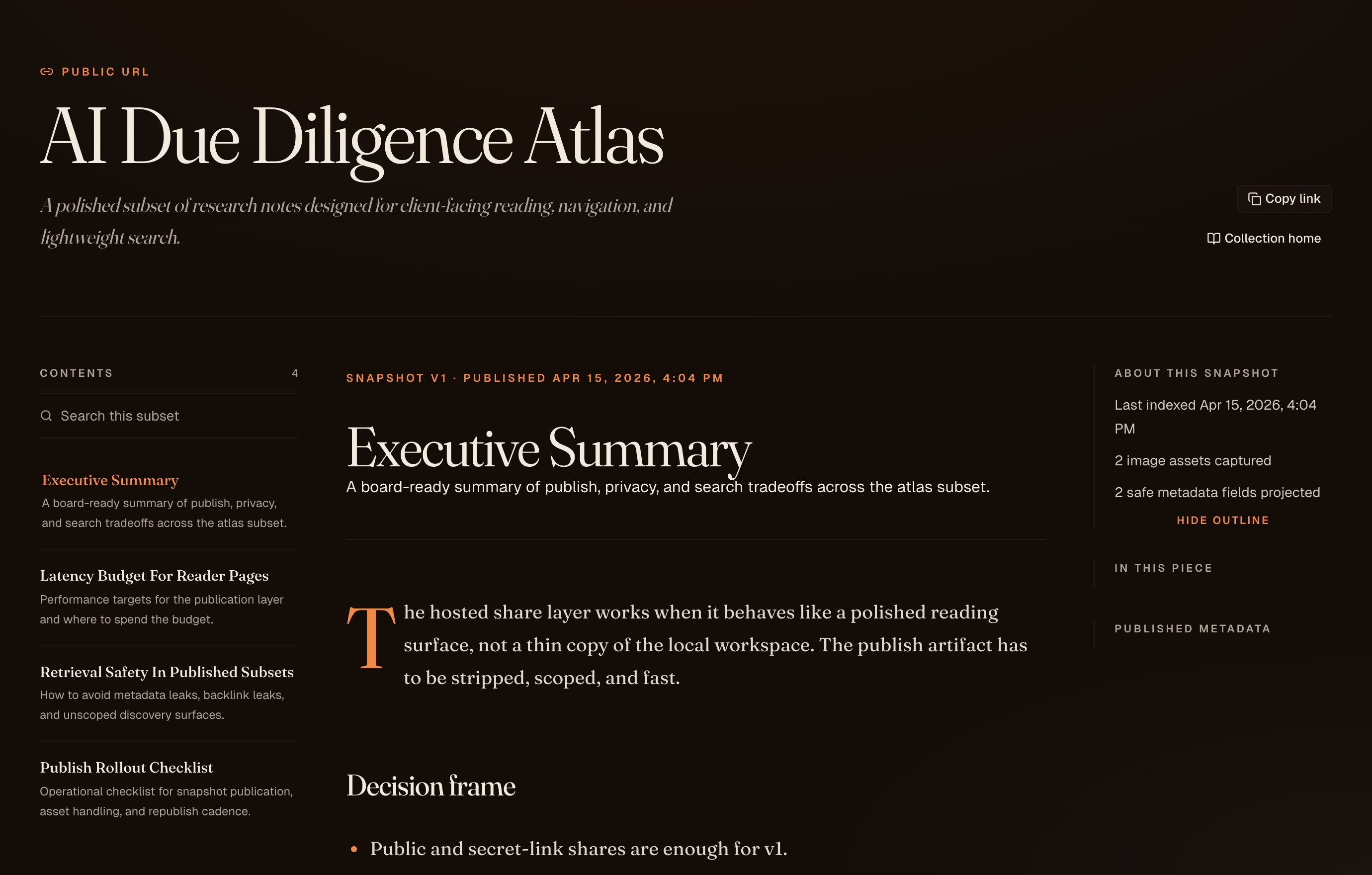
The workflow is deliberately explicit: export locally → upload artifact → share URL. Private and publish: false notes stay on your machine. Exported artifacts omit local collection paths and source URIs.
# Export a single note
gno publish export "gno://work-docs/runbooks/deploy.md" --out ~/Downloads/deploy.json

# Export a whole collection
gno publish export work-docs --out ~/Downloads/work-docs.json

# Export an encrypted note (ciphertext is created locally before upload)
gno publish export "gno://work-docs/runbooks/deploy.md" \
  --visibility encrypted \
  --passphrase "correct horse battery staple" \
  --out ~/Downloads/deploy-encrypted.json

# Let GNO pick the path in your Downloads folder
gno publish export work-docs
Or use the Web UI:
- Collections page → collection menu → Export for gno.sh
- Document view → Export for gno.sh
Upload the artifact at gno.sh/studio and pick a visibility mode:
| Mode | Use When |
|---|---|
| Public | Open URL, indexable — talks, blog posts, portfolios |
| Secret link | Unguessable token, rotate / revoke / expire |
| Invite-only | Private space for specific people |
| Encrypted | GNO encrypts locally before upload; readers decrypt in-browser |
Reader experience: editorial serif typography, drop caps, hanging punctuation, table of contents, keyboard shortcuts (j/k, /), scoped Pagefind-style search, and backlinks restricted to the published subset. Nothing leaks that you didn't publish.
Public exports also carry a deterministic agent manifest. It lists only the sanitized published Markdown projection, with relative Markdown locators, content hashes, exact line spans, and Capsule-compatible evidence identities. The projection revision is stable while those published bytes and reader metadata are unchanged. Secret-link and invite-only exports do not receive agent capabilities or manifests. Encrypted exports remain ciphertext-only. Reader metadata drops embedded local path or GNO/file URI tokens; canonical and image fields accept only uncredentialed public HTTP(S) targets.
Republishing a public, secret-link, or invite-only artifact updates the same URL. Encrypted shares should be replaced from a fresh local export so the server never needs your plaintext.
Encrypted source-backed publish on gno.sh is intentionally disabled. For encrypted shares, use:
gno publish export --visibility encrypted --passphrase ..., or- the browser-side encrypted markdown upload path in
gno.sh/studio
Full story: gno.sh/publish · Try it: gno.sh/studio
REST API
Programmatic access to all GNO features via HTTP.
# Hybrid search
curl -X POST http://localhost:3000/api/query \
  -H "Content-Type: application/json" \
  -d '{"query": "authentication patterns", "limit": 10}'

# AI answer
curl -X POST http://localhost:3000/api/ask \
  -H "Content-Type: application/json" \
  -d '{"query": "What is our deployment process?"}'

# Index status
curl http://localhost:3000/api/status

# Process liveness only
curl http://localhost:3000/api/health
| Endpoint | Method | Description |
|---|---|---|
/api/query |
POST | Hybrid search (recommended) |
/api/search |
POST | BM25 keyword search |
/api/ask |
POST | AI-powered Q&A |
/api/context |
POST | Build evidence Capsule |
/api/context/verify |
POST | Verify saved Capsule |
/api/changes |
GET | List retained changes |
/api/diff |
GET | Read structural delta |
/api/impact |
GET | Trace dependency impact |
/api/docs |
GET | List documents |
/api/docs |
POST | Create document |
/api/docs/:id |
PUT | Update document content |
/api/docs/:id/move |
POST | Move editable document |
/api/docs/:id/duplicate |
POST | Duplicate editable document |
| `/api/d |
No comments yet
Be the first to share your take.