
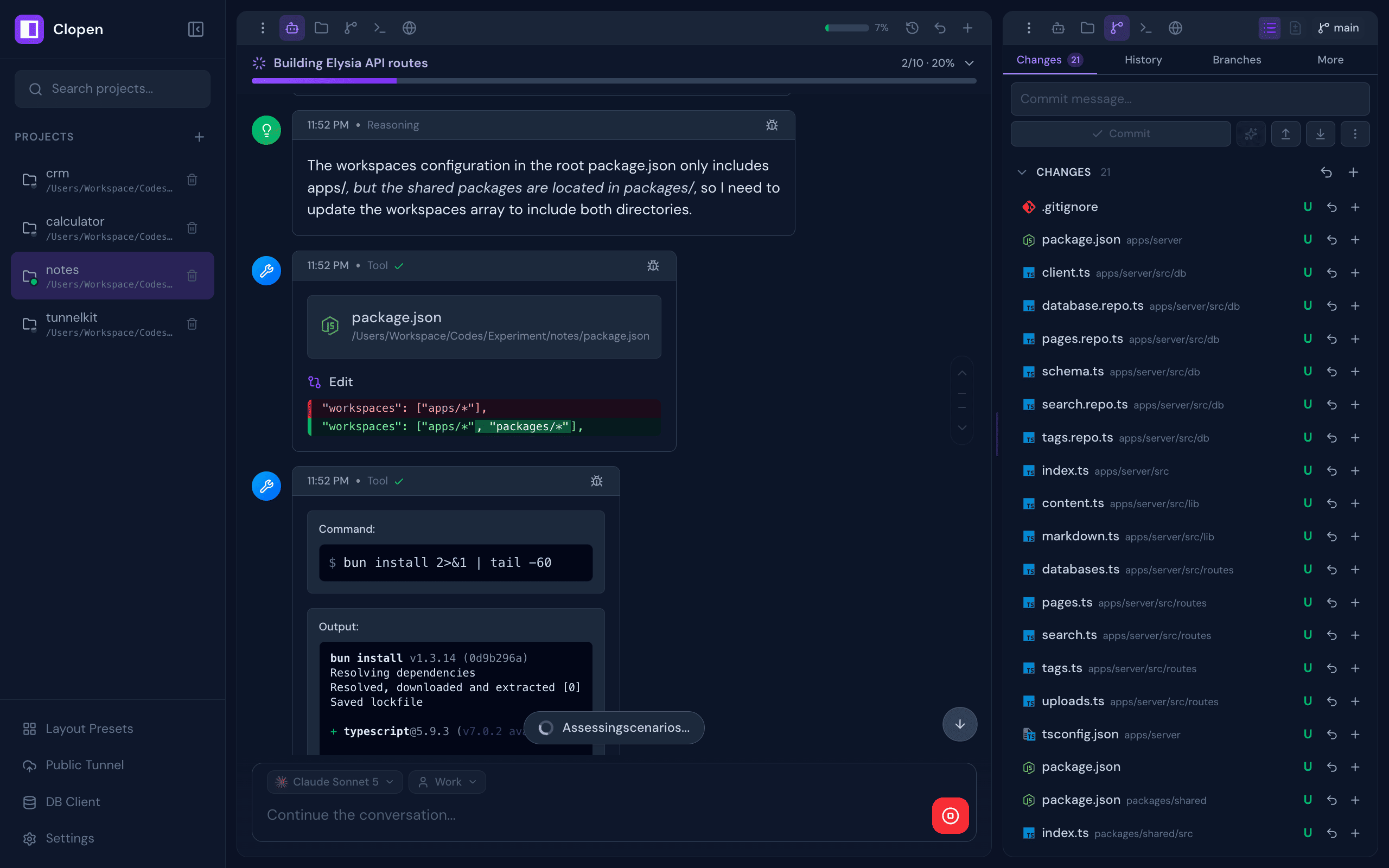
All-in-one workspace for AI coding agents — Claude Code, OpenCode, Codex, Copilot, Qwen Code, Pi, Cline, and Cursor. Chat, terminal, git, browser preview, database client, and real-time collaboration — plus Skills, Subagents, Commands, and MCP connectors to extend every engine.
Screenshots
Works on Any Device
Features
A complete development environment designed around AI-assisted workflows, built to disappear into the background and just work.
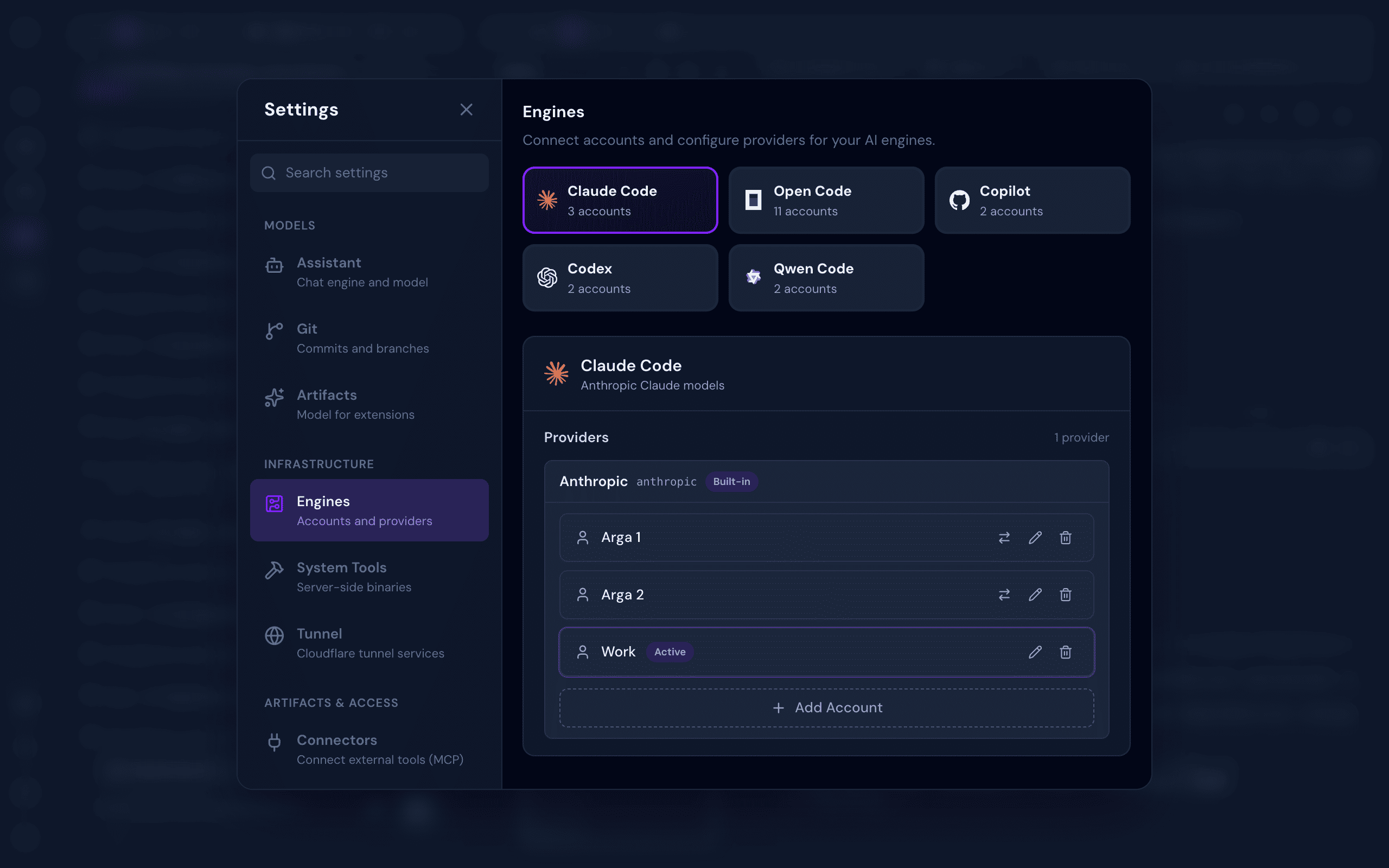
- Multi-Engine Support — Switch between Claude Code, OpenCode, Codex, GitHub Copilot, Qwen Code, Pi, Cline, and Cursor as your AI engine, per session
- Multi-Account Per Engine — Manage multiple accounts per engine (personal, work, or team) and switch between them instantly per chat session
- Integrated Terminal — Multi-tab xterm.js terminal with full keyboard control and complete ANSI/VT support, right inside your workspace
- Full Git Management — Stage, commit, branch, push, pull, stash, log, and resolve conflicts, all from a clean UI
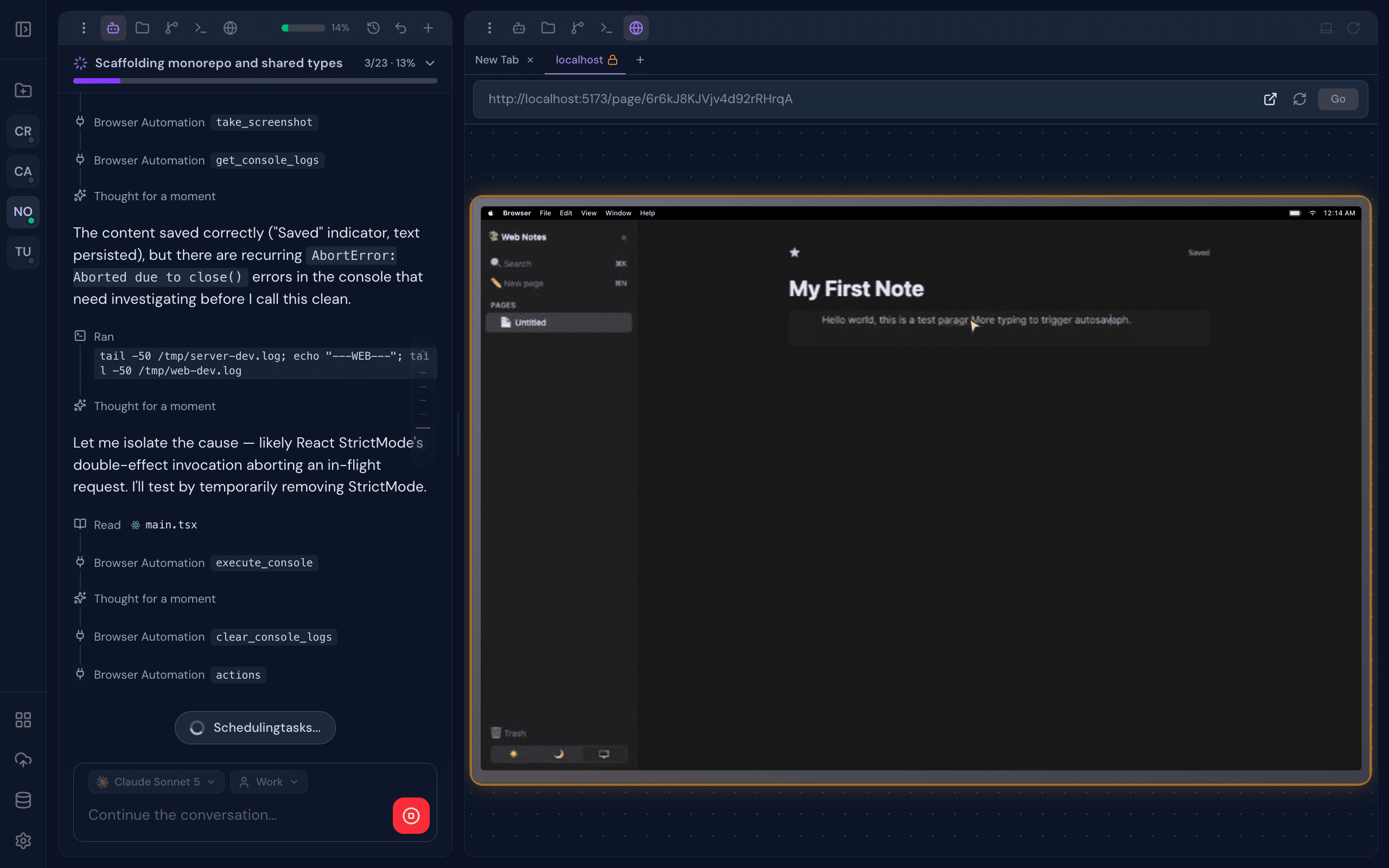
- Real Browser Preview — A live browser preview streams directly into your workspace. Interact with your app manually, or let the AI drive: clicking, typing, and scrolling for autonomous visual testing
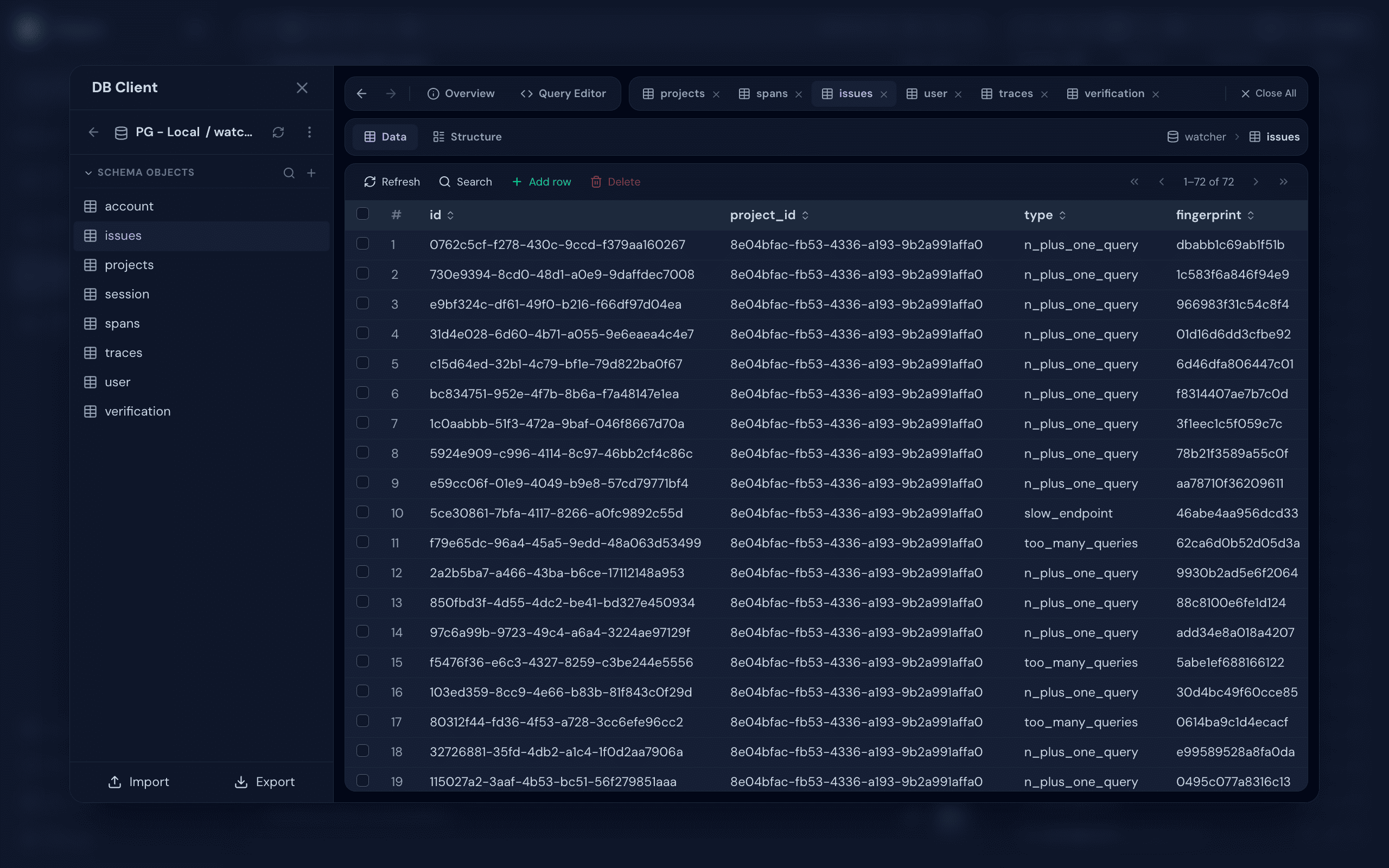
- Database Client — Connect to PostgreSQL, MySQL, SQLite, MongoDB, and Redis. Browse schemas, run queries, and inspect data, with optional SSH tunneling for databases behind a bastion
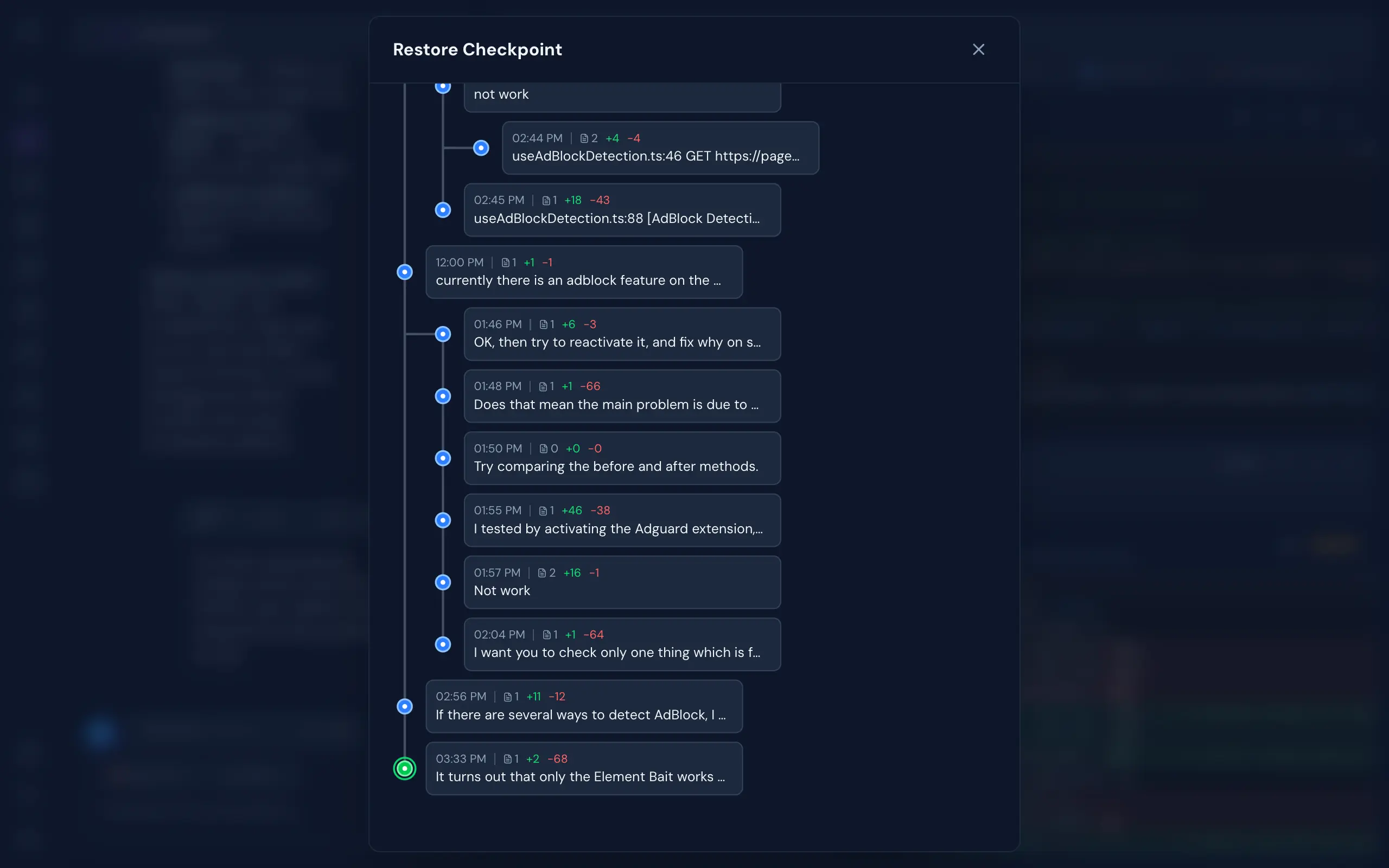
- Git-Like Checkpoints — Multi-branch undo/redo with full file snapshots. Roll back to any point in your AI conversation without touching your actual git history
- Real-Time Collaboration — See who's working on which project, and collaborate live in the same codebase
- Monaco File Editor — VS Code's editor right in the browser. Full syntax highlighting, autocomplete, and live file watching, beside your AI chat
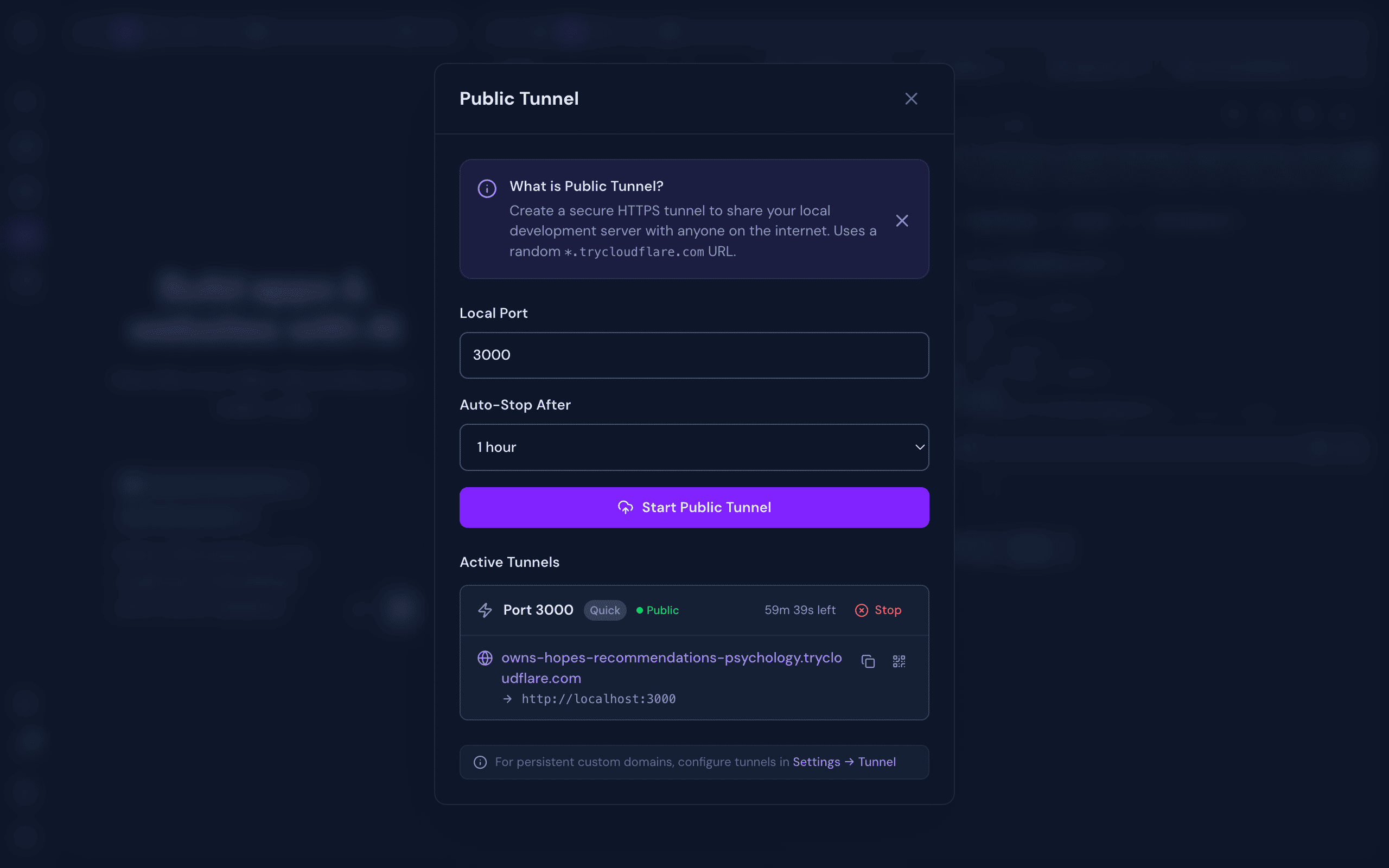
- Cloudflare Tunnel — One-click public HTTPS URL for your local dev server. Built-in QR code for instant mobile access. Share your work without deploying
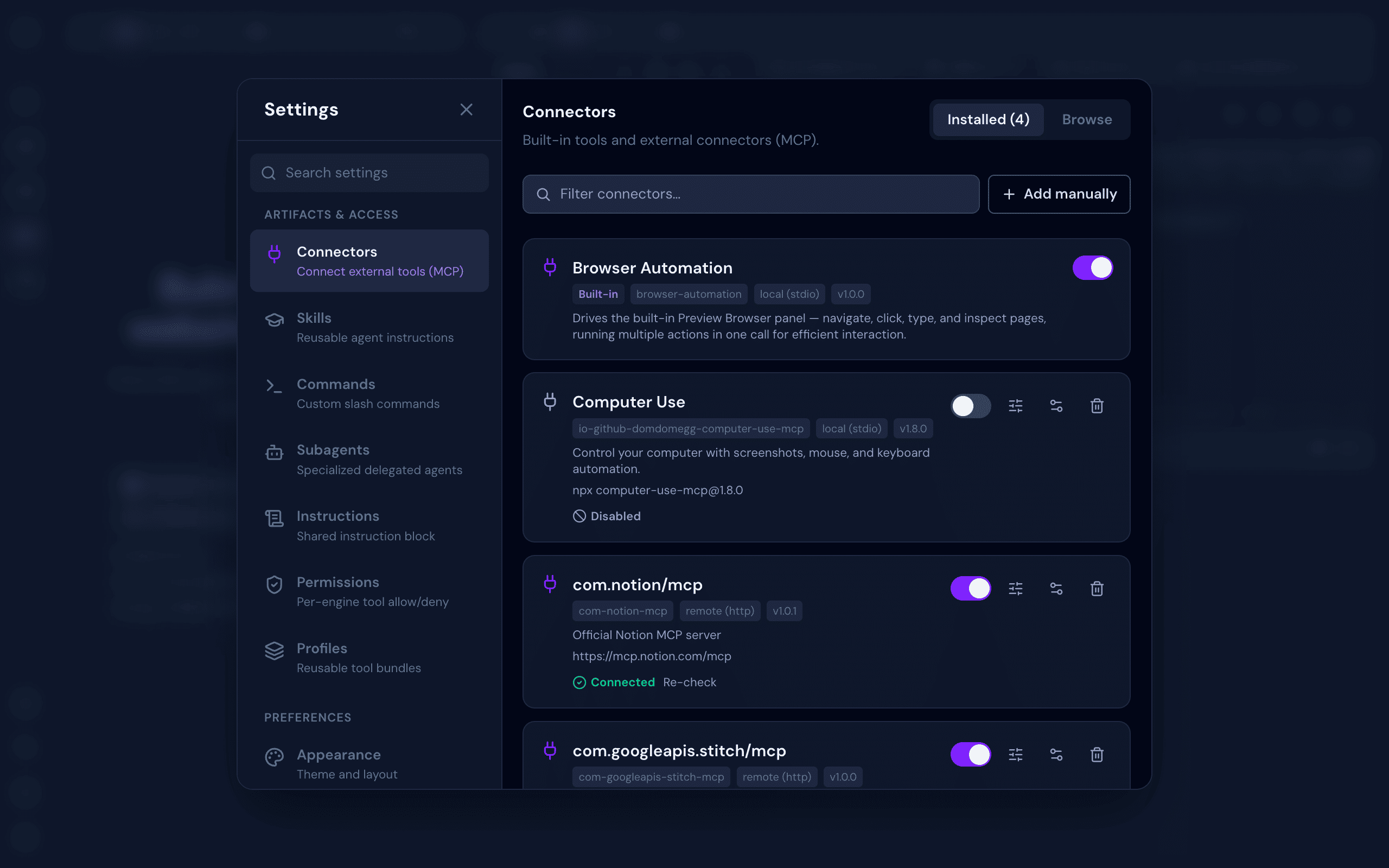
- Connectors (MCP) — Browse a searchable catalog of Model Context Protocol servers, connect with OAuth or custom env/headers, and sync every connector across all your AI engines
- Skills, Commands & Subagents — Build reusable Skills, slash Commands, delegated Subagents, shared Instructions, and tool Permissions or Profiles once, synced automatically across every engine
- Flexible Authentication — No Login or With Login mode with admin/member roles, invite links, rate-limited login, and CLI token recovery
- System Tools Installer — Install Git, Claude Code, OpenCode, Codex, Copilot, Qwen Code, Chrome, and Cloudflared (for Public Tunnel) from a one-click admin panel
- Background Processing — Chat, terminal, and other processes continue running even when you close the browser — come back later and pick up where you left off
- Works on Any Device — Fully responsive across desktop, laptop, tablet, and mobile. Open your workspace from any device and continue exactly where you left off
Quick Start
Prerequisites
- Bun.js v1.2.12+
- At least one supported AI engine — Claude Code, OpenCode, Codex, GitHub Copilot CLI, or Qwen Code. All are installable from Settings → System Tools after first launch. Pi, Cline, and Cursor are bundled as in-process SDKs and need no separate CLI install — just sign in from Settings → Engines
Installation
bun add -g @myrialabs/clopen
Update
clopen update
Or manually via Bun:
bun add -g @myrialabs/clopen
You can also update from the Settings → Maintenance → Updates section in the web UI.
Usage
clopen
Starts the server on http://localhost:9141.
First-Time Setup
On first launch, a setup wizard guides you through:
- Authentication mode — Choose between No Login (no authentication required, ideal for personal/local use) or With Login (login with Personal Access Token, supports team collaboration)
- Admin account — If With Login mode is selected, create your admin account and save the generated PAT
- System Tools — Install Git, Chrome, Cloudflared, and any AI engine you don't have yet — straight from the wizard, no terminal needed
- AI Engines — Check installation status for Claude Code, OpenCode, Codex, Copilot, and Qwen Code, and sign in to the engines you'll use. Pi, Cline, and Cursor need no install and are ready to sign in to directly
- Preferences — Set dark mode, font size, sound notifications, and message layout (Classic cards or Compact lines)
You can change the authentication mode anytime in Settings → Security → Authentication.
To invite team members (With Login mode), go to Settings → Team → Invite and generate an invite link (valid for 15 minutes).
If you lose your admin token:
clopen reset-pat
This regenerates and displays a new admin PAT.
Contributing
Clopen is open source and contributions are welcome! Whether it's a bug fix, new feature, or improvement to docs — feel free to open an issue or submit a pull request.
git clone https://github.com/myrialabs/clopen.git
cd clopen
bun install
bun run dev     # Start development server
bun run check   # Type checking
When running in development mode, Clopen uses ~/.clopen-dev instead of ~/.clopen, keeping dev data separate from any production instance.
Each AI engine's config/state (credentials, sessions, logs) is isolated under ~/.clopen/engine/<engine>/user/ rather than the engine's global location (~/.codex, ~/.copilot, ~/.qwen, the OpenCode XDG dirs), so Clopen never mixes with — or disturbs — your own standalone CLI usage.
See CONTRIBUTING.md for guidelines and DECISIONS.md for architectural decisions.
Architecture
| Layer | Technology |
|---|---|
| Runtime | Bun.js |
| Frontend | Svelte 5 (runes) + Vite |
| Backend | Elysia + WebSocket |
| Styling | Tailwind CSS v4 |
| Database | SQLite with migrations |
| Terminal | bun-pty |
| AI Engines | Claude Code, OpenCode, Codex, Copilot, Qwen Code, Pi, Cline, Cursor |
| DB Client | Postgres, MySQL, SQLite, MongoDB, Redis (+ SSH tunnel) |
Troubleshooting
Port 9141 Already in Use
clopen --port 9145
Or kill the existing process:
# Unix/Linux/macOS
lsof -ti:9141 | xargs kill -9

# Windows
netstat -ano | findstr :9141
taskkill /PID <PID> /F
License
MIT License - see LICENSE for details.
Acknowledgments
- Claude Code by Anthropic
- OpenCode by Anomaly
- Codex by OpenAI
- GitHub Copilot CLI by GitHub
- Qwen Code by Alibaba Qwen
- Pi by Earendil Works
- Cline by Cline Bot Inc.
- Cursor by Anysphere
- Bun runtime
- Svelte framework
Support
If Clopen is useful to you, consider supporting its development:
| Method | Address / Link |
|---|---|
| Bitcoin (BTC) | bc1qd9fyx4r84cce2a9hkjksetah802knadw5msls3 |
| Solana (SOL) | Ev3P4KLF1PNC5C9rZYP8M3DdssyBQAQAiNJkvNmPQPVs |
| Ethereum (ERC-20) | 0x61D826e5b666AA5345302EEEd485Acca39b1AFCF |
| USDT (TRC-20) | TLH49i3EoVKhFyLb6u2JUXZWScK7uzksdC |
| Saweria | saweria.co/myrialabs |
Repository: github.com/myrialabs/clopen · Issues: Report a bug or request a feature
No comments yet
Be the first to share your take.