
bambu-3mf-export — a Claude Code skill for sliceable Bambu Studio .3mf projects




Export finished STL meshes to a real Bambu Studio .3mf project with print settings baked in. No "The 3mf is not from Bambu Lab, load geometry data only" warning. Support, infill, filament, and profile already set, multiple parts packed across named plates.
A plain trimesh or lib3mf .3mf carries geometry only, so Bambu Studio makes you re-enter every setting by hand. This skill writes the same package layout Bambu Studio itself writes, so the file opens as a real project with nothing to redial.
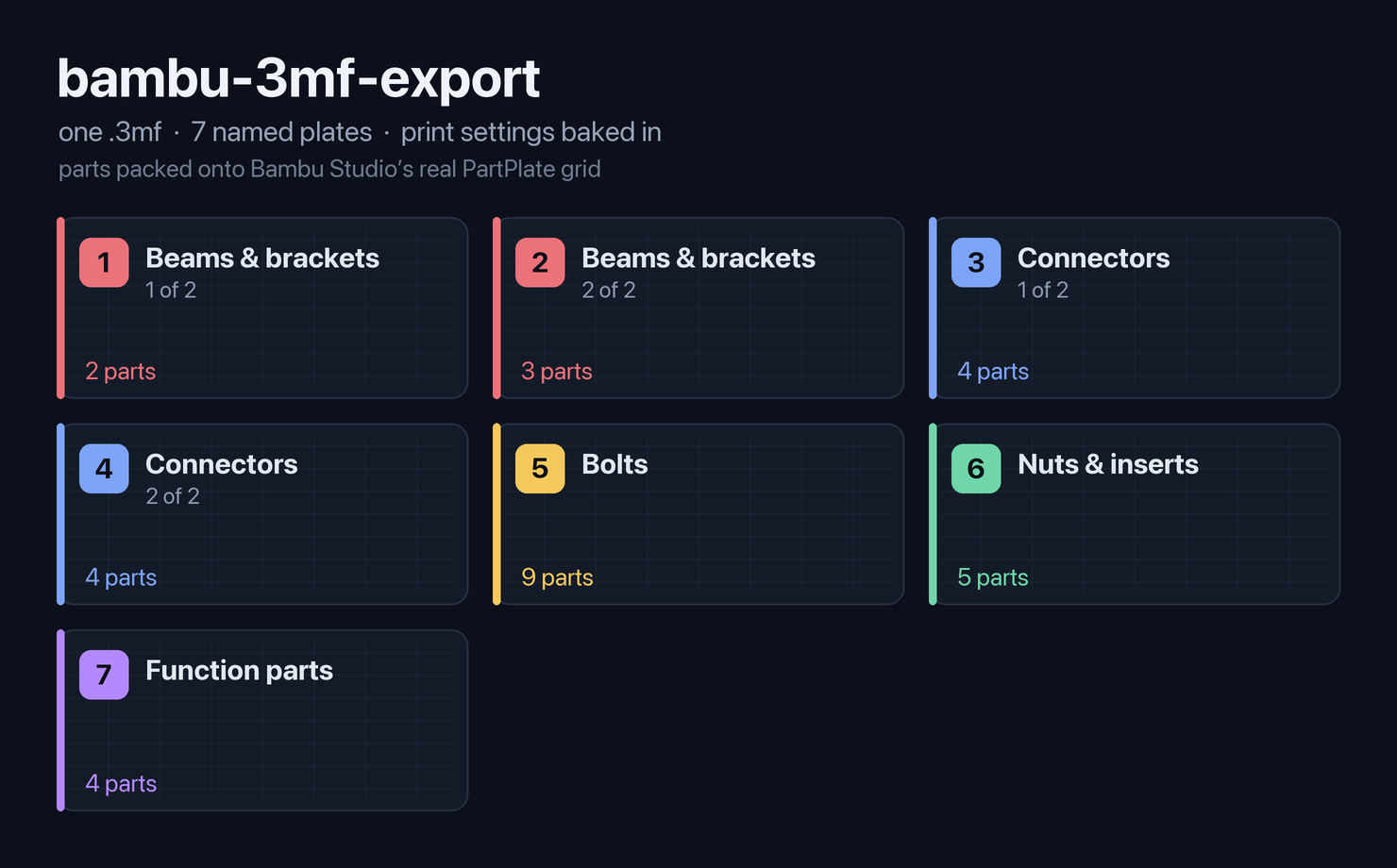
One
.3mf, seven named plates, settings baked in. Parts are grouped by category and placed on Bambu Studio's realPartPlategrid, so every part seats on its plate instead of floating off in a row.
Why
Geometry-only .3mf files are why "export to printer" usually means twenty minutes of redialing layer height, walls, infill, supports, and filament in Bambu Studio, every single time. And lib3mf silently drops Bambu's sidecar config files, so the official library can't write a project either. This skill hand-assembles the ZIP the way Bambu Studio does, so the export opens print-ready.
What it does
- Opens as a Bambu project, not raw geometry. Starts from a validated A1 process / filament / printer profile template and overrides only the keys you care about. No "not from Bambu Lab" warning.
- Per-object overrides. Support on for the one part that needs it, denser infill for the load-bearing one, more walls for the threaded one, all in a single file.
- FINE / FAST profile splits. Print detail parts (gears, threads) at 0.16mm and bulk parts (housings) at 0.28mm with lightning infill, in the same export.
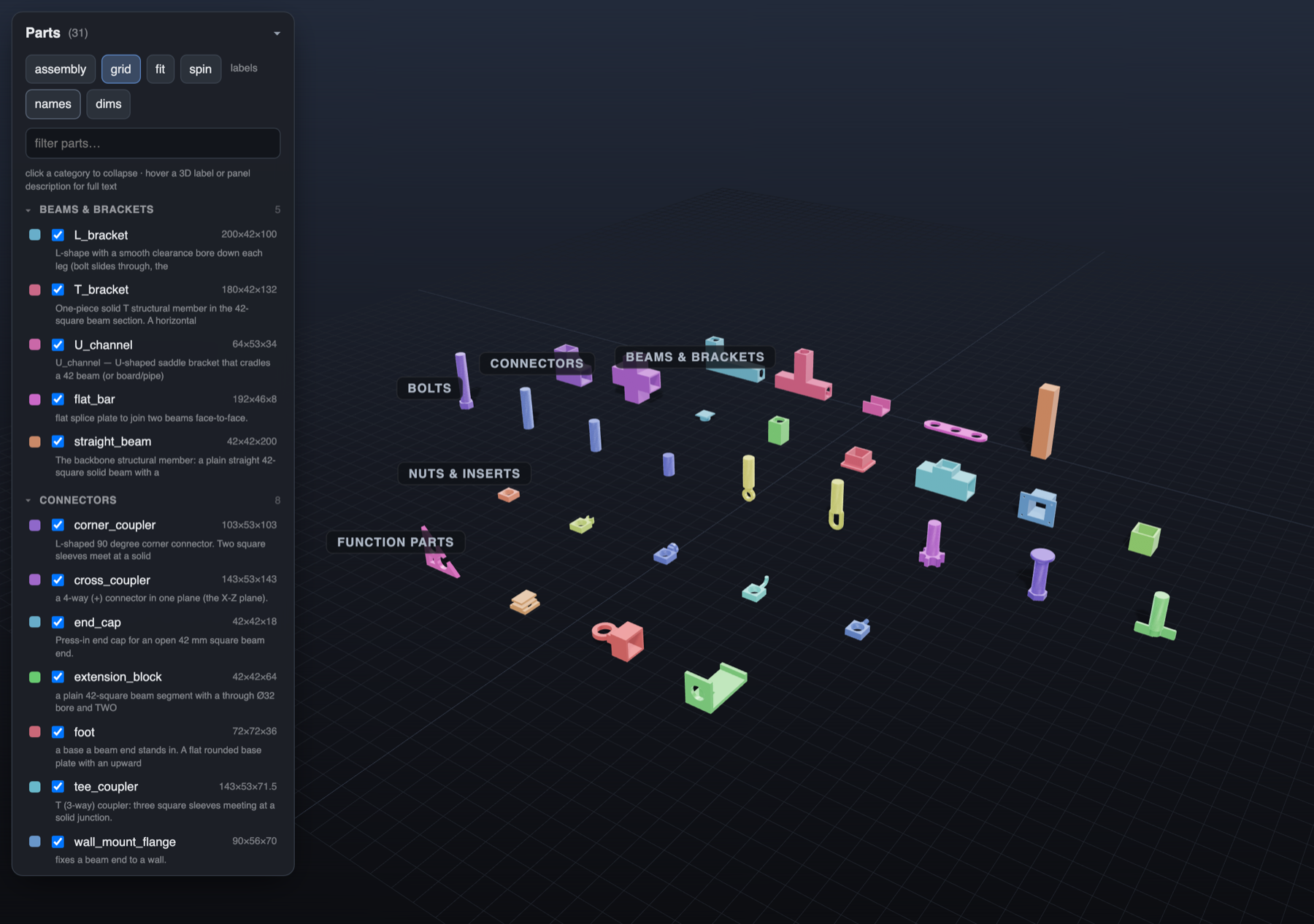
- Multi-plate packing. Groups parts onto named plates and lays them out in Bambu Studio's exact
PartPlategrid (cols = round(sqrt(n)),stride = bed × 1.2, rows toward −Y), so parts land on their plates instead of in one floating row. - Reference for
.3mfinternals.SKILL.mddocuments the lib3mf gotchas (why we hand-assemble the ZIP), the two transform conventions,negative_partcarving rules, XML-escaping, plate-name validation, and BambuStudio-CLI slicing for real time / filament measurement.
Pairs with 3d-print-modeling for the design-and-verify loop that produces the STLs.
Install
Option 1: Manual (works everywhere, all projects)
git clone https://github.com/m-esm/bambu-3mf-export ~/.claude/skills/bambu-3mf-export
Restart Claude Code. The skill auto-loads when you ask to export a sliceable file, or run /bambu-3mf-export.
Option 2: Plugin marketplace (supports updates)
/plugin marketplace add m-esm/bambu-3mf-export
/plugin install bambu-3mf-export@bambu-3mf-export
Update later with /plugin marketplace update bambu-3mf-export.
Usage
Export these STLs to a Bambu A1 .3mf with support on the bracket only and the gears at 0.16mm.
Pack all 24 parts onto plates by category and write one sliceable project for PETG.
Or invoke it explicitly with /bambu-3mf-export.
The writer
scripts/bambu3mf.py exposes one function:
from bambu3mf import write_bambu_3mf

write_bambu_3mf(
    "out.3mf",
    plates,        # list of {"name": str, "parts": [{name, mesh, pos, obj_settings}]}
    overrides,     # project_settings.config keys to override (layer height, walls, ...)
)
A flat list of parts is treated as a single plate. scripts/export_bambu_example.py is a worked FINE/FAST two-profile export you adapt to your project. scripts/bambu_profile_template.json is the A1 profile base and must sit next to bambu3mf.py.
Requirements
- Python 3.9+,
trimesh,numpy. No lib3mf (the ZIP is hand-assembled, which is the whole point: lib3mf silently drops Bambu's sidecar configs). - Profiles target the Bambu Lab A1 / A1 Mini by default; adapt the template for P1 / X1.
Security
Skills can run code. This one ships Python that Claude executes to assemble a .3mf ZIP from your meshes plus a JSON profile template. No network calls, no credential access. Read SKILL.md and scripts/ before installing.
License
MIT. See LICENSE.
Keywords: Claude Code skill · Claude agent skill · Anthropic · Bambu Lab · Bambu Studio · 3MF · slicer · A1 · A1 Mini · P1 · X1 · 3D printing · FDM · PETG · PLA · print profile · multi-plate · supports · infill · lib3mf.
No comments yet
Be the first to share your take.