
agentcad
CAD tool for AI agents. Give your coding agent the ability to design 3D models.
Your agent writes build123d Python scripts by default. agentcad handles execution, STEP export, PNG rendering, mesh export (STL/GLB/OBJ), geometric metrics, validation, diffing, and browser preview. CadQuery remains available as an explicit compatibility mode. Each command's final response is structured JSON on stdout.
Reading the output: the JSON response is written to stdout; human-readable progress and diagnostics go to stderr. Parse stdout as JSON and treat stderr as plain text — don't merge the streams with
2>&1before a JSON parser, or the progress lines will break parsing. If you need both, capture them separately.
agentcad is open source under the Apache License 2.0. It runs locally and requires no signup.

Demo
A coding agent designing in agentcad, live. See more at agentcad.dev.
Introducing parts
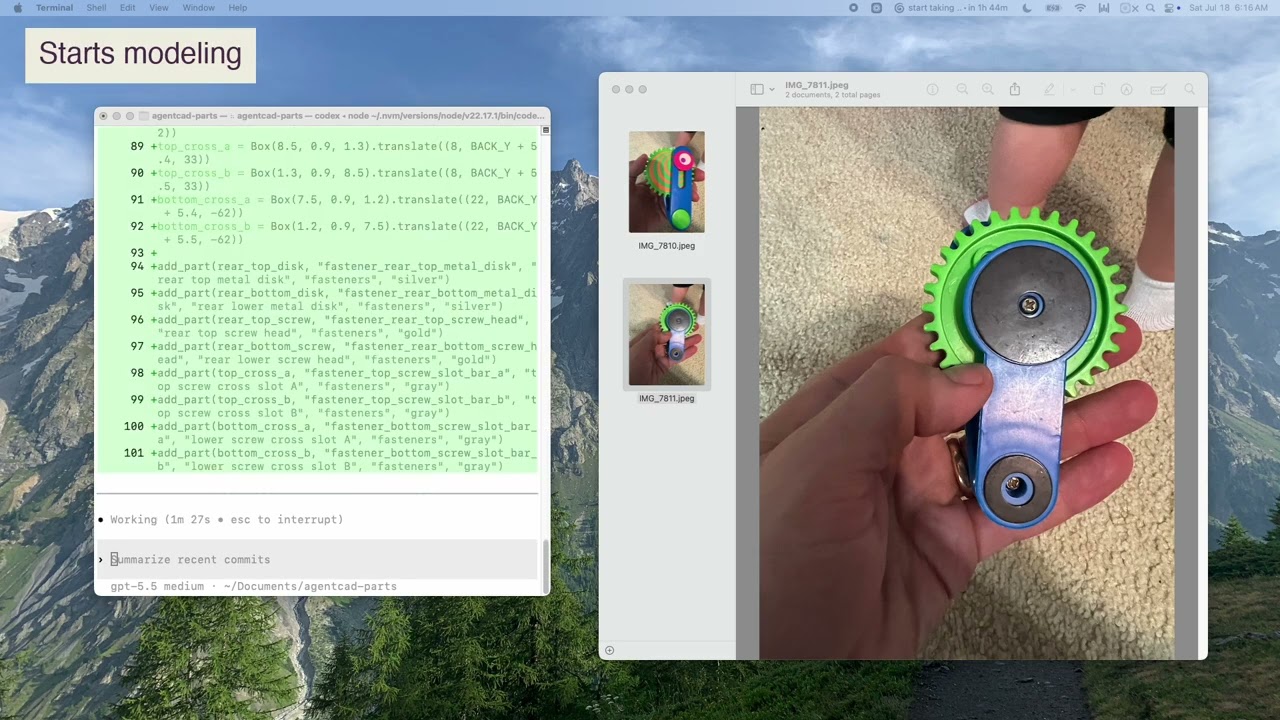
Parts let an agent build CAD as named, color-coded pieces and groups, then hand back a viewer a human can inspect. Watch the demo on YouTube or read the story at agentcad.dev/parts.
Quick start
Install agentcad, then paste this into Claude Code, Cursor, or any coding agent:
Create a Python 3.12 virtual environment, then:

pip install agentcad
agentcad skill install
agentcad --help
agentcad init --name phone-stand

Read the --help output — it's your operational briefing.
Use the default build123d runtime unless the task explicitly requires
CadQuery compatibility.

Then design me a phone stand: a simple angled cradle that holds a phone
at 60 degrees. About 80mm wide, 50mm deep, with a 5mm lip at the bottom
to keep the phone from sliding. Show me a preview when you're done.
What it does
agentcad run script.py --output label— execute a build123d script, producing a versioned STEP file + geometric metrics (volume, dimensions, validity, face/edge counts)- Automatic review viewer — successful runs open
viewer.html; from v2, A=previous and B=current are preloaded for A/B, side-by-side, overlay, and Parts-tab change review (--no-viewopts out) agentcad run ... --preview— four-view PNG for visual verification; the viewer can export an on-demand turntable GIFagentcad run ... --render iso,front— high-quality PNG viewsagentcad run ... --export stl,glb— mesh export for 3D printing or web viewersagentcad measure output.step— dimensional report (overall metrics, edge lengths, face areas, circular/cylindrical diameters)agentcad check-spec output.step spec.json— compare measured cylindrical features against an explicit checklistagentcad inspect output.step— topology deep-dive (shells, free edges, validity)agentcad parts list REF— list named/captured parts for a versionagentcad parts show REF ID— show one versioned part by stable idagentcad parts view REF— hand off an isolated, focused, or grouped part review vieweragentcad diff 1 2— compare versions (metrics, outputs, parameters)agentcad view old.step new.step— open an explicit synchronized A/B comparisonagentcad docs [section]— 17 sections of built-in documentation
No boilerplate
Scripts need zero imports. By default, build123d primitives, show_object, and agentcad edit helpers are pre-injected:
box = Box(10, 20, 5)
show_object(box)
agentcad init records build123d as the project runtime. That keeps the
script API, built-in docs, and subsequent runs on one clear default.
CadQuery compatibility
CadQuery remains supported for existing scripts and projects, but it is not the default authoring path.
For a CadQuery project:
agentcad init --name legacy-model --runtime cadquery
agentcad docs quickstart --runtime cadquery
agentcad run script.py --output first
For a one-off CadQuery script inside a build123d project:
agentcad docs preamble --runtime cadquery
agentcad run legacy.py --output legacy --runtime cadquery
Keep each script on one CAD API. If a script clearly targets the other engine,
agentcad reports the mismatch and the exact one-off override. Run
agentcad docs runtimes for the complete dispatch contract.
MCP integration
For native tool integration with Claude Code, Cursor, or Windsurf:
pip install agentcad[mcp]
Add to .mcp.json:
{"agentcad": {"command": "python", "args": ["-m", "agentcad.mcp"]}}
Requirements
- Python 3.10–3.12 (OpenCascade bindings do not support 3.13+)
License
Apache License 2.0. See LICENSE.
Feedback
If your agent struggles, run agentcad feedback "what happened" to capture a friction log.
No comments yet
Be the first to share your take.